Quick Answer
Use the Rollei RGB Cube 60 to add dynamic color accents, create mood lighting, and simulate practical light sources in your videos—all from a compact 60W LED panel.
Why RGB Lighting Adds Production Value
RGB LED lighting lets you change the color of your scene instantly, without gels or filters. This flexibility is perfect for music videos, vlogs, product shots, and even narrative scenes where you want to convey emotion through color.
The Rollei RGB Cube 60 packs 60 watts of LED power into a cube-shaped housing, making it easy to place on set, behind subjects, or in tight spaces. Its compact design doesn't compromise on brightness, so you can still achieve strong color saturation even in well-lit rooms.
Trade-offs: RGB vs. Bi-Color
While RGB lights offer unlimited color options, they often produce less accurate skin tones when used as a key light compared to bi-color or daylight-balanced LEDs. For interviews or product close-ups, you might prefer to use the RGB Cube 60 as an accent or background light, and rely on a separate white light for the main illumination.
Also, RGB lights can sometimes have a lower color rendering index (CRI) than dedicated white lights, which means colors in your subject may appear slightly off. Keep this in mind when mixing RGB with other light sources.
Step-by-Step: Creative RGB Effects with the RGB Cube 60
- Set Up Your Light: Position the RGB Cube 60 on a stand or stable surface. Use the built-in mounting options to secure it. Common mistake: placing the light too close to the subject can cause harsh shadows; start at least 1-2 meters away and adjust as needed. Check that the light is securely mounted before powering on.
- Choose Your Color: Use the control panel or app to select a specific color from the RGB spectrum. For a natural look, choose a color that complements your scene—like warm orange for sunset or cool blue for night. Common mistake: picking a color that clashes with your subject's wardrobe or skin tone; do a test shot first. If you're unsure, start with a color wheel and choose complementary colors.
- Adjust Intensity and Effects: Set the brightness to match your desired mood. Many RGB lights, including the RGB Cube 60, offer special effects like color cycling or strobe. Use these sparingly for accent moments. Common mistake: using effects at full intensity can be distracting; keep them subtle for a professional look. Record a short clip to verify the effect looks good in your camera's settings.
- Mix with Other Lights: Combine the RGB Cube 60 with a white light source for balanced lighting. Use the RGB light as a background wash or rim light to add depth. Common mistake: mixing RGB with a different color temperature can create an unnatural look; use a white light with adjustable color temperature to match. Test the color balance on your monitor before finalizing the setup.
- Experiment with Placement: Move the light around to see how the color interacts with your subject and background. Try placing it behind the subject for a silhouette effect or low to the ground for a dramatic upward wash. Common mistake: leaving the light in one position for the entire shoot; small changes can make a big difference. Take a few test shots from different angles to find the most flattering setup.
Product Spotlight
-
Bundle 2x LED-Dauerlicht | RGB Cube 60 | LUX-Serie: The LUX RGB Cube 60 delivers 60W of LED power in a compact cube format, ideal for mobile shoots and small studios. This means you can easily pack it in a camera bag and set up creative color lighting anywhere, without needing a large lighting kit.
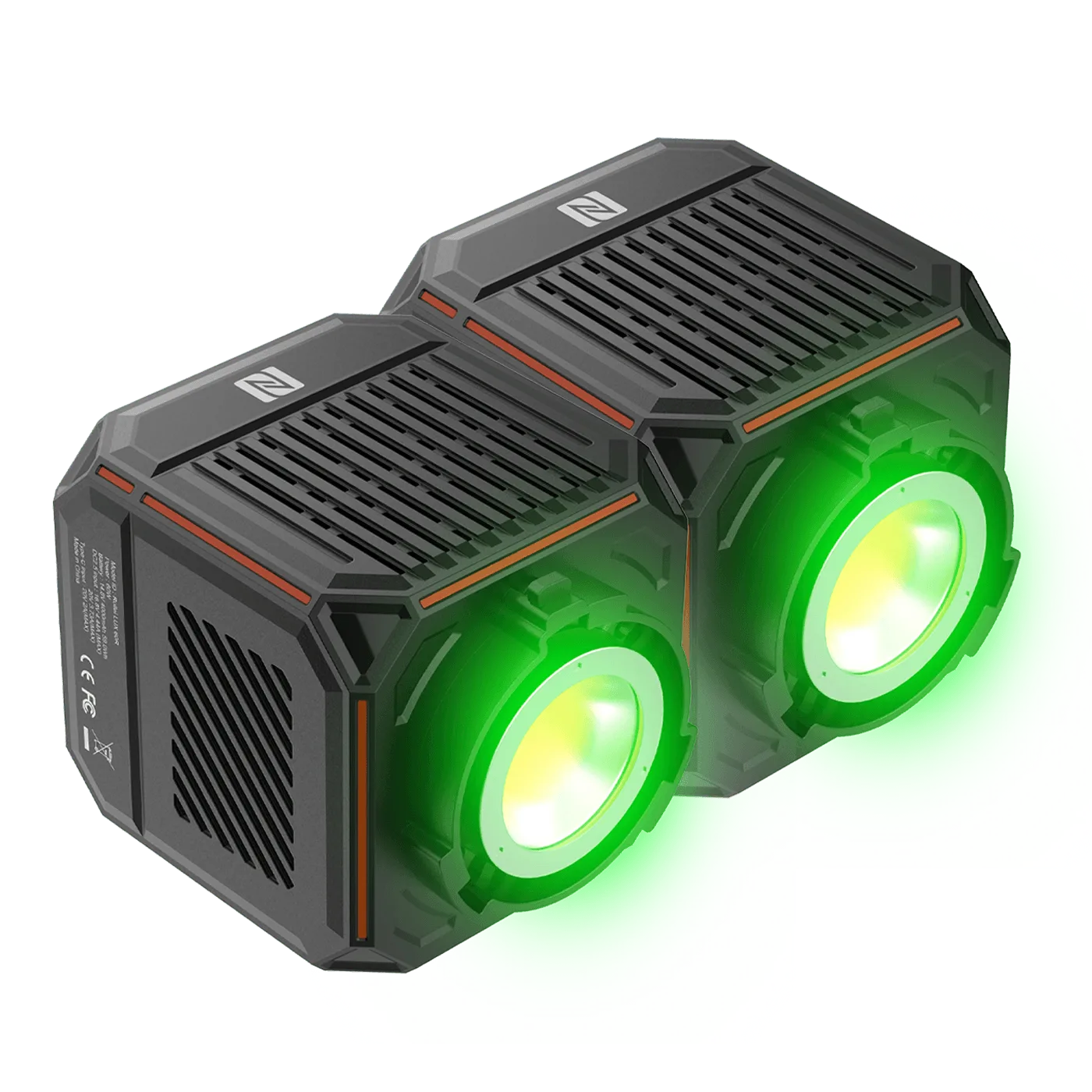
Bundle 2x LED-Dauerlicht | RGB Cube 60 | LUX-Serie