Quick Answer
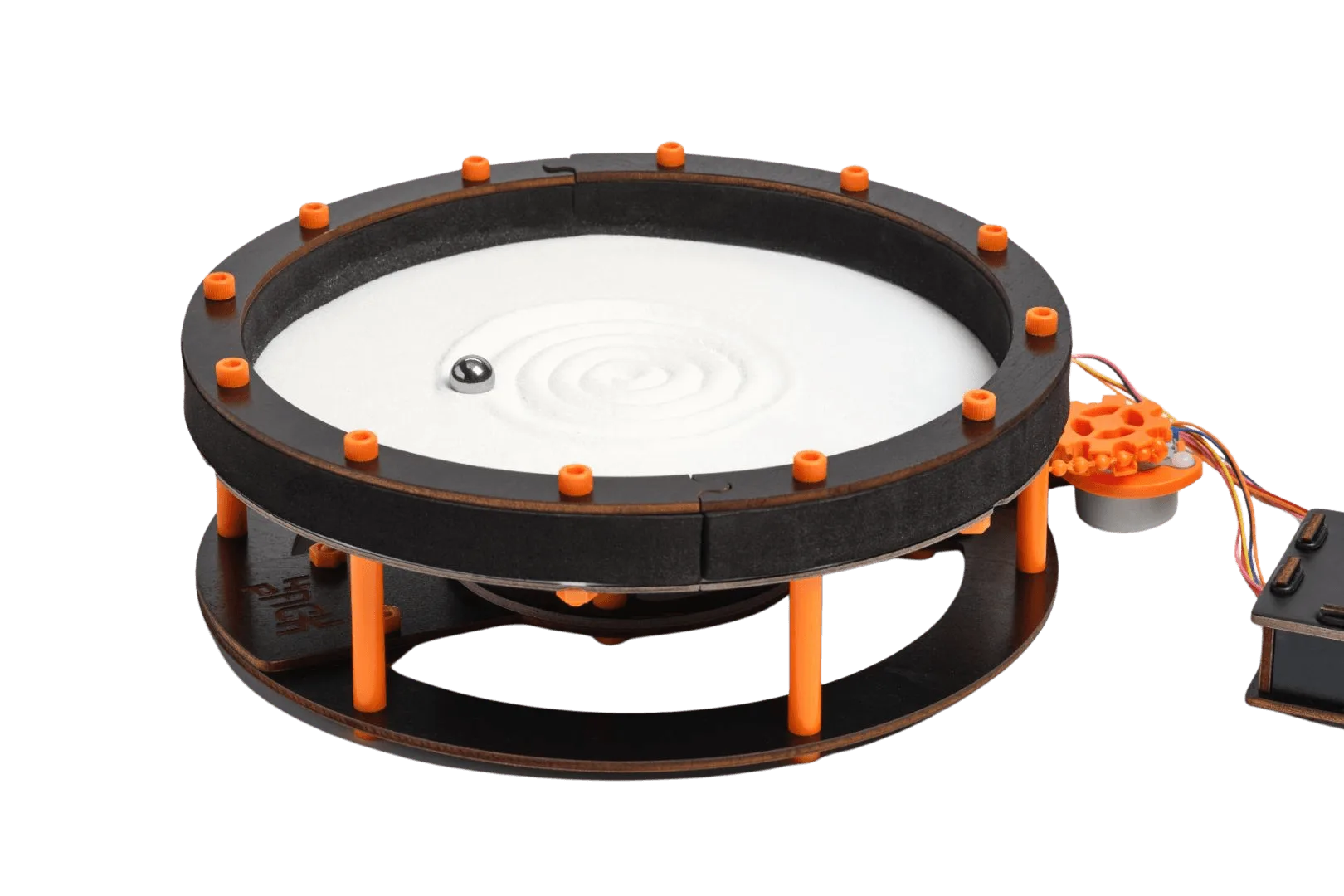
Set up the Sand Garden Polar Coordinates robot by assembling the sand bed, loading the coding console, and running one of the 10 pre-loaded patterns. Kids learn about polar coordinates, algorithms, and how changing parameters affects the drawn design.
What Makes Sand Garden Polar Coordinates Unique
Unlike simple drawing robots, this Hack Pack stand-alone robot uses math and algorithms to create complex, repeating patterns in a circular bed of sand. It comes with everything you need and requires no subscription, making it a one-time build-and-play experience.
The robot teaches kids how changing parameters like angle increments and radius length alters the final pattern. This hands-on approach makes abstract math concepts like polar coordinates tangible and fun.
What Kids Actually Learn
Kids learn how polar coordinates work by seeing how the robot moves based on angle and distance from the center. They also get introduced to basic coding concepts through the Coding Console (IDE), where they can hack the code to create their own designs.
The 10 pre-loaded patterns offer a starting point, but the real learning happens when kids modify parameters and see how small changes lead to big differences in the pattern.
Step-by-Step Setup Guide
- Unbox and Inspect: Open the box and check that all parts are present: the circular sand bed, the robot arm mechanism, the coding console (IDE), and the included components. No subscription is needed. Common mistake: missing parts. Verify the list in the manual before starting.
- Assemble the Sand Bed: Place the circular sand bed on a flat, stable surface. Ensure it is level so the sand distributes evenly. Pour the provided sand into the bed, spreading it to an even layer about 1 cm deep. Checkpoint: Uneven sand can cause the robot arm to drag or skip, affecting pattern quality.
- Attach the Robot Arm: Mount the robot arm onto the center pivot of the sand bed. Secure it according to the manual. The arm should rotate freely and the drawing tip should just touch the sand surface. Common mistake: overtightening the pivot can restrict movement; leave a slight gap.
- Connect the Coding Console: Plug the coding console (IDE) into the robot arm using the provided cable. Power it on. The console will display the 10 pre-loaded patterns. Checkpoint: Ensure the cable is fully inserted; loose connections cause intermittent errors.
- Run a Pre-Loaded Pattern: Select one of the 10 patterns from the console menu. Press start. Watch the robot arm draw the pattern in the sand. Observe how the arm moves based on angle and distance. Common mistake: skipping this step before hacking; understanding the base pattern helps when modifying code.
- Hack the Code to Create Your Own Design: Open the code in the coding console for the pattern you just ran. Change parameters like the angle increment or radius length. See how small changes change the pattern dramatically. Checkpoint: Start with simple tweaks: change one parameter at a time to see the effect.
Product Details
-
Sand Garden - Polar Coordinates: This robot uses math and algorithms to draw complex patterns and comes with 10 patterns pre-loaded in the circular bed of sand. Kids can start playing immediately without coding, then learn by hacking the code to create their own unique designs.
Sand Garden - Polar Coordinates