Quick answer
Apply the Screen Shield to your ReefMaster RM-4K after a thorough cleaning and in a dust-free environment. Use the included tools to avoid bubbles and ensure a perfect fit.
Why use a screen shield?
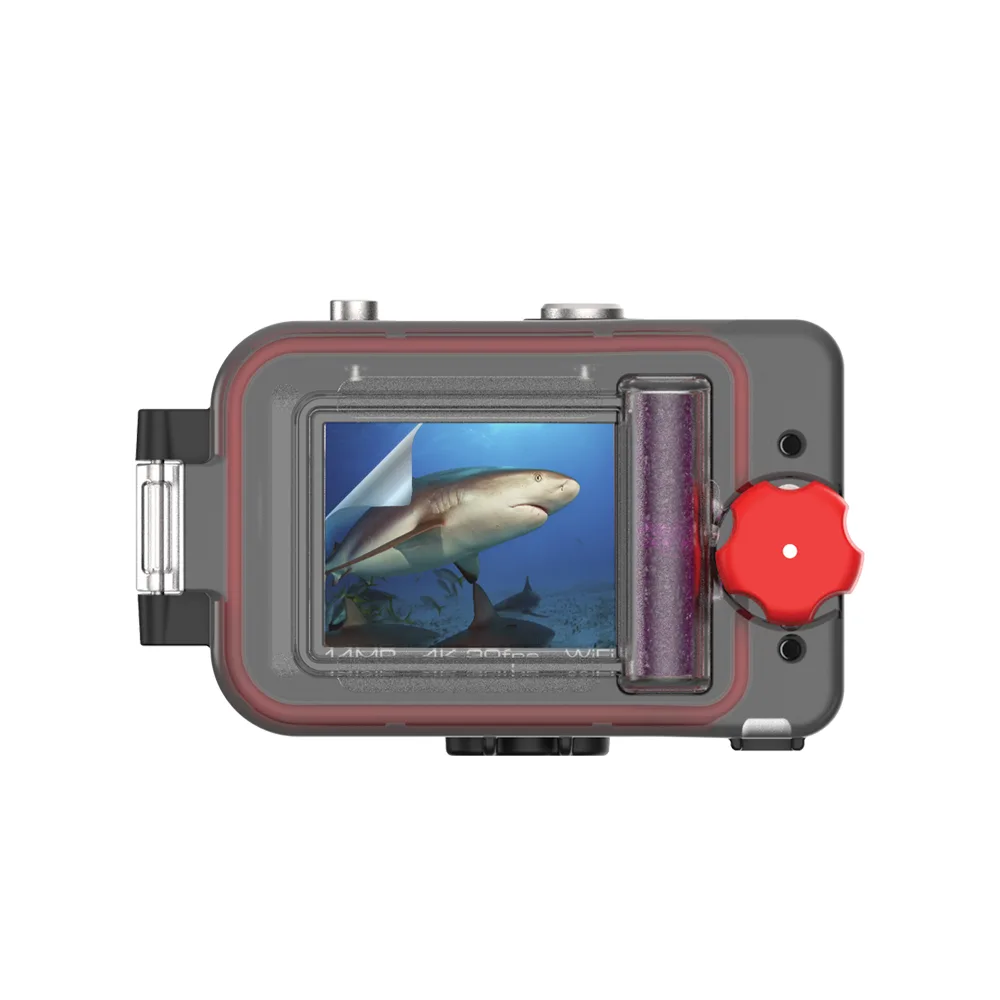
The Screen Shield is a waterproof protector that repels water, fingerprints, and scratches. It's designed for screens up to 2 inches, which fits the ReefMaster RM-4K perfectly. Without it, your camera's screen is vulnerable to sand, salt, and accidental drops.
Common mistakes to avoid
Rushing the cleaning step is the most common error. Dust or lint trapped under the shield will cause bubbles that cannot be removed later. Also, avoid touching the adhesive side with your fingers—the oils will prevent a strong bond.
Installation steps
- Clean the screen: Use the included cleaning cloth to remove all dust, oil, and debris from the ReefMaster RM-4K screen. Wipe in one direction to avoid spreading dirt. A smudge-free surface is essential for adhesion.
- Remove dust with the tape: Press the dust removal tape onto the screen to pick up any remaining particles. Repeat until no specks remain. Skipping this step often leads to trapped dust and bubbles.
- Align and apply the shield: Peel the backing from one corner of the Screen Shield. Align it with the screen edges, then slowly lower it while smoothing from the center outward. Use a credit card or the included cloth to push out air bubbles. Work slowly; once the adhesive touches the screen, repositioning is nearly impossible.
- Let it cure: After application, wait at least 24 hours before exposing the camera to water or heavy use. This allows the adhesive to bond fully. Premature submersion may cause the shield to peel off.
Product details
-
Screen Shield for ReefMaster RM-4K: The Screen Shield includes two protectors, dust removal tape, a cleaning cloth, and instructions. You get a spare protector if the first application fails, plus all the tools needed for a clean install.
Screen Shield for ReefMaster RM-4K