Quick answer
To set up a 12 inch universal element holder for interferometry, follow a systematic process: prepare the optical bench, mount the holder securely, align the element, and verify alignment with a test beam.
Why proper setup matters for large aperture testing
Large aperture systems demand precise alignment because even small angular errors can significantly affect measurement accuracy. A 12 inch element holder must be rigid and correctly positioned to avoid introducing wavefront errors.
The universal design of the holder allows it to accommodate various optical elements, but that flexibility also means you need to adjust it carefully for each specific element to ensure it is centered and square to the beam.
Trade-offs: rigidity vs. adjustability
A universal element holder offers adjustability, but excessive play can compromise stability. Tighten all locking mechanisms after each adjustment to maintain rigidity.
When using a phase modulating receptacle, ensure the electrical connections are secure and the modulation signal is properly routed to avoid noise in your measurements.
Step-by-step setup process
- Prepare the optical bench: Clean the optical bench surface and ensure it is level. Secure the holder base to the bench using appropriate clamps or bolts to prevent movement during alignment. A stable base is critical; any movement will ruin alignment.
- Mount the holder: Attach the 12 inch universal element holder to the bench, ensuring the mounting holes align with the bench slots. Tighten all fasteners uniformly to avoid stress on the holder. Check that the holder is square to the intended beam path using a straightedge or laser.
- Install the optical element: Place the optical element into the holder, centering it carefully. Use the adjustment knobs to apply even pressure, avoiding over-tightening which can distort the element. Over-tightening can introduce stress and cause wavefront errors.
- Align the element: Use a reference beam or autocollimator to align the element's surface normal to the beam. Adjust tilt and tip controls until reflections are minimized or centered. Iterate adjustments; small changes can have large effects.
- Verify alignment: Run a test measurement to confirm alignment. Check for fringes or spot size consistency across the aperture. If needed, repeat alignment steps. Always verify with a test measurement; visual alignment may not be sufficient.
- Secure and finalize: Once alignment is achieved, lock all adjustment mechanisms and re-check alignment to ensure nothing shifted during locking. Locking can shift alignment; always re-verify after locking.
Product facts
-
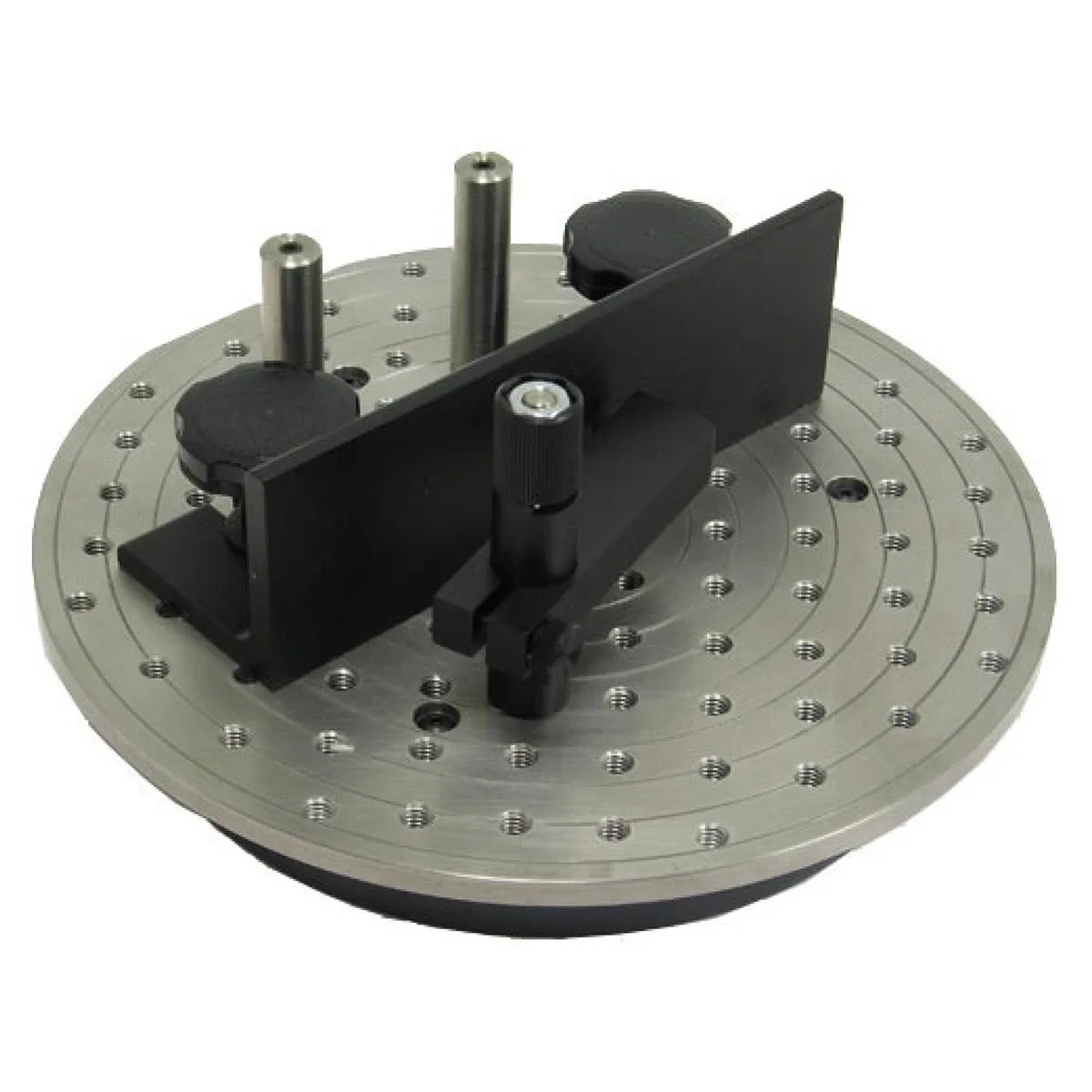
12" Universal Element Holder: The ZYGO 12" Universal Element Holder is part of the Large Aperture Systems category and is designed to hold optical elements in large aperture setups. This holder provides a stable platform for large optics, ensuring consistent positioning during interferometric tests.
12" Universal Element Holder


