Quick answer
The Shanling EC Play is a compact portable CD player with a built-in HiFi DAC, and setting it up takes just a few minutes—insert a disc, connect your headphones or speakers, and press play.
Why the EC Play stands out
The Shanling EC Play is designed to bring back the classic portable CD experience with modern convenience. It weighs only 418g, making it lighter than many of its predecessors, yet it keeps a durable aluminium construction that can handle daily travel.
The active magnetic clamp and the proven EC Zero system help keep the disc stable during playback, which reduces skipping and keeps the audio consistent. That matters if you plan to use it while moving around.
What to know before you start
Before setup, make sure you have a CD that is clean and free of scratches. The EC Play uses a standard 3.5mm headphone jack, so any wired headphones or speakers with a 3.5mm input will work. If you want a wireless connection, you will need a Bluetooth transmitter that plugs into the headphone jack—this model does not have built-in Bluetooth.
The built-in HiFi DAC is the core of the sound quality. It converts the digital data on the CD into an analog signal with high fidelity, so the audio you hear is closer to what was originally recorded. This is a key reason to choose the EC Play over a basic portable CD player.
Step-by-step setup for the Shanling EC Play
- Insert a CD: Press the open button to release the lid, place a clean CD on the spindle with the label facing up, and close the lid until it clicks. Make sure the disc sits flat; a tilted disc can cause playback errors. Check that the disc is centered and free of dust before closing the lid.
- Connect your audio device: Plug your wired headphones or speakers into the 3.5mm headphone jack on the EC Play. If you are using a Bluetooth transmitter, connect it to the headphone jack and pair it with your wireless headphones or speaker. Ensure the connection is secure—a loose plug can cause intermittent sound.
- Power on and play: Press the power button to turn on the EC Play, then press the play/pause button. The player will read the disc and begin playback. Adjust the volume using the dedicated volume controls. If the disc does not start, check that the disc is not scratched or dirty and try again.
- Use the skip and repeat functions: Use the next/previous buttons to change tracks, and the repeat button to loop a single track or the entire disc. This is handy when you want to focus on a specific song. Familiarize yourself with the button layout before you start moving around with the player.
- Store and maintain the player: When not in use, remove the CD and store the EC Play in a protective case. Keep the lens clean by using a soft, dry brush or a lens cleaning disc occasionally. Regular cleaning of the lens prevents playback skipping and extends the life of the player.
Product facts
-
Shanling EC Play Portable CD Player HiFi DAC Silver: The Shanling EC Play weighs just 418g and features a durable aluminium construction. It is light enough to carry in a bag or pocket, while the metal body protects the internal components during travel.
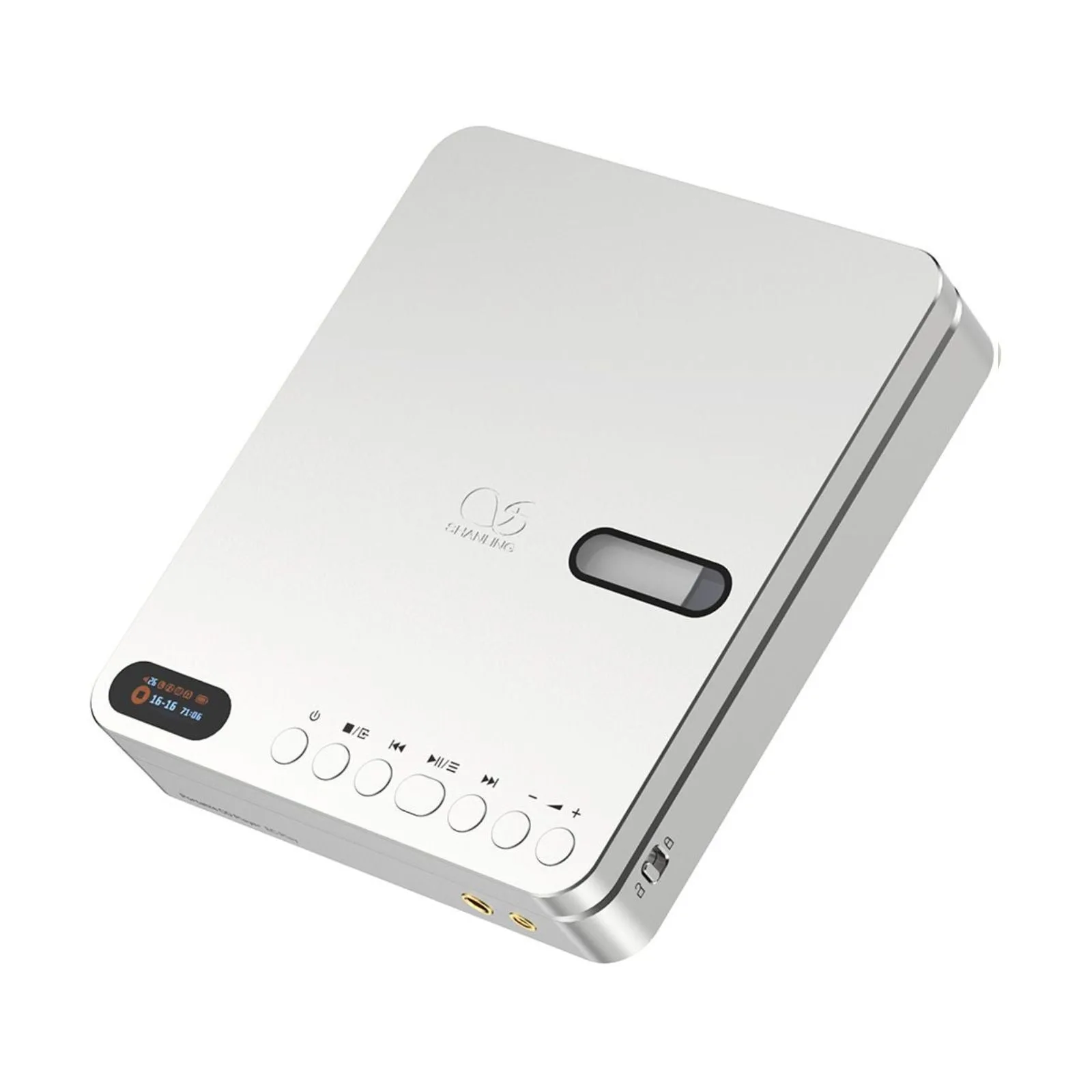
Shanling EC Play Portable CD Player HiFi DAC Silver
-
Shanling EC Play Portable CD Player HiFi DAC Silver: It uses an active magnetic clamp and the proven EC Zero system. These features keep the disc stable during playback, reducing the chance of skipping when you move around.


