Quick Answer
Mount your D-BOX Gen 5 actuators using a twin bracket set on an aluminium profile rig, then add a third actuator with a TR Move centre bracket for full 3-point motion. Follow the steps below to avoid flex and misalignment.
Why Bracket Choice Matters for Motion
The bracket is the mechanical link between the actuator and your rig. A poorly matched bracket can introduce flex, which dulls haptic feedback and can cause premature wear on the actuator. Aluminium profile rigs use T-nuts and bolts, so the bracket must be designed for that interface.
For a two-actuator setup, a twin bracket set distributes load evenly across the profile. For a three-actuator setup, you need a dedicated centre mounting bracket to keep the motion platform stable and prevent rocking.
Step-by-Step Actuator Mounting
- 1. Verify Rig Compatibility: Check that your aluminium profile rig uses standard T-nuts and that the profile slots are clear. The D-BOX Gen 5 twin bracket set is designed for this interface, but confirm the slot width matches your profile (typically 15mm or 40mm series). Common mistake: using the wrong T-nut size can strip the profile slot. Test a single bolt before tightening all.
- 2. Position the Twin Brackets: Place the twin brackets on the profile where the actuators will sit—usually under the pedal tray and seat base. Ensure the brackets are parallel and evenly spaced to avoid binding. Misaligned brackets cause actuator binding. Use a straight edge or laser level to check alignment.
- 3. Mount the Actuators: Attach each D-BOX Gen 5 actuator to its bracket using the supplied bolts. Tighten to the manufacturer's torque spec—do not overtighten, as aluminium threads can strip. Use a torque wrench if available; overtightening is a common cause of stripped threads.
- 4. Add the Third Actuator (Optional): If you have a TR Universal Platform, install the TR Move Motion Base bracket at the centre front or rear position. This bracket provides the mounting point for the third actuator. The third actuator requires the TR Universal Platform—it won't fit a standard two-actuator rig without it.
- 5. Connect and Test: Connect the actuators to the motion controller and run a test sweep. Listen for unusual sounds and check for any flex in the bracket or profile. If you hear grinding or see excessive movement, re-check the bracket bolts and actuator alignment before driving.
Product Facts
-
D-BOX Gen 5 Motion Actuator Mounting Bracket – Twin Pack for Aluminium Profile Rigs: Trak Racer D-BOX Gen 5 Motion Mounting Bracket (Twin Bracket Set) is designed for aluminium extrusion cockpits and supports two D-BOX Gen 5 actuators. This twin bracket set simplifies adding two actuators to your existing profile rig, providing a stable base for consistent haptic feedback.
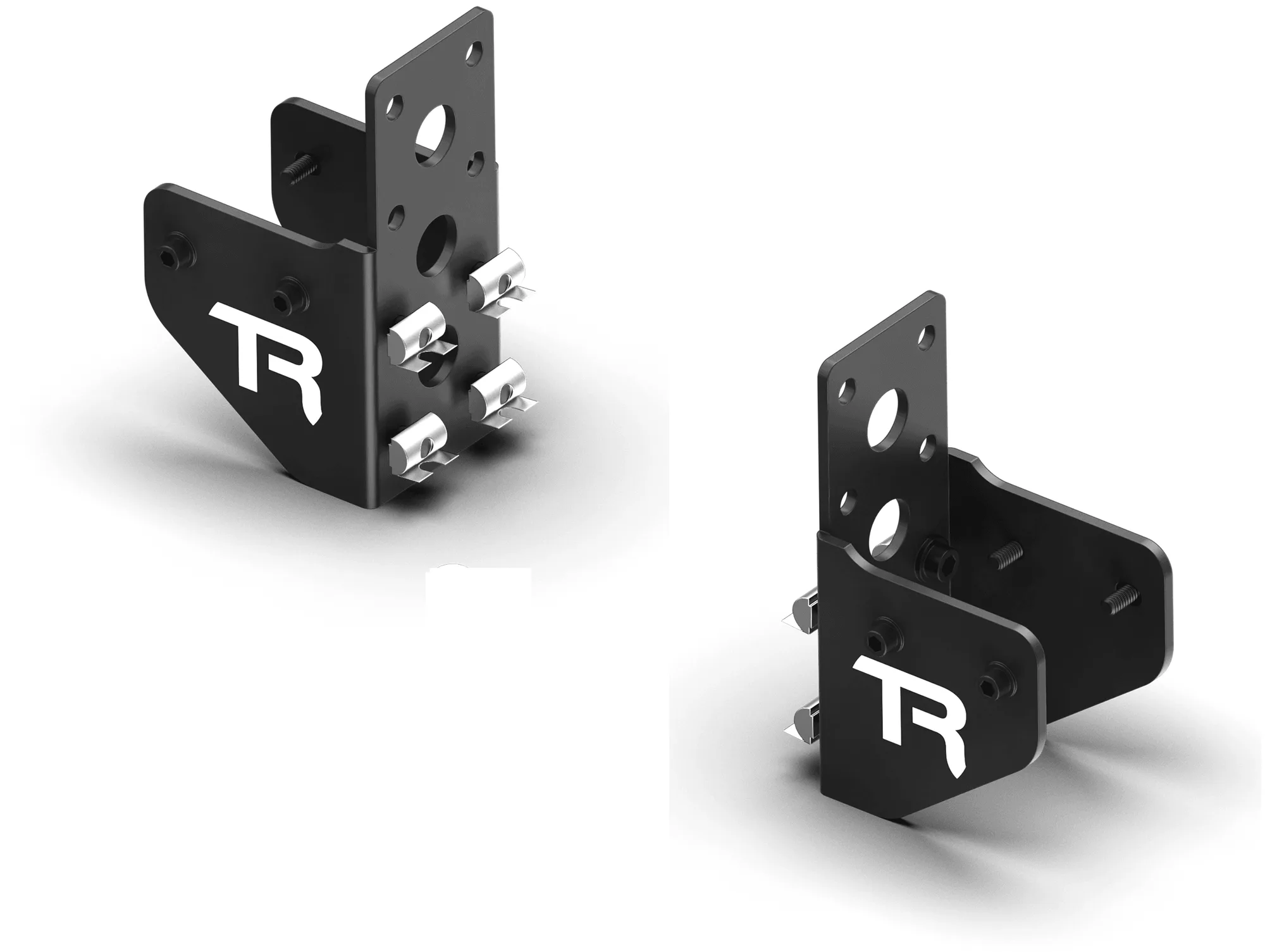
D-BOX Gen 5 Motion Actuator Mounting Bracket – Twin Pack for Aluminium Profile Rigs
-
TR Move Motion Base for Third Actuator (TR Universal Platform Required): TR Move Motion Base for Third Actuator (TR Universal Platform Required) adds the centre mounting point needed to expand a 2-actuator setup to a full 3-point motion system. If you already have a two-actuator platform, this bracket lets you upgrade to three actuators for more realistic pitch and roll without replacing the whole rig.
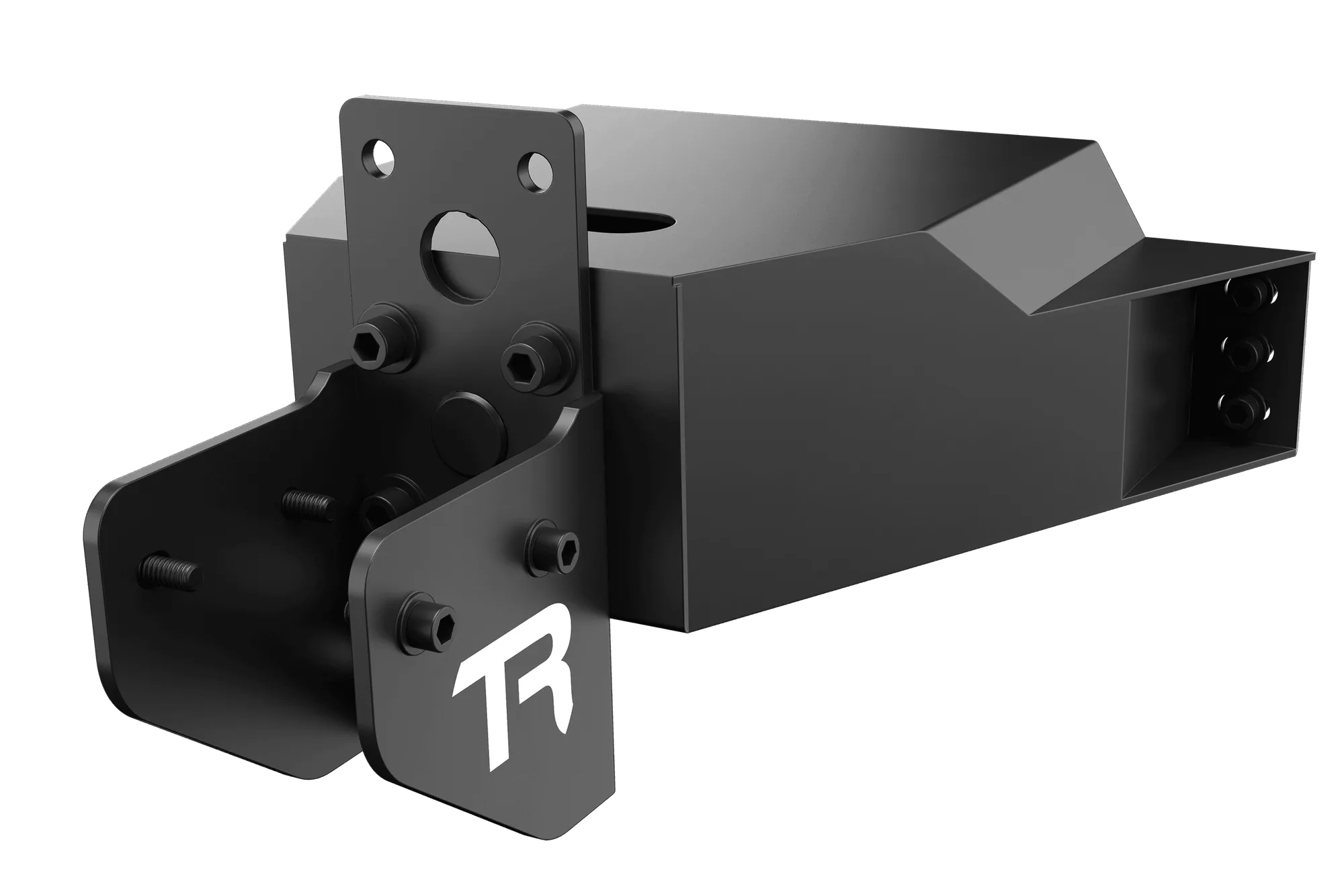
TR Move Motion Base for Third Actuator (TR Universal Platform Required)