Quick answer
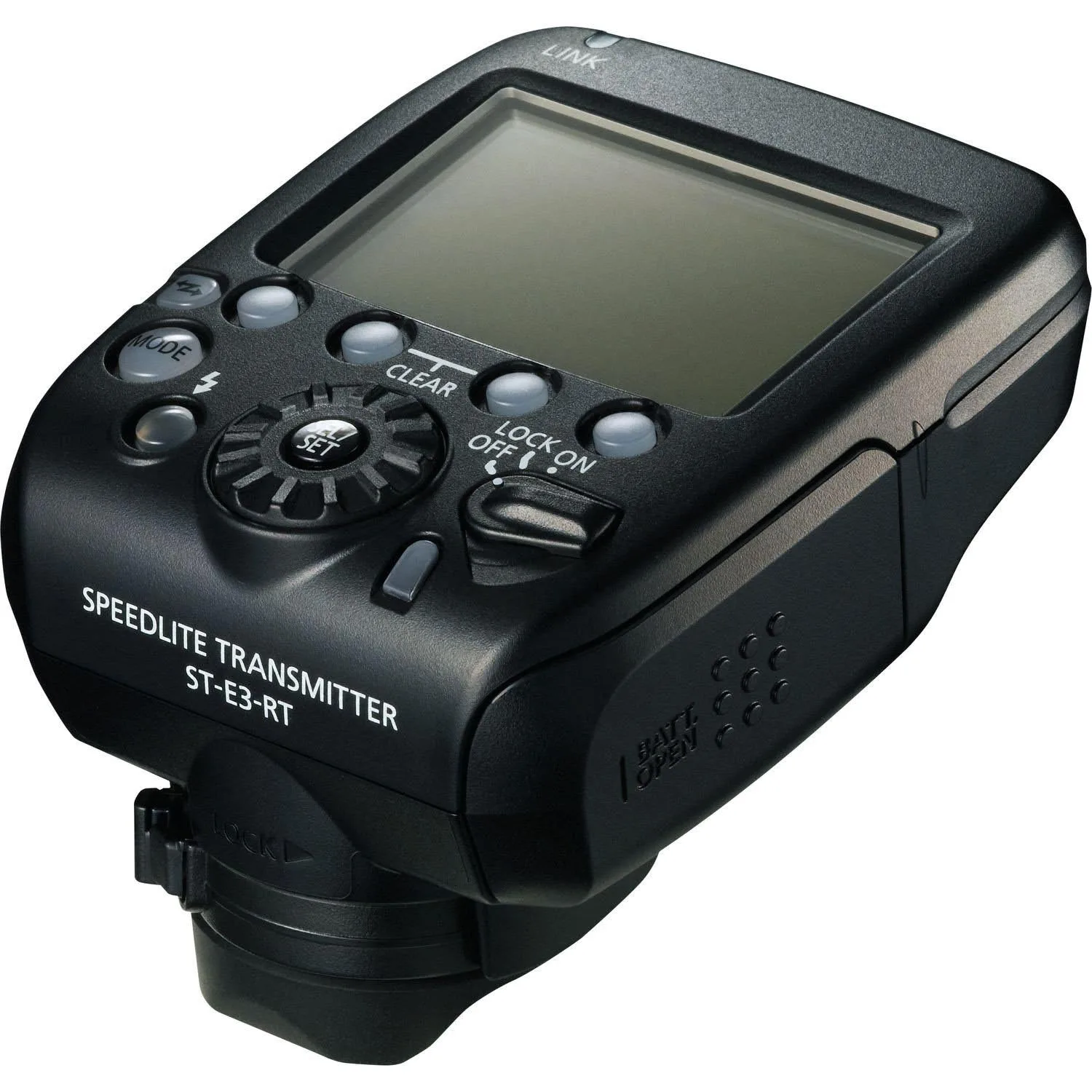
Mount the ST-E3-RT Version 2 on your camera hot shoe, power on the transmitter and each remote Speedlite, then set the same radio channel and matching group IDs. Pairing is not a Bluetooth-style handshake: both ends must share the same channel, and each flash must be assigned to a group the transmitter controls. Once linked, test fire before shooting and adjust output per group from the transmitter.
What the ST-E3-RT Version 2 actually controls
The ST-E3-RT Version 2 is a radio-frequency transmitter, not a flash. It fires compatible Speedlite flashguns over distances up to 30m and controls up to 15 flashguns as part of the E-TTL II flash system. Radio-frequency control keeps working when direct line of sight is blocked, which matters when you place lights behind subjects, inside softboxes or around corners.
It is weather sealed against dust and moisture, and it can also trigger a remote camera. That combination makes it a practical hub for off-camera flash setups where you want to change power and ratios from the camera position rather than walking to each light.
Prepare the hardware before you pair anything
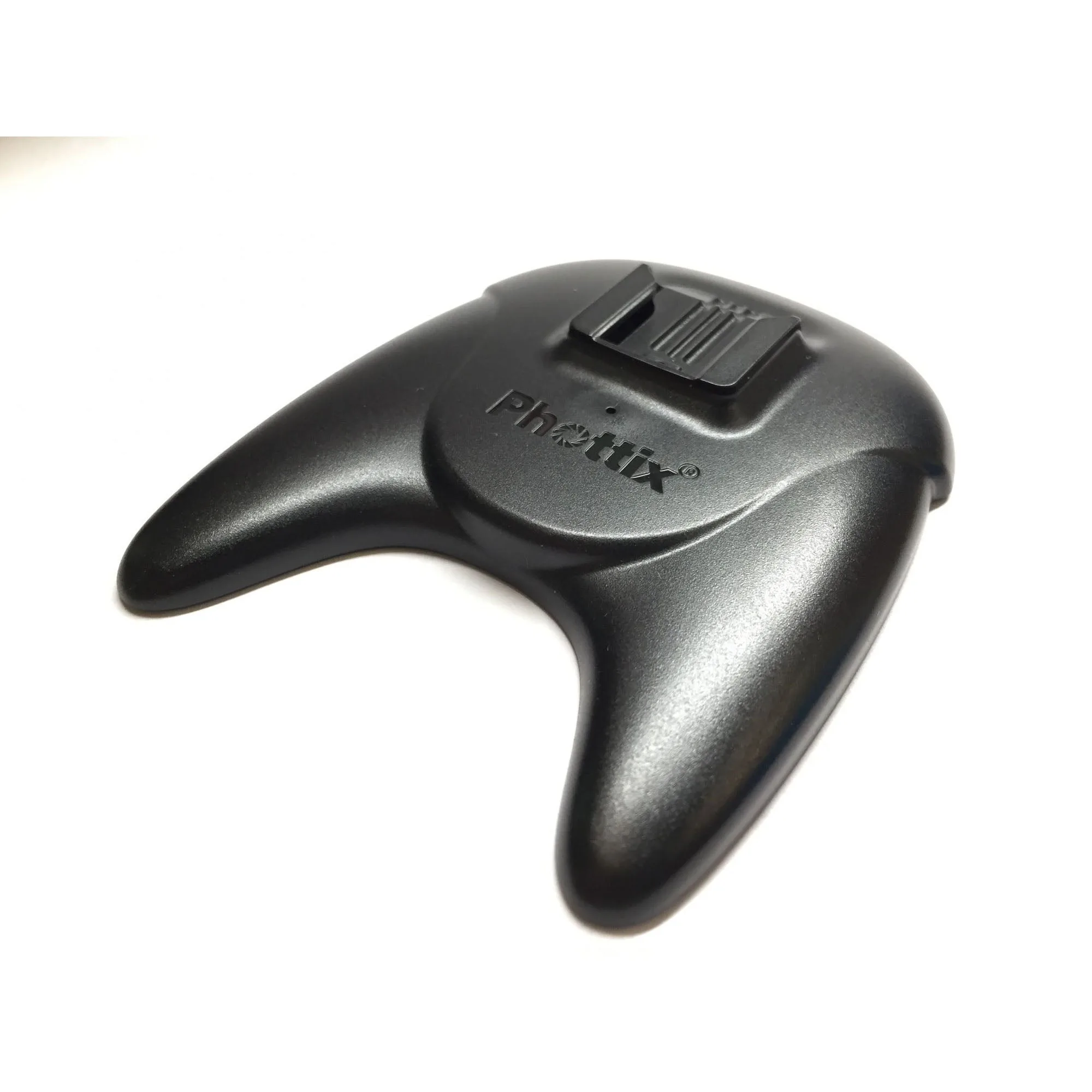
Charge camera and flash batteries, and confirm every Speedlite you plan to use is compatible with radio triggering through the E-TTL II system. If you are working with a bare flash off-camera, a simple hot shoe stand such as the Phottix Speedlite Stand gives you a stable base and a hot shoe mount for a third-party or Mitros+ series speedlite. It is a small accessory, but it removes the usual balancing act of propping a flash on a shelf.
Decide your channel and group plan before you power anything on. A common mistake is assigning every flash to the same group, which removes independent power control. Use separate groups for key, fill and background lights so you can adjust them individually from the transmitter.
Set channels and groups in a logical order
Set the channel on the transmitter first, then match each remote flash to that same channel. After the channel matches, assign each flash to a group. If a flash does not respond, the channel is the first thing to check, not the group.
Keep a written note of which group is which light. When you are shooting, the transmitter lets you change output per group, so a clear key/fill/background map prevents you from dimming the wrong light mid-session.
Step-by-step setup
- Mount and power the transmitter: Slide the ST-E3-RT Version 2 into the camera hot shoe, tighten the locking ring and power it on. Check that the transmitter display is active before touching the remote flashes. Checkpoint: if the transmitter does not power on, reseat it in the hot shoe and confirm the camera is switched on.
- Power on each remote Speedlite and set it to radio mode: Turn on each flash and set it to radio triggering rather than optical or slave mode. The exact menu name varies by flash model, but the goal is the same: the flash must listen for a radio signal, not a light pulse. Common mistake: leaving a flash in optical mode and assuming the transmitter is faulty.
- Match the channel on every unit: Choose a channel on the transmitter, then set the same channel on each remote Speedlite. If you are shooting near other photographers, pick a different channel from the default to avoid interference. Checkpoint: a flash that fires inconsistently or not at all is usually on the wrong channel.
- Assign groups for independent control: Assign each flash to a group such as A, B or C so you can adjust power separately from the transmitter. Keep a key light, fill light and background light on different groups when you need ratio control. Common mistake: putting every flash in group A, which forces all lights to change together.
- Test fire before the shoot: Use the transmitter test button to fire the setup. Walk the room and fire again from the shooting position to confirm the radio link holds at your working distance, up to the rated 30m range. Checkpoint: if one group fails only when you move, check for large metal surfaces or crowded Wi-Fi areas and change channel.
- Set power and ratios from the transmitter: Once all groups respond, adjust output per group on the transmitter and take a test frame. Review the histogram or image preview, then fine-tune rather than changing flash positions. Next step: lock in your settings and note the channel and group map for the next session.
Product facts
- Canon Speedlite Transmitter ST-E3-RT Version 2: Radio-frequency control provides reliable operation even when direct line of sight is not possible, and it can fire compatible Speedlite flashguns over distances of up to 30m. You can place lights behind subjects or inside modifiers without worrying about the transmitter seeing each flash.
- Canon Speedlite Transmitter ST-E3-RT Version 2: Controls up to 15 flashguns and is part of the E-TTL II flash system. It scales from a simple two-light setup to a multi-light group configuration with independent control.
- Phottix Speedlite Stand: The Phottix Speedlite Stand is a hot shoe flash stand designed to hold a compatible speedlite for off-camera use, and it works with third-party speedlites. It gives you a stable off-camera base without committing to a specific flash brand.