Quick answer
Use the Starfinder Flip-Mat: Stadium to run sci-fi combat encounters without drawing every goalpost and obstacle. Follow these steps to set up, customize, and run a memorable arena fight.
Why the Stadium map works for combat encounters
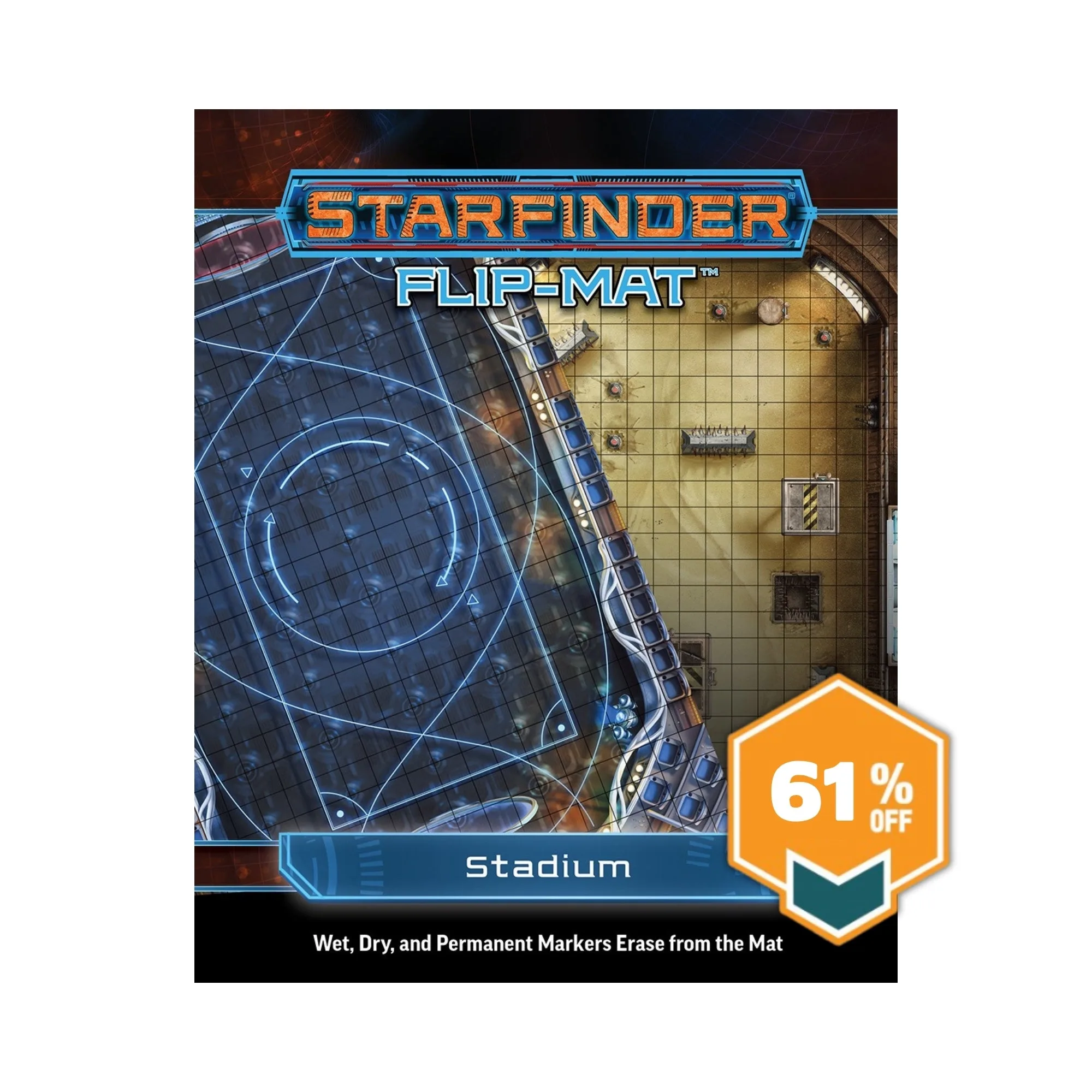
The Starfinder Flip-Mat: Stadium provides a ready-to-use science-fantasy set piece for the busy Game Master. Whether your heroes face a championship brutaris tournament or a televised deathmatch, this map saves prep time by including antigrav goalposts and automated obstacles.
Because the map is dry-erase, you can adapt it to any encounter. Add terrain hazards, mark enemy spawn points, or sketch in temporary barriers. The pre-printed details give you a strong starting frame without limiting your creativity.
Trade-off: Pre-printed vs. blank maps
Pre-printed maps like the Stadium flip-mat give you instant flavor but less flexibility for non-arena scenes. If your campaign needs a generic open field, a blank flip-mat might serve better. However, for gladiatorial or sporting events, the Stadium map's details enhance immersion with zero drawing effort.
How to set up and run a combat encounter on the Stadium flip-mat
- 1. Choose your encounter type: Decide if the fight is a tournament match, a deathmatch, or a chase through the arena. The map's goalposts and obstacles work for all three. Common mistake: trying to use the map for a scene that doesn't fit an arena—it's best for contained, spectator-focused fights.
- 2. Place the flip-mat and secure it: Unfold the map on a flat surface. Weigh down the corners with rulebooks or dice trays so it lies flat. Common mistake: leaving the map curled—it can shift during play and cause miniatures to tip over. Use a mat topper or acrylic sheet if you want to write on the map without damaging it.
- 3. Mark starting positions and hazards: Use dry-erase markers to circle starting squares for each combatant and draw hazard zones (e.g., energy fields, pit traps). Common mistake: using permanent markers—always test on a corner first to ensure erasability.
- 4. Add encounter-specific details: Sketch in temporary barriers, control panels, or loot caches. The pre-printed obstacles give you a baseline; add your own to surprise players. Common mistake: overcomplicating the map—keep extra markings to a minimum so the pre-printed features remain readable. If you need to remove markings, use a dry-erase eraser or a soft cloth. Avoid harsh cleaners that can damage the laminate.
- 5. Run the encounter with dynamic elements: During the fight, update the map as obstacles shift or areas become impassable. Use different marker colors to track conditions like fire or acid pools. Common mistake: forgetting to erase old marks—clear them between rounds to avoid confusion. After the session, fully erase the map before storing it to prevent ghosting.
Product details
-
Starfinder flip-mat: Stadium: The Starfinder Flip-Mat: Stadium includes pre-printed antigrav goalposts and automated obstacles for sci-fi arenas. You can start an arena encounter immediately without drawing the set pieces, saving prep time and keeping the game moving.
Starfinder flip-mat: Stadium