Quick answer
The SUSANTO-X Medium Gaming Mouse offers a balanced size for most hand shapes. If you bought an open-box unit, check all components within 72 hours and follow a careful first setup to avoid return issues.
Why open-box requires extra attention
Open-box items may show minor signs of prior handling or repackaging. The SUSANTO-X Medium Gaming Mouse you receive might not look factory-fresh, but the performance should be identical to a new unit if all parts are present.
The biggest risk is missing or damaged components. Since returns must be requested within 72 hours of delivery, you need to verify everything immediately.
First setup steps for your SUSANTO-X
- Inspect the package and contents: Open the box and check that the mouse, cable, dongle, and any extra accessories are all present. Compare against the product listing photos if available. Common mistake: assuming everything is included without checking, then discovering a missing part after the return window closes.
- Connect and test basic functions: Plug in the mouse via the included cable or insert the wireless dongle. Move the cursor across the screen, click each button, and scroll the wheel. Ensure all inputs register without double-clicking or skipping. Common mistake: skipping the button test and later finding a faulty switch.
- Check for physical damage or wear: Examine the mouse body, cable, and dongle for cracks, deep scratches, or loose parts. Open-box items may have minor cosmetic wear, but structural damage should be reported immediately. Common mistake: ignoring small cracks that can worsen over time. If any issue is found, contact Lethal Gaming Gear support right away—do not wait past the 72-hour return period.
- Install drivers or software (if needed): Some gaming mice require proprietary software to adjust DPI, polling rate, or RGB lighting. Visit the manufacturer's official site to download the latest driver or utility. Common mistake: using outdated or third-party software that can cause conflicts.
- Customize settings for your grip and game: Set DPI to your preferred sensitivity, adjust polling rate to 1000 Hz for competitive play, and configure button assignments. Test the mouse in your main game or a mouse-tester utility. Common mistake: leaving default settings that may not suit your hand size or playstyle. Once satisfied, keep the original packaging and accessories in case you need to return the mouse within the 72-hour window.
Product facts
-
SUSANTO-X Medium Gaming Mouse (OPEN BOX): Open Box items are sold at a discounted price and may show minor signs of prior handling or repackaging. Return requests must be submitted within 72 hours of delivery. You have a very short window to inspect the mouse and all accessories, so plan your unboxing and testing session as soon as the package arrives.
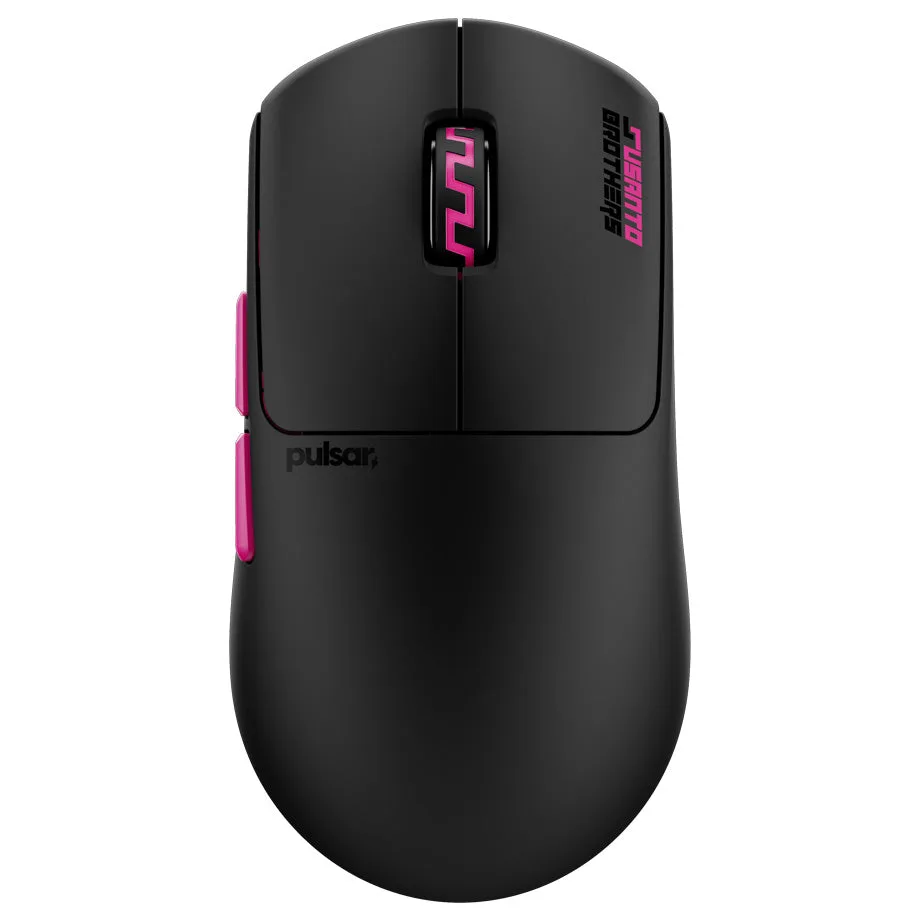
SUSANTO-X Medium Gaming Mouse (OPEN BOX)