Quick answer
The T1C EZ Adjust Kit lets you change your holster's cant angle and concealment claw depth without tools, making it easy to dial in comfort and concealment for your body type.
Why Adjust Cant and Claw Depth?
Cant refers to the forward or backward tilt of your holster. A forward cant (around 15 degrees) helps tuck the grip closer to your body and speeds up your draw for many body types. Claw depth controls how much the concealment claw pushes against your belt, which rotates the holster grip inward. Together, these two adjustments let you fine-tune how the holster sits and prints under different clothing.
Compatibility Check Before You Start
The EZ Adjust Kit is designed for all Tier 1 Concealed Inside the Waistband holsters. However, some holsters require light-bearing or non-light bearing specifications, so make sure you select the correct option when ordering. While the kit works on all Elite models, Tier 1 Concealed does not guarantee 100% proper fitment and functionality on non-Elite holsters. If you have an older non-Elite holster, test fitment before relying on the kit for daily carry.
How to Install and Use the EZ Adjust Kit
- Remove the existing hardware: Unholster your firearm and set it aside in a safe location. Use a small punch or Allen key (not included) to push out the retention screw and remove the factory concealment claw and its mounting screws from your holster. Keep the original hardware in case you want to revert. Work over a towel to avoid losing small screws.
- Install the EZ Adjust base plate: Place the EZ Adjust base plate onto the holster so its slots align with the claw mounting holes. Insert the provided screws through the base plate and into the holster. Tighten them snugly with a screwdriver or Allen key—do not overtighten, as this can strip the threads in the Kydex. The base plate has a specific orientation; the raised edge should face outward toward your belt.
- Attach the concealment claw and adjust cant: Slide the EZ Adjust claw onto the base plate's rail. The claw has a thumb wheel that lets you slide it forward or backward. Move it forward for more cant (tilt) or backward for less. Once you find your preferred cant angle, tighten the thumb wheel by hand until it's snug. Start with the claw in the middle position, then test the draw and concealment before making fine adjustments.
- Set the claw depth: The claw itself has a second thumb wheel that controls how far it pushes into your belt. Turn it clockwise to extend the claw (more belt pressure, more concealment) or counterclockwise to retract it (less pressure). Adjust in small increments until the holster grip tucks in without causing discomfort when sitting. Too much claw depth can make the holster dig into your leg; back it off if you feel sharp pressure.
- Test and finalize: Reholster your firearm (ensure it's unloaded for testing). Put on your carry belt and holster at your normal carry position. Perform a few draw strokes and sit down to check for comfort and printing. Make small adjustments to cant and claw depth as needed. Once satisfied, check that all screws are still snug. Recheck hardware tightness after the first day of carry, as Kydex can settle slightly.
Product Details
-
Tier 1 Concealed EZ Adjust™ Kit: The kit uses the patented T1C EZ Adjust system and is available for all Inside the Waistband holsters. This means you can upgrade your existing holster with tool-less cant and claw depth adjustments instead of buying a new holster.
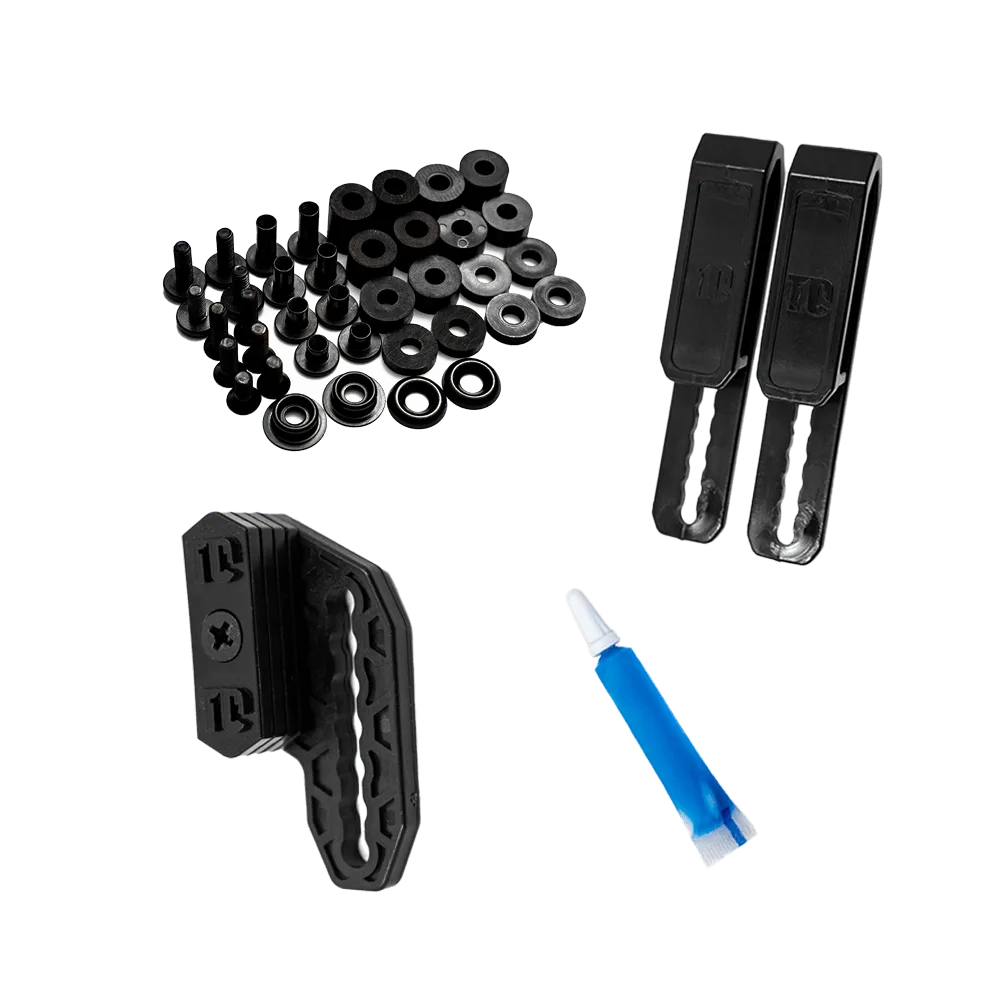
Tier 1 Concealed EZ Adjust™ Kit