Why this lens suits close-up work on the Z6 III
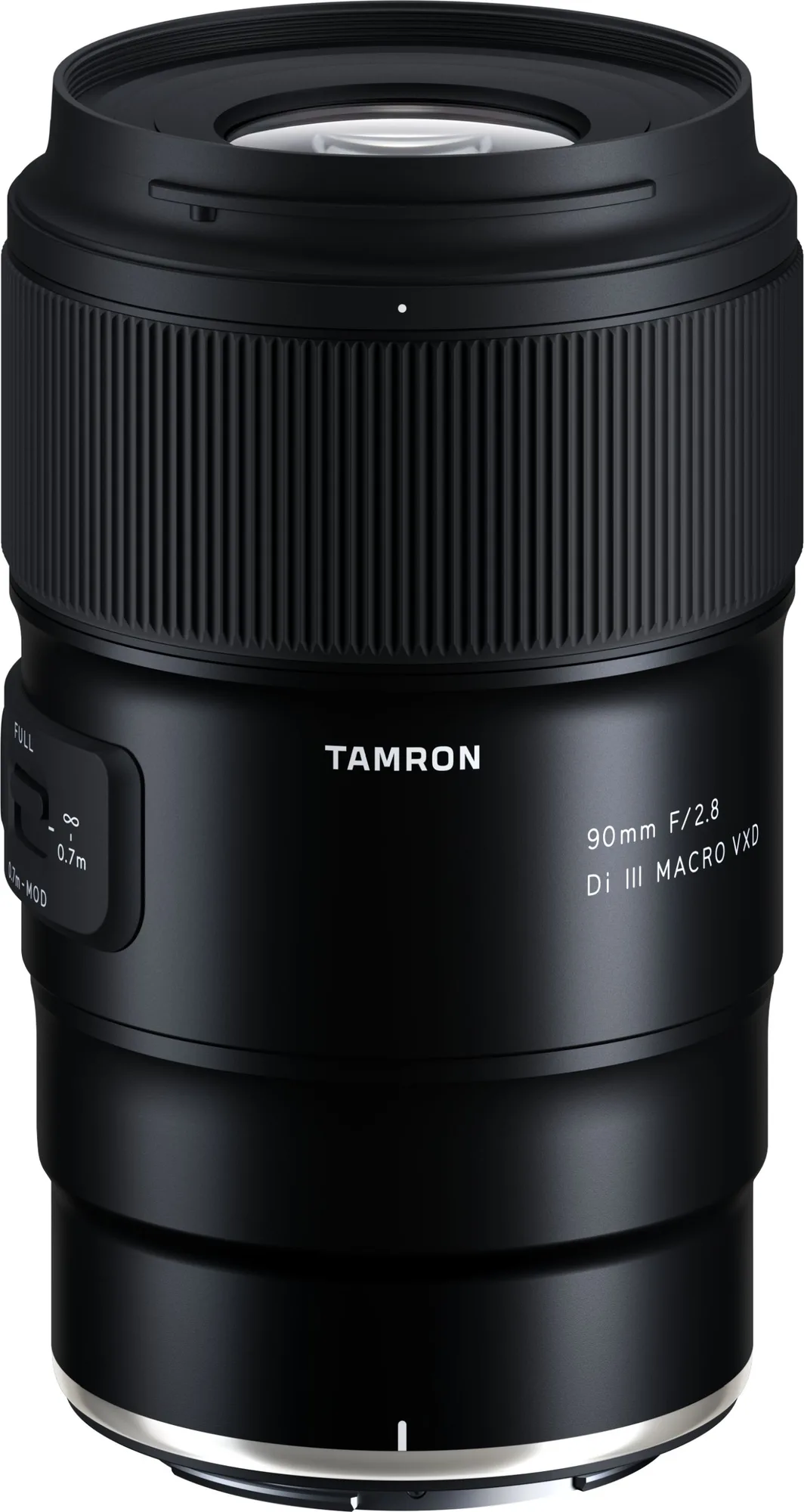
The Tamron 90mm F2.8 Di III Macro VXD (model F072) is built for full-frame mirrorless cameras with the Nikon Z mount. Its compact, modern design and 90mm focal length make it a natural fit for close-up photography on the Nikon Z6 III, where you often need to work at a short distance without crowding the subject.
Before you shoot, it helps to understand the three controls that shape almost every close-up session: the focus-limiter switch, the focus button and the 67mm filter thread. The catalog confirms these features, but it does not list step-by-step setup instructions, so the workflow below is built around what the lens actually provides rather than assumed camera menus.
Catalog facts that drive the setup
-
Tamron 90mm f2,8 Di III Macro VXD Nikon Z-Mount: The lens has a focus-limiter switch for faster autofocus and quicker refocusing on subjects. In close-up work the AF system can hunt across the full focus range. The limiter lets you narrow that range so the lens reacts faster when your subject moves slightly.
Tamron 90mm f2,8 Di III Macro VXD Nikon Z-Mount
-
Tamron 90mm f2,8 Di III Macro VXD Nikon Z-Mount: A focus button can be assigned a camera function or Tamron Lens Utility functions. You can put a frequently used control under your thumb instead of diving into the Z6 III menus mid-session.
-
Tamron 90mm f2,8 Di III Macro VXD Nikon Z-Mount: The lens takes 67mm filters, matching most other Tamron mirrorless lenses. If you already own 67mm filters, you can move them between lenses without stepping rings.
A practical close-up workflow for the Z6 III
- Mount the lens and confirm the mount: Attach the Tamron 90mm F2.8 Di III Macro VXD to the Nikon Z6 III using the Nikon Z mount. The catalog lists this lens specifically for Nikon Z-mount full-frame mirrorless cameras, so check that your body is a Z-mount model before relying on it.
- Set the focus limiter for your subject distance: Use the focus-limiter switch to restrict the AF range to the distance you are actually working at. The catalog confirms the switch speeds up AF and refocusing, but it does not specify the exact limiter positions, so test each setting with your typical working distance before a shoot.
- Assign the focus button to a function you use: The focus button can be mapped to a camera function or to Tamron Lens Utility functions. Pick one control you reach for often during close-up work and assign it there, then confirm the assignment behaves as expected on the Z6 III.
- Switch to manual focus for fine adjustment: The lens is described as having precise torque for exact manual-focus operation. For close-up subjects where depth of field is tight, use that manual control to fine-tune focus after the AF has done the rough work.
- Fit a 67mm filter if you need one: The 67mm thread accepts filters directly. The catalog does not list which filter types are supported, so choose a filter that matches your shooting conditions and check the thread size before buying.
Focus tips that make the most of the lens controls
Start with the focus limiter. In close-up photography, small subject movements can send a full-range AF system hunting. By restricting the range, you keep the lens working in the zone where your subject actually is, which is the practical benefit the catalog describes.
Use the focus button as a shortcut. If you often switch between AF and MF, or trigger a specific Tamron Lens Utility function, assigning it to the focus button keeps your eye on the subject instead of the camera menu.
Lean on manual focus for the final inch. The lens’s manual-focus torque is designed for precise adjustment. With the Z6 III’s viewfinder, magnify the image and turn the focus ring slowly until the sharpest detail locks in.
What the catalog does not confirm before you buy
The supplied information does not list minimum focus distance, maximum magnification ratio, stabilisation, weather sealing or the exact focus-limiter positions. It also does not describe any specific Nikon Z6 III menu settings or in-camera macro modes. Those details may exist in the full manual or on the manufacturer’s site, but they are not part of the evidence here.
That means you should treat the workflow above as a starting framework, not a complete camera-and-lens instruction set. Check the lens and camera documentation for the precise limiter positions, magnification figures and any menu customisation steps before relying on them for critical work.