Quick answer
For a stable tethering workflow, choose a USB-C cable rated for 10Gbps data transfer and the correct length for your shooting setup. The Tether Tools TetherPro Optima 10G USB-C cables are designed specifically for this task.
Why cable choice matters for tethering
A standard charging cable often lacks the data speed and shielding needed for reliable tethering, leading to dropped connections or slow image transfer. A dedicated tethering cable with 10Gbps support ensures consistent performance in studio or location shoots.
Length and flexibility trade-offs
Longer cables (e.g., 31 feet) give you more freedom to move around the set, but they cost more and can be heavier to manage. Shorter cables (e.g., 15 feet) are lighter and easier to pack, but may restrict your working distance. A right-angle connector helps protect the camera port when space is tight.
How to set up your tethering cable workflow
- Check your camera and computer ports: Confirm that your camera and computer have USB-C ports that support data transfer (not just charging). If using a USB-A port, you may need an adapter or a different cable. Using the wrong port type can prevent tethering entirely.
- Select a cable rated for 10Gbps: Choose a cable explicitly labeled for 10Gbps (USB 3.2 Gen 2) to ensure fast image transfer and stable connection. Avoid cables that only mention charging speeds. A 10Gbps cable is essential for modern high-resolution cameras.
- Choose the right length for your setup: Measure the distance from your camera to your computer. Add a few feet for slack. For studio work, a 15-foot cable often suffices; for larger sets, consider a 31-foot cable. Too short a cable restricts movement; too long a cable can be cumbersome.
- Secure the cable to prevent tripping: Use cable ties or tape to keep the cable path clear. If using a long cable, coil the excess neatly and secure it with a Velcro strap. A loose cable on the floor is a safety hazard and can damage the connector.
- Test the connection before the shoot: Connect the cable, open your tethering software (e.g., Capture One or Lightroom), and confirm that images transfer. If the connection drops, try a different USB port or cable. Always test beforehand to avoid delays during a paid shoot.
Product facts
-
Tether Tools TetherPro Optima 10G USB-C Right Angle 15' (4.6m) Cable Orange: The TetherPro Optima 10G USB-C Right Angle 15' cable supports 10Gbps data transfer and has a high-visibility orange jacket. The right-angle connector reduces strain on the camera port, and the bright color makes the cable easy to spot on set.
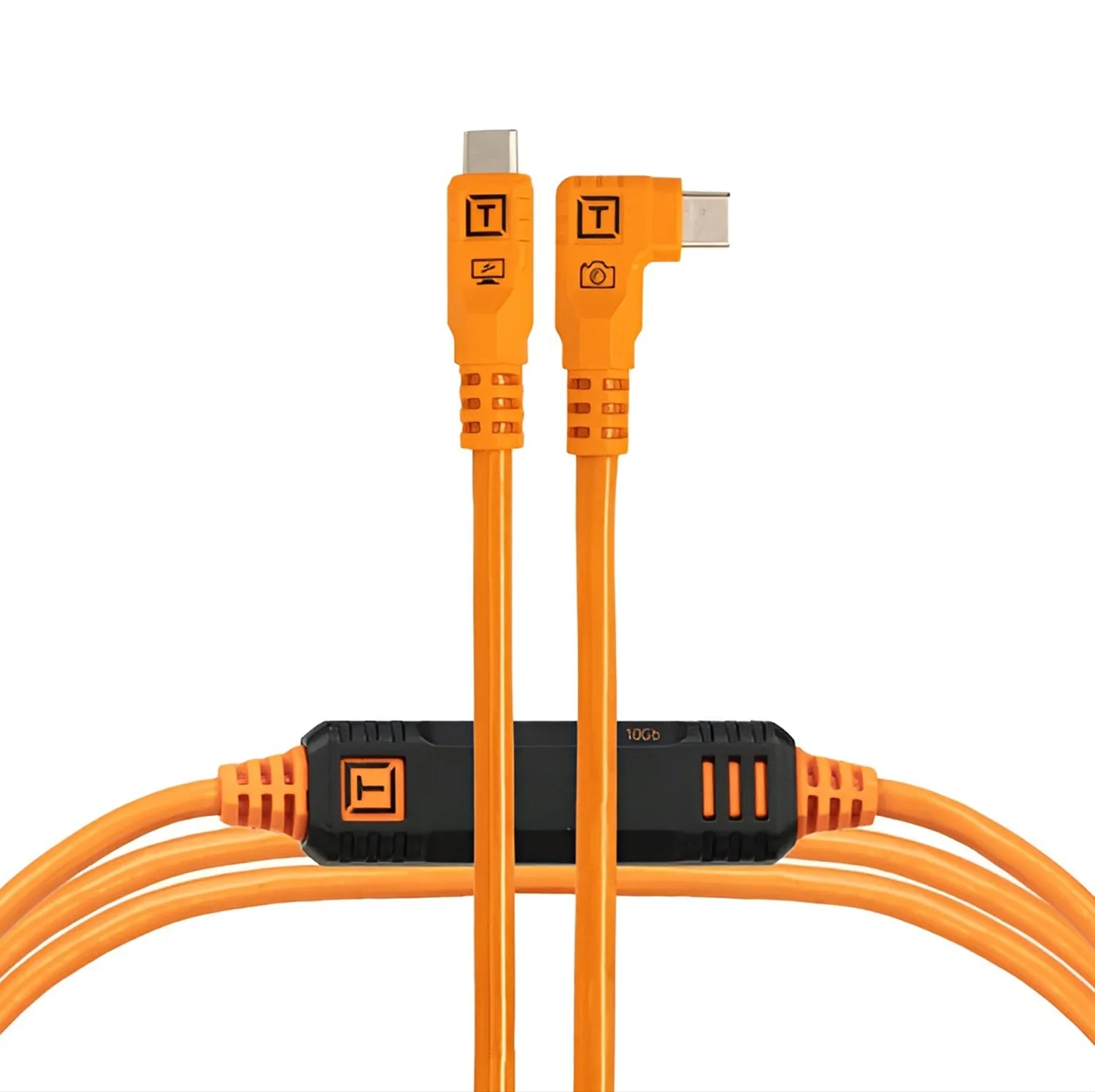
Tether Tools TetherPro Optima 10G USB-C Right Angle 15' (4.6m) Cable Orange
-
Tether Tools TetherPro Optima 10G USB-C 31' (9.4m) Cable Black: The TetherPro Optima 10G USB-C 31' cable supports 10Gbps data transfer and has a non-reflective black finish. The longer length allows more movement during shoots, and the matte black finish avoids reflections in studio lighting.
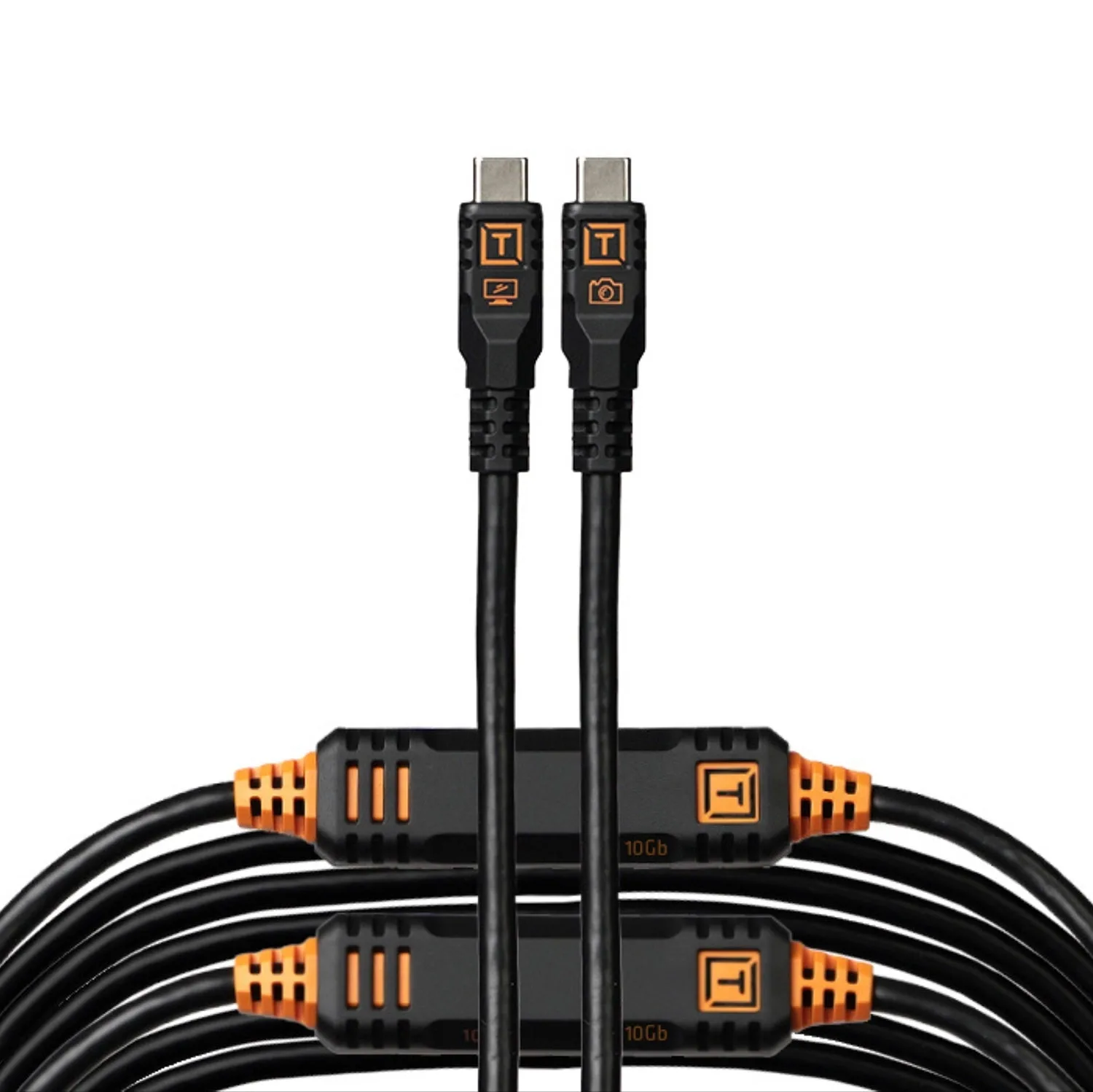
Tether Tools TetherPro Optima 10G USB-C 31' (9.4m) Cable Black