Quick Answer
Most charging failures come from a loose connection, a worn cable, or a dirty charging port—start by checking these before assuming the battery is dead.
Why Charging Issues Happen
Charging problems with the Theragun Prime are rarely a sign of a faulty device. More often, they stem from everyday wear: a bent charging pin, a partially inserted cable, or a charging stand that isn't aligned properly. Knowing the common culprits saves you time and unnecessary returns.
The Theragun Prime Charging Stand is designed to keep your device ready and within easy reach, but it only works when the device is seated correctly. If the stand isn't making full contact, the device won't charge even though it looks like it's docked.
Diagnose the Charging Problem
- Symptom: No charging light: If the LED doesn't light up when you plug in the device, the issue is likely the cable or the power source. Try a different wall outlet and a different USB cable if you have one. If a new cable works, the original cable is worn—replace it.
- Symptom: Charging light blinks or flickers: This usually indicates a poor connection. Check the charging port on the device for dust or debris, and clean it gently with a dry toothpick or compressed air. Also, ensure the cable is fully inserted. If cleaning doesn't help, the port may be damaged—stop and contact support.
- Symptom: Device charges slowly or only when pressed down: If using the Theragun Prime Charging Stand, the device may not be seated properly. Remove and reseat it, ensuring the charging pins align with the stand's contacts. If the issue persists, try charging with the cable directly to rule out a stand problem.
The Right Accessory Can Help
-
Theragun Prime Charging Stand: The Theragun Prime Charging Stand is designed specifically for the Theragun Prime 6th Generation, providing a dedicated charging spot. Using the correct stand ensures proper alignment, reducing the chance of intermittent charging caused by a loose fit.
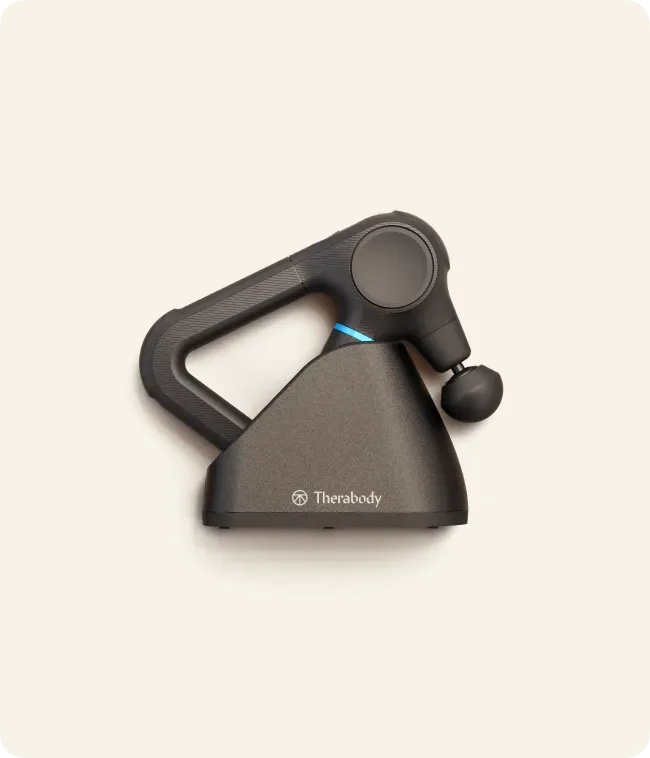
Theragun Prime Charging Stand