Start with the lay-flat back panel
The SWISSGEAR Travel Tech Elite USB ScanSmart Laptop Backpack is built around a TSA-friendly lay-flat back panel with room for both a tablet and a laptop. That panel is the first thing to set up because it determines how you pack everything else. Open the back panel fully and place your laptop and tablet in their dedicated sleeves before you load the main compartments.
This setup keeps your devices separate from the rest of your gear and makes it easier to lay the backpack flat at security checkpoints. The ScanSmart design is intended to let you present the laptop and tablet without removing them from the bag, but always follow the instructions of the screening officer at the checkpoint.
A practical packing order for the Travel Tech Elite
Work from the back panel outward so that the heaviest and most fragile items sit closest to your body and the quick-access items end up where you can reach them.
- 1. Load the laptop and tablet sleeves: Place your laptop and tablet in the padded lay-flat back panel first. This reserves the protected space and prevents you from squeezing them in later.
- 2. Use the center compartment for bulkier gear: The center compartment includes an internal zippered panel that unzips into a side-access shoe bag. Pack shoes or other bulky items here, and use the side access when you need to reach them without opening the whole bag.
- 3. Organize small accessories in the organizational pocket: Cables, pens, and small adapters fit in the organizational pocket. Keeping them there makes the front quick-access pocket more useful for items you need frequently.
- 4. Protect sunglasses in the fleece-lined pocket: The fleece-lined crush-resistant sunglasses pocket is a dedicated spot for eyewear. Use it instead of tossing sunglasses loose in the main compartment.
- 5. Keep often-used items in the front quick-access pocket: Boarding passes, a wallet, or a phone can go in the front quick-access pocket so you are not opening the main compartment at the gate.
Set up the USB charging hub
The Travel Tech Elite includes a phone charging hub. The supplied product information does not specify the hub's power output, required cable type, or whether a power bank is included, so check the hub's connection point and any included instructions before you rely on it. A safe approach is to connect your own power source to the hub, then connect your phone with a compatible cable and test the connection at home before you travel.
Do not assume the backpack can charge a laptop or that it includes a battery. The record confirms a phone charging hub only. If you need to charge other devices, carry a separate power bank and the correct cables for those devices.
What the Travel Tech Elite record confirms
-
SWISSGEAR Travel Tech Elite USB ScanSmart Laptop Backpack: TSA-friendly lay-flat back panel with room for a tablet and a laptop. This is the core ScanSmart feature that shapes how you pack and present the bag at airport security.
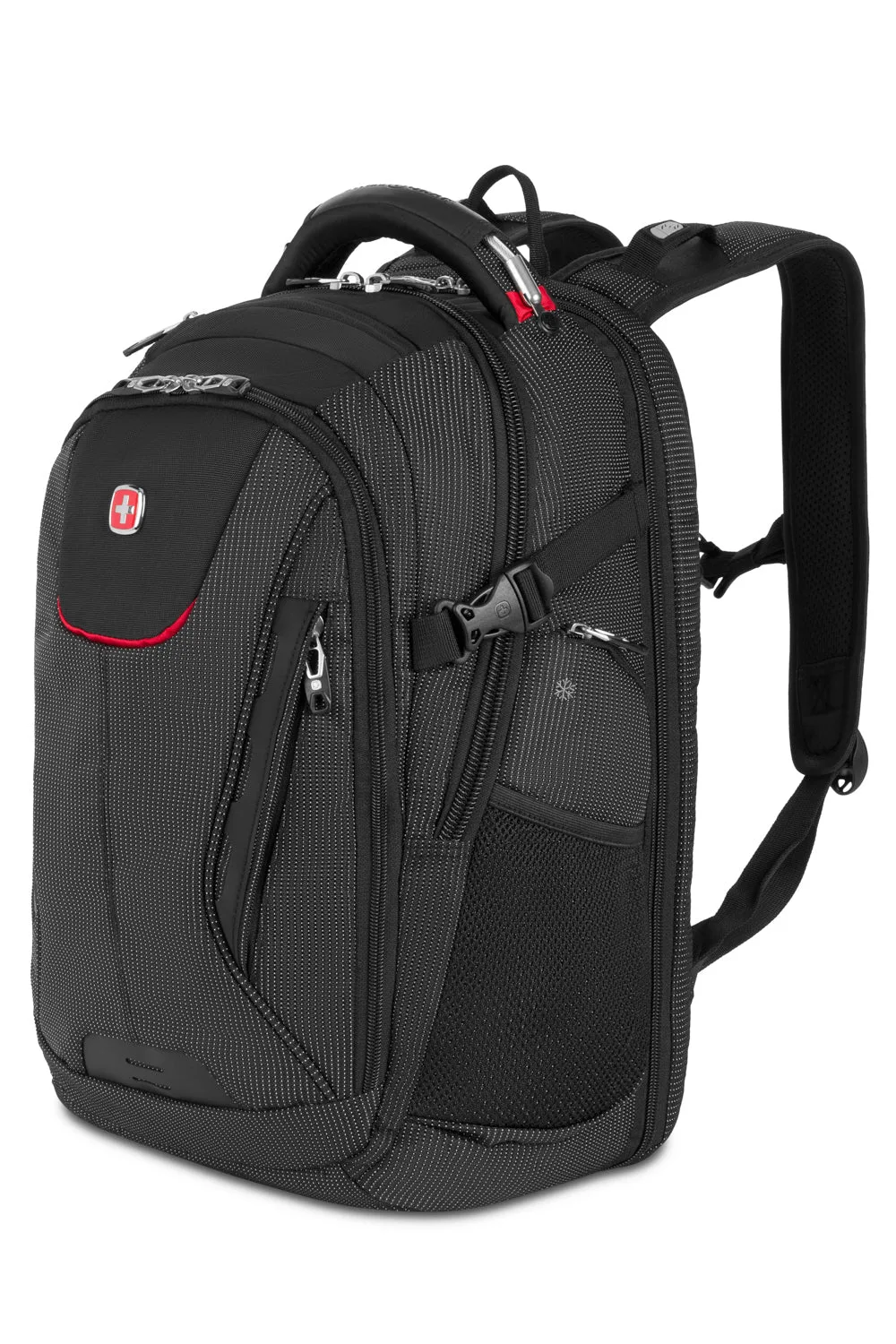
SWISSGEAR Travel Tech Elite USB ScanSmart Laptop Backpack
-
SWISSGEAR Travel Tech Elite USB ScanSmart Laptop Backpack: Phone charging hub built into the backpack. Useful for keeping a phone topped up, but the record does not confirm power output or included cables, so test your setup before traveling.
-
SWISSGEAR Travel Tech Elite USB ScanSmart Laptop Backpack: Center compartment has an internal zippered panel that unzips into a side-access shoe bag. This gives you a dedicated place for shoes and a way to reach them without unpacking the main compartment.
-
SWISSGEAR Travel Tech Elite USB ScanSmart Laptop Backpack: Fleece-lined crush-resistant sunglasses pocket and an organizational pocket. These pockets keep small items protected and organized so the main compartments stay focused on larger gear.
-
SWISSGEAR Travel Tech Elite USB ScanSmart Laptop Backpack: Durable, abrasion-resistant polyester fabric with fully padded shoulder straps and back panel. The padding supports comfortable carrying when the bag is loaded with tech and travel gear.
Adjust the fit for a loaded tech backpack
Once the bag is packed, loosen the shoulder straps, put the backpack on, and tighten the straps until the padded back panel sits comfortably against your back. The fully padded shoulder straps and back panel are designed to distribute the load, but the record does not provide specific adjustment instructions. A simple check is to make sure the bag feels balanced and the bottom of the pack rests near your lower back without sagging.
If the bag feels heavy or pulls backward, move the heaviest items closer to the back panel and use the organizational pocket for lighter accessories. The Travel Tech Elite is available in Navy, Black/Red, Grey Heather, and Grey Ballistic, so you can choose a color that matches your travel kit.
Checkpoints before you head to the airport
Run through these checks the night before a trip so the ScanSmart panel and charging hub are ready when you are.
- Laptop and tablet seated flat: Confirm both devices are fully inserted in the lay-flat back panel and that no cables or accessories are trapped behind them.
- Charging hub tested: Connect your power source and phone to the hub at home to confirm the connection works before you rely on it in transit.
- Shoe bag zipped or unzipped intentionally: Decide whether you need the side-access shoe bag open or closed, and secure the internal zippered panel accordingly.
- Quick-access pocket loaded: Put boarding documents, ID, and a phone in the front quick-access pocket so you can reach them without opening the main compartment.