Quick answer
Setting up your TRIMUI BRICK magnetic charging dock is straightforward: place the dock on a flat surface, connect USB power, and drop your console onto the magnetic connector. No need to plug in a cable each time.
Why choose a magnetic dock over a standard cable
A magnetic charging dock eliminates the repetitive plugging and unplugging that can wear out your console's USB port over time. It also keeps your desk tidy by holding the console upright when not in use. The trade-off is that you need to keep the dock powered and within reach, but most users find the convenience worth the small footprint.
TRIMUI BRICK magnetic dock setup & charging FAQs
How do I set up the magnetic charging dock?
Place the dock on a stable, flat surface near a USB power source. Connect the dock's cable to a standard USB-A port (5V/1A or higher). The dock has no on/off switch—it will be ready once powered. Gently lower your TRIMUI BRICK onto the dock so the magnetic connector snaps into place. The console should indicate charging immediately.
Why isn't my TRIMUI BRICK charging on the dock?
First, check that the USB cable is firmly connected to both the dock and the power adapter. Ensure the power adapter delivers at least 5V/1A. If the console still doesn't charge, verify that the magnetic contacts on both the dock and console are clean and free of dust. A poor connection due to debris is the most common issue. Keep the magnetic contacts clean with a dry cloth for reliable charging.
Can I leave my console on the dock after charging is complete?
Yes, the dock is designed for both charging and desktop storage. Once the battery is full, the console will stop drawing power. The dock's upright position also makes it a convenient stand for displaying your handheld when not in use.
Does the dock work with a case or skin on my TRIMUI BRICK?
The dock is designed for the bare console. Thick cases or skins may prevent the magnetic contacts from aligning properly. If you use a slim protective layer, test the connection first. Most standard silicone cases will block the magnets. Remove bulky cases before docking to ensure a solid charge connection.
How long does delivery take for this 3D-printed accessory?
Since this is a customized 3D-printed product, please allow 7–10 days for delivery to be arranged. This production time ensures each dock is printed to the exact specifications for your TRIMUI BRICK. Plan ahead if you need the dock by a specific date.
Product details
-
3D Printed Magnetic Charging Dock for TRIMUI BRICK: This 3D-printed dock is designed specifically for TRIMUI BRICK game consoles, with precisely positioned magnets and a suitable size for magnetic charging. The custom fit ensures your console aligns perfectly every time, so you don't have to fiddle with the angle to get a charge.
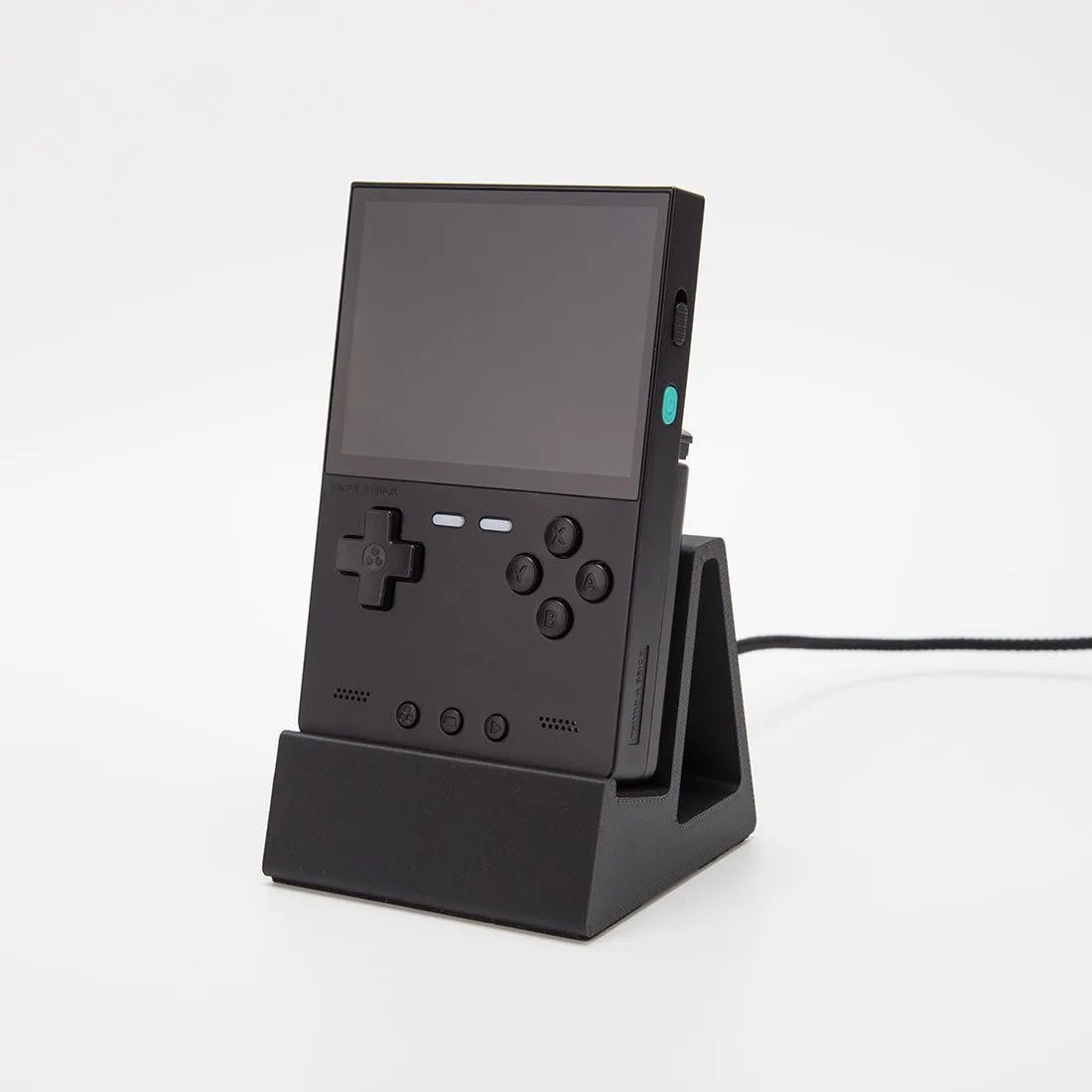
3D Printed Magnetic Charging Dock for TRIMUI BRICK