Quick Answer
Most V3 Shifter issues stem from loose connections, incorrect paddle mapping, or a need for calibration. Follow the diagnosis steps below to isolate and fix the problem in minutes.
Why the V3 Shifters Might Act Up
The GSI V3 Shifters are built with tight tolerances and a durable switch rated for over 1 million actuations, but like any precision component, they can encounter issues if not set up correctly. Common problems include unresponsive paddles, inconsistent shifts, or unusual noise. These are rarely hardware failures—more often they are caused by cable seating, software mapping, or mounting adjustments.
Before diving into repairs, it helps to understand that the V3 Shifters use neodymium 52 magnets for crisp feedback. If the magnetic engagement feels off, it could be a sign of physical obstruction or misalignment rather than a defective unit.
When to Consider a Different Approach
If your V3 Shifters still don't respond after following the diagnosis steps, the issue may lie with your wheel base or game settings rather than the shifters themselves. Double-check that your wheel base firmware is up to date and that the shifters are assigned to the correct button inputs in your sim title.
For persistent problems like a broken paddle or a switch that doesn't click, the V3 Shifters' modular design means you can replace individual components rather than the whole unit. Contact GSI support for replacement parts if needed.
V3 Shifter Diagnosis Steps
- Symptom: Paddle not responding: Check the RJ12 cable connection at both the shifter and the wheel base. A loose cable is the most common cause. Reseat it firmly and test again.
- Symptom: Shifts are inconsistent or double-register: Open your wheel base software (e.g., SimHub or proprietary software) and verify the paddle is mapped to a single button press. If it's mapped to a keyboard key or multiple actions, reassign it to a direct button input. If the paddle still double-registers, try increasing the debounce setting in your software to 5-10 ms.
- Symptom: Shifter feels noisy or rattles: Inspect the silicone damper for proper seating. If it's missing or dislodged, the shifter may rattle. Also check that the mounting bolts are tight—loose mounting can amplify vibration. If the noise persists after tightening and damper check, the issue is likely normal mechanical noise; consider adding sound dampening foam to your rig.
- Symptom: Shifter works but calibration is off: In your wheel base software, look for a 'calibrate' or 'learn' function for the shifters. Follow the on-screen prompts to set the neutral position and throw range. This is especially important after changing paddle material or mounting angle. After calibration, test in a game menu that shows raw input values. The paddle should show a clean on/off state without flickering.
- Symptom: No response after all steps: Try the shifters on a different wheel base or computer to rule out a base-specific issue. If they still don't work, the switch may have failed. Since it's rated for over 1 million actuations, this is rare but possible. Contact GSI support for a replacement switch module. Stop here and seek warranty or replacement—do not attempt to open the switch housing yourself as it may void the warranty.
Product Spotlight: GSI V3 Shifters
-
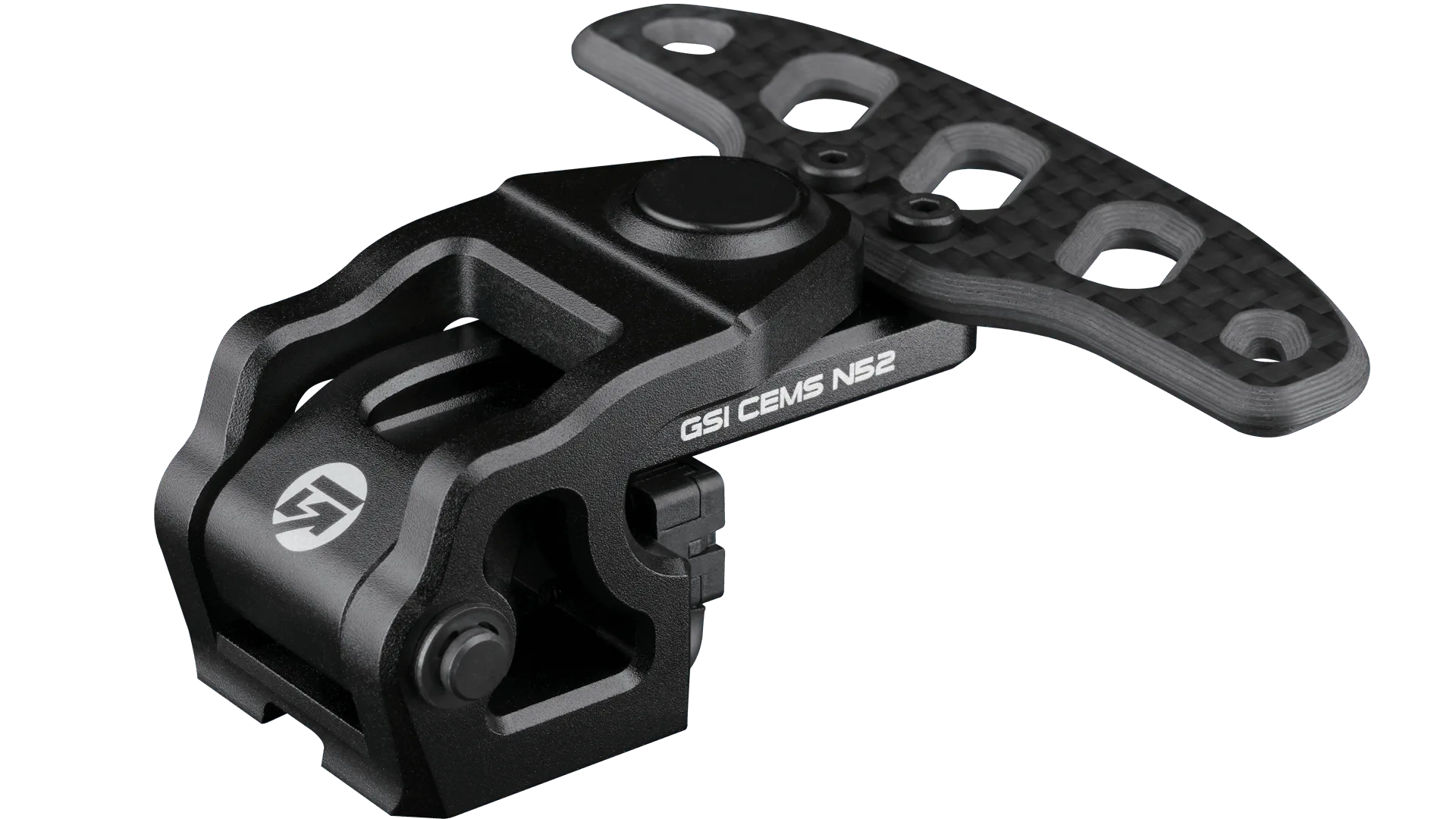
V3 Shifters: The V3 Shifters use a silicone damper for quieter operation and tighter tolerances that reduce lateral movement without compromising feedback. If your shifters feel loose or noisy, it may be a sign the damper needs adjustment or the mounting screws need tightening, not a defect.
V3 Shifters