Quick answer
Mount the VRD1 Rear Cage Set to your VS4-10 chassis using hidden body posts under the rear of the cage. The cage mimics a full-size off-road truck tube bed and accepts molded tail light buckets from the VPS10136 set.
What you need before starting
The VRD1 Rear Cage Set is designed for the Phoenix cab and uses hidden body posts that sit under the rear of the cage. Make sure you have the VPS10136 Body Detail Part set if you want to install the tail light bucket covers, as those covers are not included with the cage set itself.
You will need a 1.5mm hex driver and a small Phillips screwdriver. The cage comes with hardware for the light bucket covers but not the covers themselves.
Common fitment considerations
The VRD1 mounts directly to the back of the Phoenix cab. If your VS4-10 uses a different cab, the hidden post alignment may differ. Check that the rear body posts on your chassis align with the mounting holes under the cage before tightening anything.
The molded tail light buckets are designed to work with the VPS10136 set. If you plan to add scale lighting, route the wires before securing the cage in place.
Installation steps
- Remove the existing rear body mount: Unscrew the rear body posts from your VS4-10 chassis. Keep the hardware—you may reuse it if the threads match the cage mounting holes. Common mistake: Forgetting to note the post orientation. Mark the left and right posts before removal.
- Position the VRD1 cage on the cab: Align the cage so the hidden post slots under the rear of the cage sit flush against the back of the Phoenix cab. Do not force the cage; it should sit level without gaps. Check that the tail light bucket openings face rearward and are not obstructed by the cab edge.
- Install the hidden body posts: Insert the supplied body posts through the cage mounting holes and into the chassis mount points. Tighten them evenly so the cage stays square. Over-tightening can crack the cage plastic. Tighten until snug, then back off an eighth turn.
- Attach the tail light buckets (optional): Snap the molded tail light buckets from the VPS10136 set into the cage openings. Use the included hardware to secure the bucket covers. Make sure the wire channel inside the cage is clear before pressing the buckets in place.
- Test fit the cab and cage assembly: Mount the cab back onto the chassis and check that the cage does not interfere with the rear suspension or axle movement at full compression. If the cage rubs, add a small washer between the chassis mount and the cage to increase clearance.
Product facts
-
VRD1 Rear Cage Set: The VRD1 Cage Set mimics the look of a fabricated tube bed used in full size off-road trucks and mounts to the back of the Phoenix cab using hidden body posts under the rear of the cage. This hidden mount design keeps the cage looking scale without visible hardware, but it requires the Phoenix cab for proper alignment.
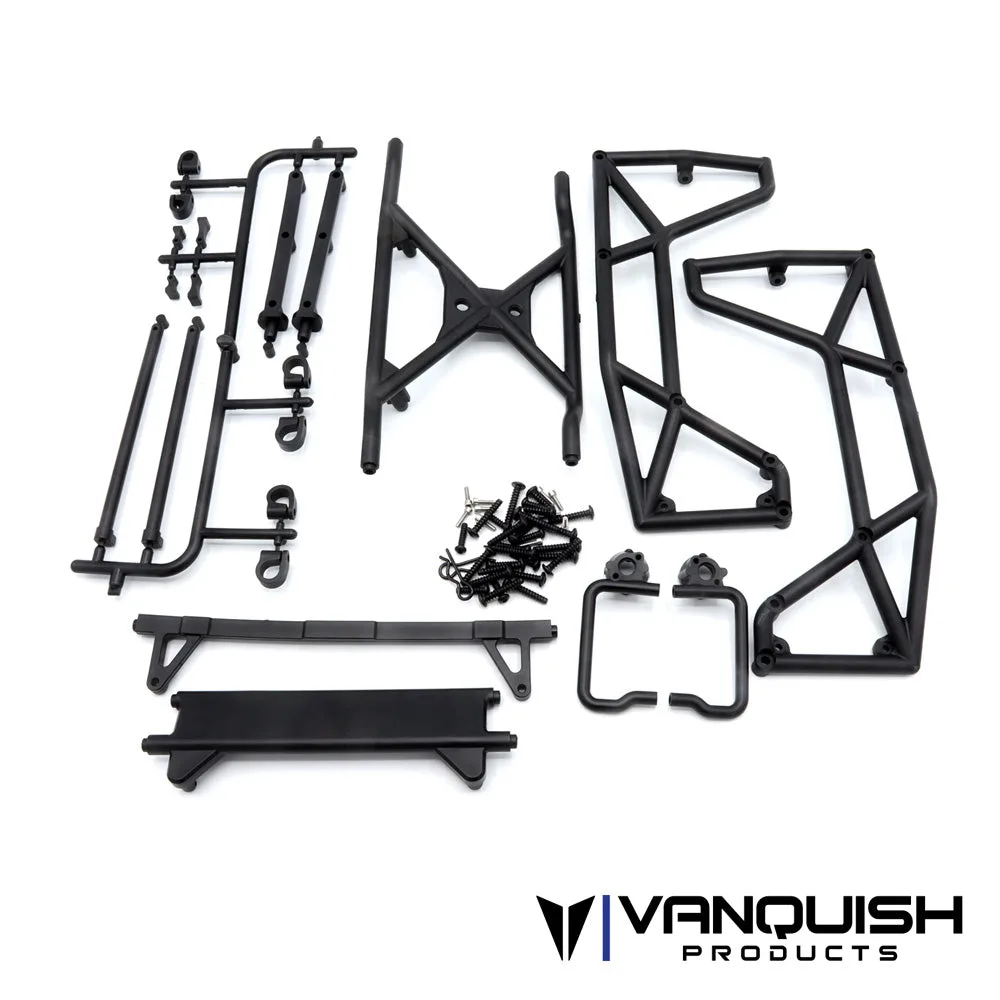
VRD1 Rear Cage Set
