Quick answer
The littleBits Makey Makey Bit (w14) turns everyday conductive objects—like bananas, carrots, or even your sunglasses—into touch-sensitive triggers for your littleBits circuits and computer inputs.
How does the Makey Makey Bit work?
The Makey Makey Bit uses a simple circuit that detects when you complete a connection through a conductive object. When you touch that object while grounded (via the included alligator clips), the Bit sends a signal to your littleBits circuit or computer, acting like a button or key press.
What can you connect and create?
You can attach the alligator clips to almost any conductive material—fruit, vegetables, metal tools, play dough, or even a damp sponge. This opens up endless possibilities for interactive art, game controllers, science demonstrations, and storytelling props. For example, a carrot can become a piano key, or a spoon can trigger a light or sound module.
Limitations to keep in mind
The Makey Makey Bit only works with conductive objects. Non-conductive items like plastic or dry paper will not trigger it. Also, the Bit requires a ground connection (usually your hand or a conductive path) to complete the circuit. Without grounding, the trigger won't work. This is a natural constraint of the technology, not a flaw.
Frequently asked questions
Can I use the Makey Makey Bit with my computer?
Yes. The Makey Makey Bit can send keyboard or mouse signals to a computer when connected via USB. This lets you create custom game controllers, interactive presentations, or music instruments that respond to touch on any conductive object.
Do I need any extra parts to get started?
The Makey Makey Bit comes with alligator clips and a USB cable. You will also need a littleBits power source (like the PowerSnap or AC adapter) and at least one output Bit (such as a light or sound Bit) to see your creation in action. Conductive objects are not included, but you probably have suitable ones around your home or classroom. Check that you have a power source and an output Bit before starting your first Makey Makey project.
What makes the Makey Makey Bit different from a regular button Bit?
A regular button Bit only works when you press its physical surface. The Makey Makey Bit lets you turn any conductive object into a trigger, which expands creative possibilities and teaches concepts of conductivity and circuit completion. It also adds computer interaction, which a standard button does not. Choose the Makey Makey Bit when you want to incorporate found objects or teach input concepts beyond simple switches.
Product facts
-
littleBits w14 Makey Makey: The Makey Makey Bit turns everyday conductive objects (like bananas) into triggers that control your circuit and even your computer. You can connect the Makey Makey Bit to these objects using the included alligator clips. This means you can build interactive projects using common classroom or household items, making STEM lessons more tangible and engaging.
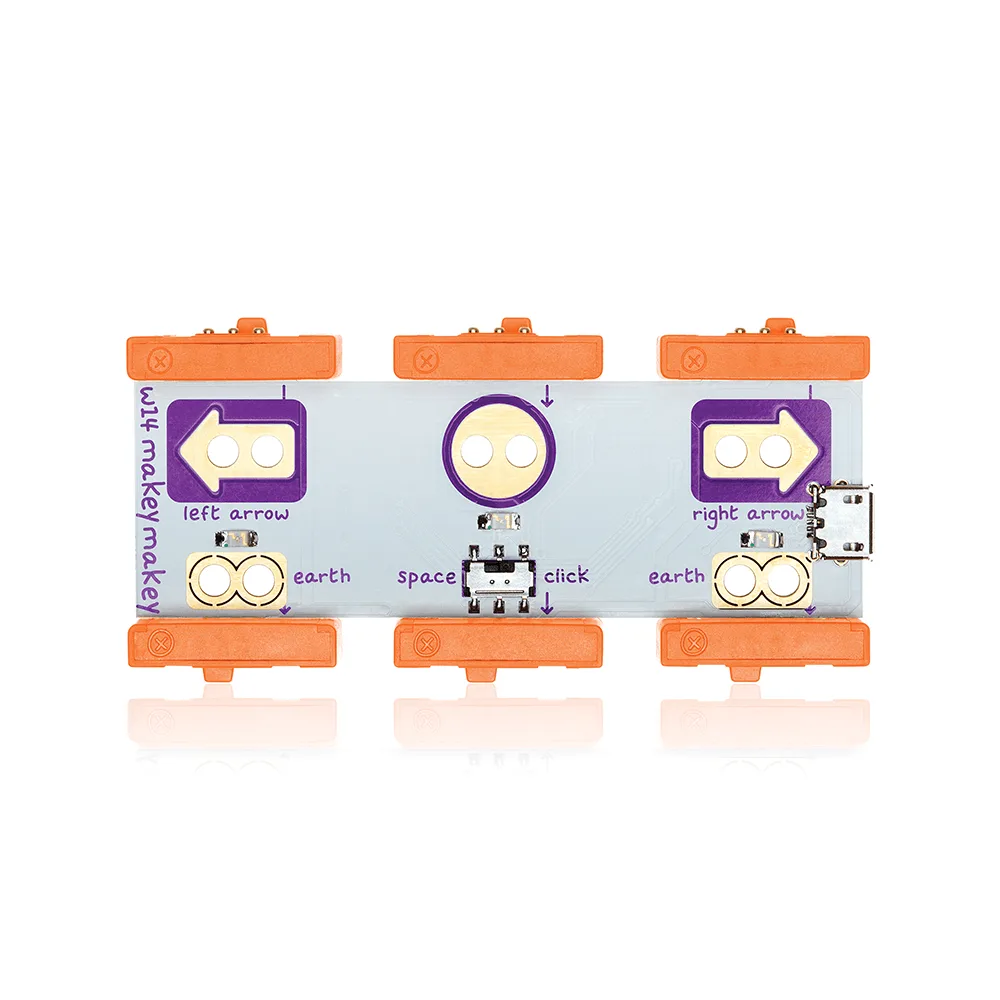
littleBits w14 Makey Makey