Quick Answer
Your iPhone 17 screen protector is most likely cracking because of installation stress, edge impacts, or a low-quality glass that lacks proper shock absorption. Replacing it with a precise-fit tempered glass protector and installing it carefully will reduce the risk.
Installation Stress: The Hidden Culprit
Many cracks appear right after installation or within the first few days. This often happens because the glass was pressed down too hard in one spot, creating microscopic stress fractures that spread later. Even a tiny misalignment can put uneven pressure on the edges, making the protector more vulnerable.
Another common issue is installing on a slightly curved display. The iPhone 17's screen has subtle curves at the edges, and a protector that isn't designed for that curve will have weak points where stress concentrates. A precise-fit protector reduces this risk.
Edge Impacts: The Most Common Cause
Drops and bumps are the leading cause of screen protector cracks. When your phone hits a hard surface, the impact energy travels to the edges of the glass. If the protector doesn't extend to the very edge or lacks a shock-absorbing layer, it will crack more easily.
Pocket or bag impacts can also do it. Keys, coins, or a stray water bottle pressing against the edge can create a stress point that turns into a crack later.
Glass Quality: Not All Tempered Glass Is Equal
The hardness and thickness of tempered glass vary widely. Cheaper protectors often use thinner glass that is more prone to cracking under impact. They also may not have an oleophobic coating that reduces friction, which can make the glass more susceptible to micro-scratches that weaken it.
Look for a protector that explicitly states its hardness level (like 9H) and is designed for your specific phone model. A precise fit matters more than a generic 'universal' protector.
Diagnosing and Fixing the Crack
- Symptom: A hairline crack appears shortly after installation, or a visible crack forms after a minor drop. Note whether the crack started at the edge or in the center—this hints at the cause.
- Likely Cause: If the crack is at the edge, it's likely from an impact or misalignment. If it's in the center, it's probably from installation pressure or a weak spot in the glass. Check for any visible gaps or lifting at the edges—this indicates poor adhesion.
- Corrective Action: Remove the cracked protector and clean the screen thoroughly. Apply a new tempered glass protector using the alignment frame (if included), pressing from the center outward. If you don't have a spare, order a replacement that is specifically designed for your iPhone 17 model. If you're using a protector that isn't model-specific, consider switching to a precise-fit option.
- When to Stop or Choose Another Option: If you've applied two protectors and both crack without any obvious impact, stop and inspect your phone's screen for damage. A cracked screen underneath can cause stress on the protector. Also, if you frequently drop your phone, consider a thicker glass or a shock-absorbing case. If your phone's screen itself is cracked, replace that first before adding a new protector.
A More Durable Option
-
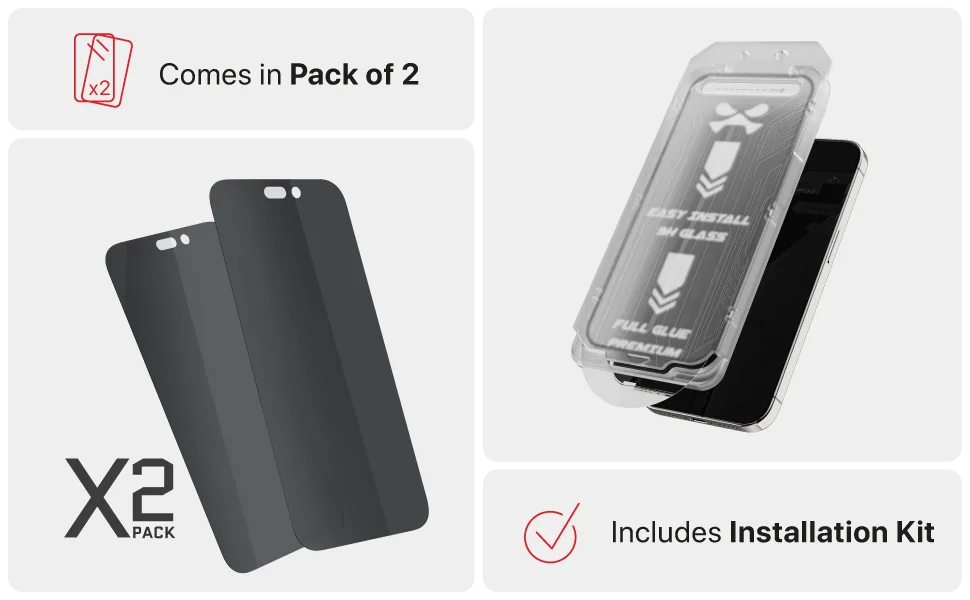
iPhone 17 / Air Series Tempered Glass Screen Protectors (2-Pack) — Screen ProtectioniPhone Air / Clear: This 2-pack of clear tempered glass screen protectors is designed for a precise fit on iPhone 17 and iPhone Air, providing a protective layer against everyday scratches and impacts. A precise fit reduces edge stress points, and the included second protector gives you a spare if the first one eventually cracks from a hard drop.
iPhone 17 / Air Series Tempered Glass Screen Protectors (2-Pack) — Screen ProtectioniPhone Air / Clear