Quick answer
Most wireless charger failures are caused by misalignment, a thick or non-compatible case, or a power source issue. Check these first before assuming the charger is broken.
Why wireless charging stops: common causes
Wireless charging relies on precise alignment between the charger and your device. Even a few millimeters off can stop the charge or slow it drastically. Magnetic chargers like the UGREEN MagFlow help with alignment, but they can still fail if the magnet isn't strong enough to pull the device into the perfect position.
Another frequent culprit is the phone case. Cases that are too thick (over 3 mm) or made of metal can block the magnetic field. Even some plastic cases with built-in stands or grips can interfere. If your charger worked before and now doesn't, try removing the case.
Less obvious issues include a dirty charging surface, a weak power adapter, or a firmware glitch. Qi2 chargers have built-in safety features that shut off power if they detect overheating or foreign objects. That's a good thing, but it can look like a failure if you don't know what triggered it.
When to consider replacement
If you've tried all the basic fixes and your charger still doesn't work, it might be time to replace it. Most wireless chargers have a lifespan of 2-3 years with normal use. Check for visible damage like frayed cables or a cracked charging pad. If the charger gets unusually hot even when not in use, that's a sign of internal failure.
Before buying a new one, verify that your device supports the same standard. For example, the UGREEN MagFlow 2-in-1 charger is Qi2 and MagSafe compatible, so it works with most modern iPhones and Android phones that support Qi. But older devices may need a different charger.
Diagnosis: Find and fix the problem
- Symptom: No charging at all: Check the power source first. Plug the charger into a different outlet or USB port. If it still doesn't work, try a different cable. The cable is the most common point of failure. If a different cable works, replace the old cable.
- Symptom: Charging is very slow: Remove your phone case. If the case is thicker than 3 mm or has metal parts, it will slow charging. Also check that your charger supports fast charging for your device. The UGREEN MagFlow 2-in-1 can deliver up to 25 W, but only if your phone and power adapter support it. If removing the case doesn't help, try a different power adapter (at least 20 W).
- Symptom: Charging stops after a few minutes: This is often caused by overheating. Move the charger to a cooler, well-ventilated area. Make sure nothing is covering the charger or your phone. If the problem persists, the charger may have a hardware fault. If the charger still stops charging, contact support or consider a replacement.
Products that can help
-
UGREEN MagFlow Chargeur sans fil magnétique 2-en-1 (Qi2 25 W, compatible MagSafe): The UGREEN MagFlow 2-in-1 Magnetic Wireless Charger delivers up to 25 W of fast wireless power and uses magnetic alignment for a secure connection. If your current charger struggles with alignment, the MagFlow's magnets help keep your device in the right spot, reducing one of the most common causes of charging failure.
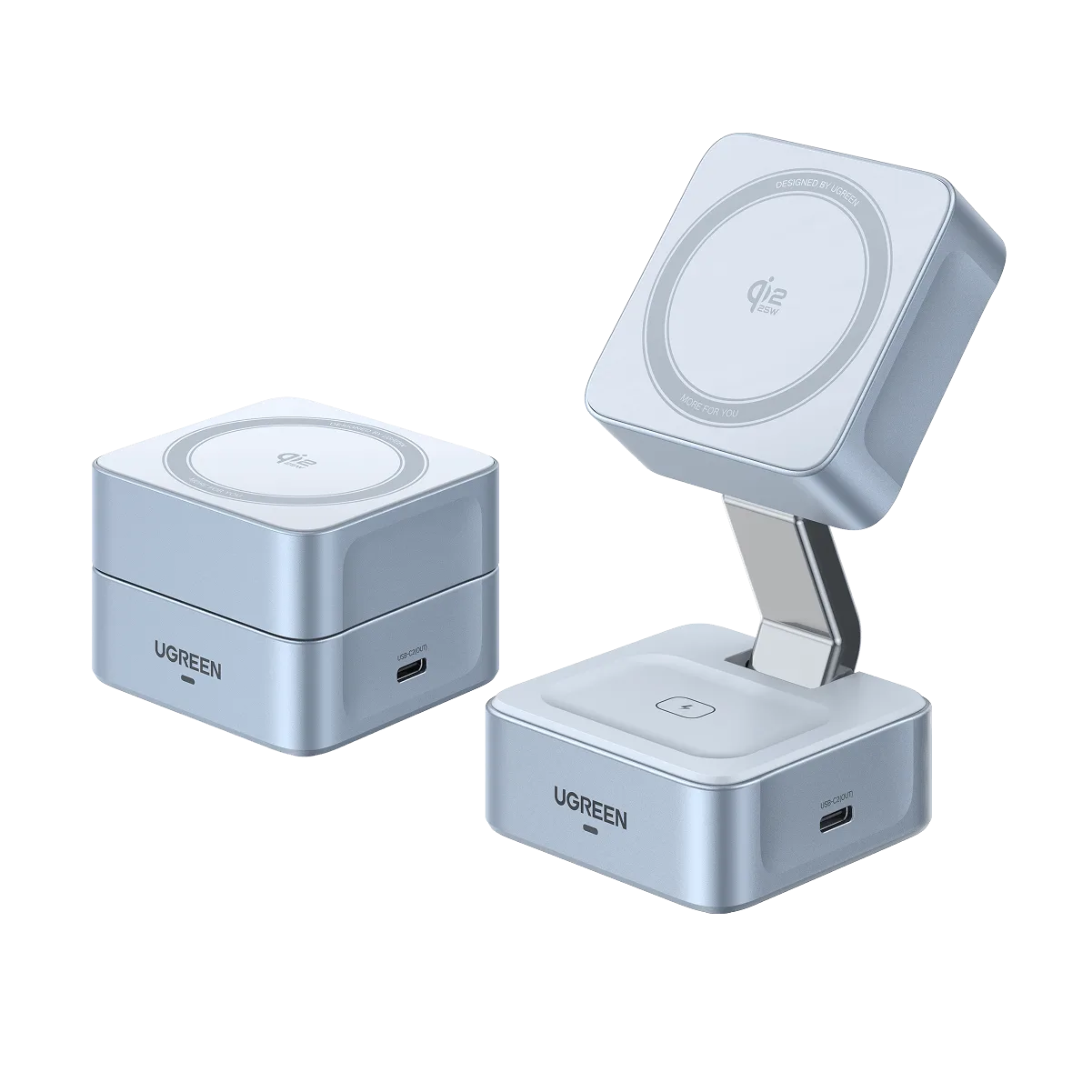
UGREEN MagFlow Chargeur sans fil magnétique 2-en-1 (Qi2 25 W, compatible MagSafe)