Quick answer
Choose the A320 MCDU if you fly Airbus narrowbodies in MSFS or X-Plane and want a bright, responsive display. Pick the B777 CDU if you fly Boeing long-haul aircraft and prefer silicone keys with indicator lights for a more tactile, true-to-type feel.
Build quality and materials
Both panels use a 2.4 mm thick full-metal construction, so durability is comparable. The A320 MCDU measures 14.5 × 22.8 × 2.4 cm and matches the real A320 layout exactly. The B777 CDU also reproduces the authentic Boeing screw positions and frame structure for a premium look.
Display and keypad differences
The A320 MCDU has a 5.6" high-brightness LCD with 800×600 resolution, making flight data sharp and easy to read even in bright rooms. The B777 CDU uses a silicone keypad with integrated indicator lights, giving you a soft but precise tactile response and visual feedback that mirrors the real aircraft.
Sim compatibility trade-offs
The A320 MCDU works with X-Plane, MSFS 2020/2024, and is compatible with Toliss, Fenix, FBW, and FSL A320 add-ons. The B777 CDU supports MSFS 2020/2024, Prepar3D, and X-Plane. If you fly multiple simulators, the B777 CDU offers wider platform support, while the A320 MCDU is more specialized for Airbus third-party aircraft.
Decision rules for your first CDU panel
- Simulator focus: If you primarily use X-Plane or MSFS with Airbus add-ons (Toliss, Fenix, FBW, FSL), the A320 MCDU is the natural choice. For Prepar3D or multi-platform Boeing flying, the B777 CDU fits better.
- Display preference: The A320 MCDU’s 5.6" high-brightness LCD is ideal for bright rooms and sharp data reading. The B777 CDU’s silicone keys with indicator lights are better if you want tactile feedback and visual confirmation without looking at a screen.
- Budget consideration: The A320 MCDU costs USD 401.99 (down from USD 669.99), while the B777 CDU is USD 468.99 (down from USD 669.99). Both offer similar savings, but the A320 is slightly more affordable if budget is tight. Price difference is modest, so prioritize sim compatibility and keypad feel over cost.
Product facts
-
1/1 Scale Metal A320 MCDU Home Cockpit Panel for X-Plane, MSFS 2020/2024, Compatible with Toliss A310/A320, FENIX/FBW/FSL A320: True-to-Life 1:1 Metal A320 MCDU Recreation: Built with a 2.4 mm thick full-metal panel, this MCDU matches the real A320-series layout and dimensions (14.5 × 22.8 × 2.4 cm), delivering an authentic airline-grade tactile experience. If you want the exact dimensions and feel of an Airbus MCDU for your home cockpit, this panel gives you a precise physical match.
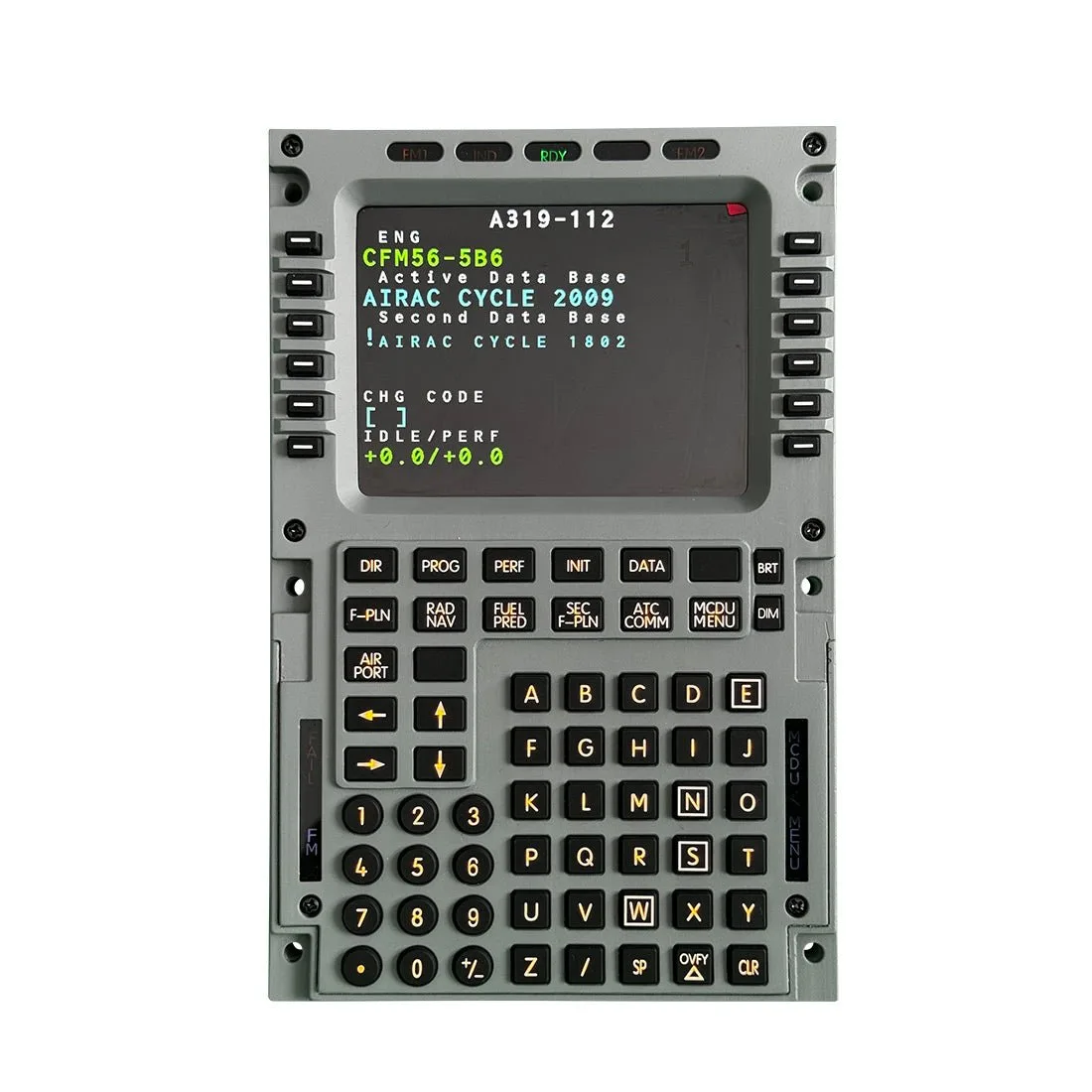
1/1 Scale Metal A320 MCDU Home Cockpit Panel for X-Plane, MSFS 2020/2024, Compatible with Toliss A310/A320, FENIX/FBW/FSL A320
-
1/1 Scale Metal B777 CDU Home Cockpit Panel Compatible with MSFS 2020/2024, Prepar3D, X-Plane: Silicone Keypad with Indicator Lights for Authentic Operation: Premium silicone keys provide soft but precise tactile feedback, while integrated indicator lights mirror real B777 CDU behavior. The illuminated keys help you verify inputs at a glance, which is especially useful when practicing procedures in a dimly lit cockpit setup.
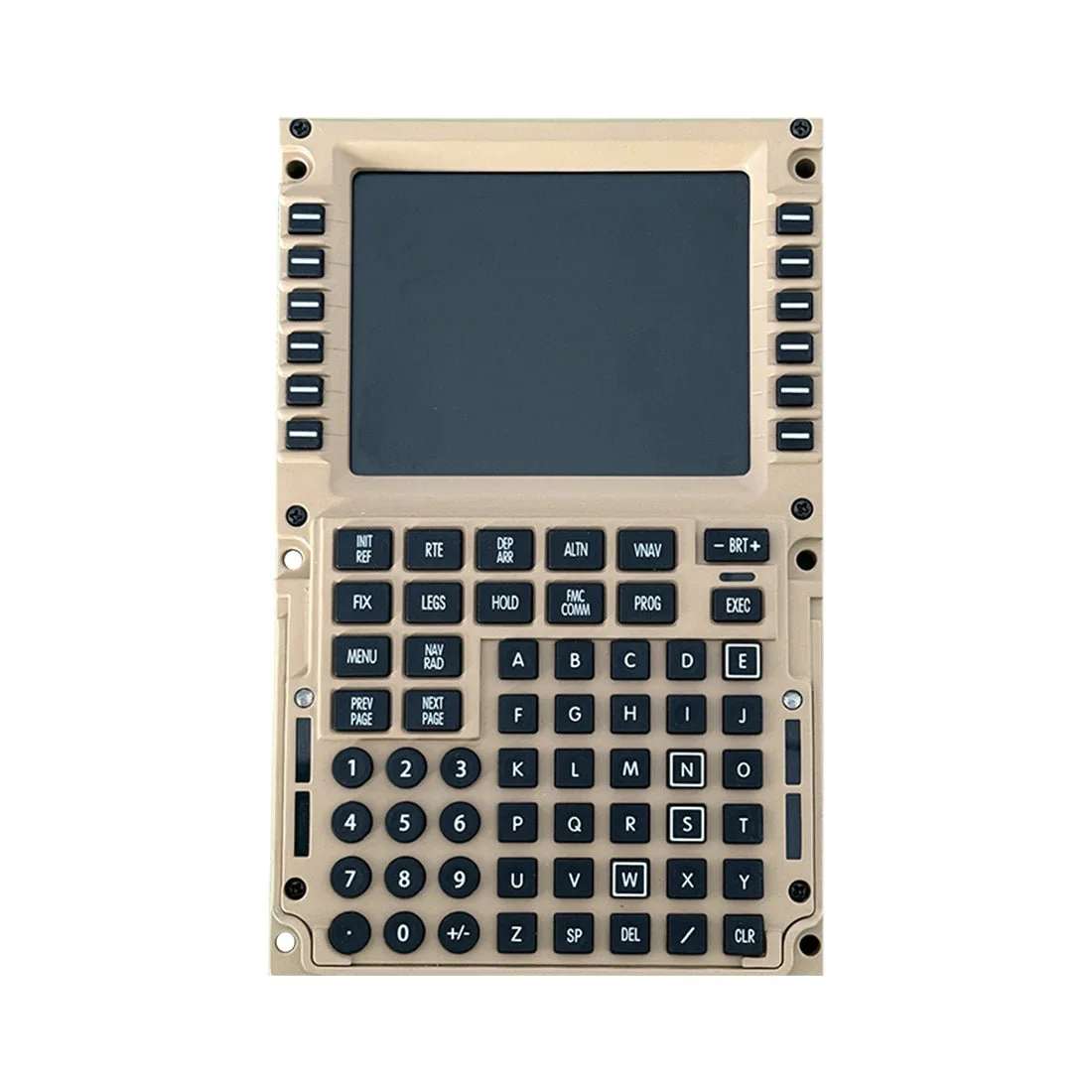
1/1 Scale Metal B777 CDU Home Cockpit Panel Compatible with MSFS 2020/2024, Prepar3D, X-Plane
Which one is right for you?
Best for
- Simmers who fly Airbus A320-family aircraft in X-Plane or MSFS and want a bright, high-resolution display
- Boeing 777 enthusiasts who prefer a tactile silicone keypad with indicator lights and need Prepar3D compatibility
Not for
- Pilots who need a single panel that works with both Airbus and Boeing aircraft without compromise