Quick answer
Most app-controlled toy disconnects come from one of three things: a weak Bluetooth link, app permissions or battery-saver settings, or a toy that needs a fresh pairing. Start by closing other Bluetooth apps, keeping the toy and phone within a few feet, and re-pairing from the toy's own app rather than your phone's Bluetooth menu. If the toy still drops mid-session, the problem is usually the connection method itself, not your technique.
Symptom: The toy pairs, then disconnects within minutes
A toy that connects but drops soon after is usually fighting for the same Bluetooth radio as other devices. Phones handle one active Bluetooth audio stream and a data connection at the same time, but a toy app that streams commands continuously is more sensitive to interference. Move away from Wi-Fi routers, microwaves, and USB 3.0 hubs, and turn off Bluetooth on tablets, laptops, and smartwatches that may be trying to reconnect to the toy. If you use the toy with a partner remotely, ask them to close video-call apps on their end too; a lagging call can starve the app of the background time it needs to keep the link alive.
Symptom: The app cannot find the toy at all
When the toy never appears in the app's device list, check the order of operations. Turn the toy off, close the app completely, turn Bluetooth off and on again, then open the app and turn the toy on while the app is scanning. Pairing through your phone's system Bluetooth settings first can block the app from claiming the toy, so forget the toy in system settings before retrying. On Android, confirm the app has Nearby Devices permission; on iOS, confirm Bluetooth permission is enabled for that specific app, not just for the phone.
Symptom: Controls lag or respond seconds late
Lag is different from a disconnect. If buttons work but the toy reacts late, the app is probably being throttled in the background. Disable battery optimization for the toy app, keep the screen on during sessions, and avoid switching apps mid-play. For long-distance sessions, both partners should be on stable Wi-Fi rather than cellular if possible, and the toy should stay within arm's reach of the phone that is running the app. A lag that persists after these steps points to an older phone or a toy firmware update that has not been applied.
When to stop troubleshooting and choose a non-app toy
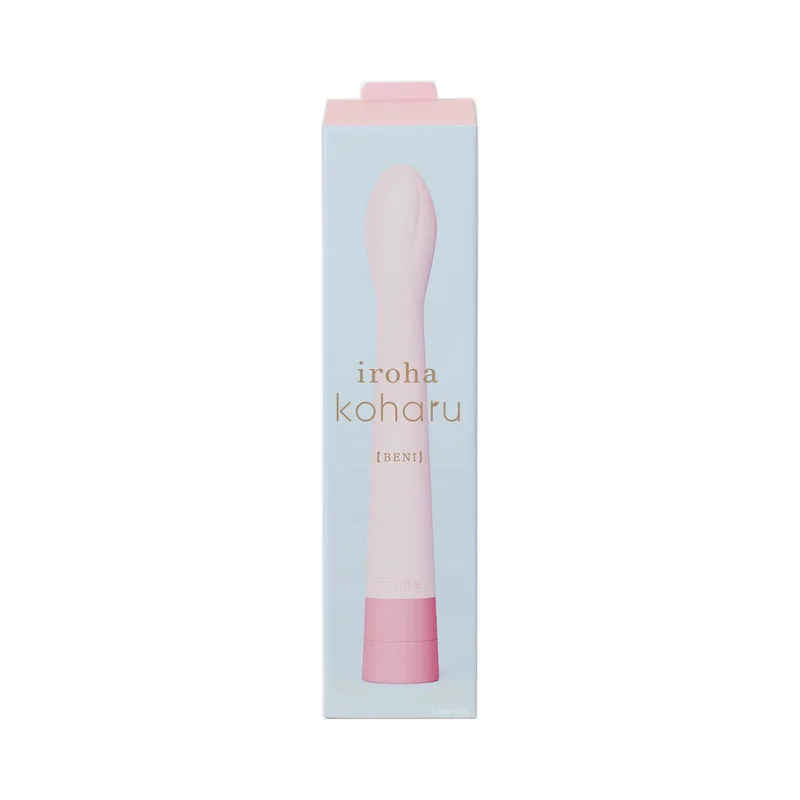
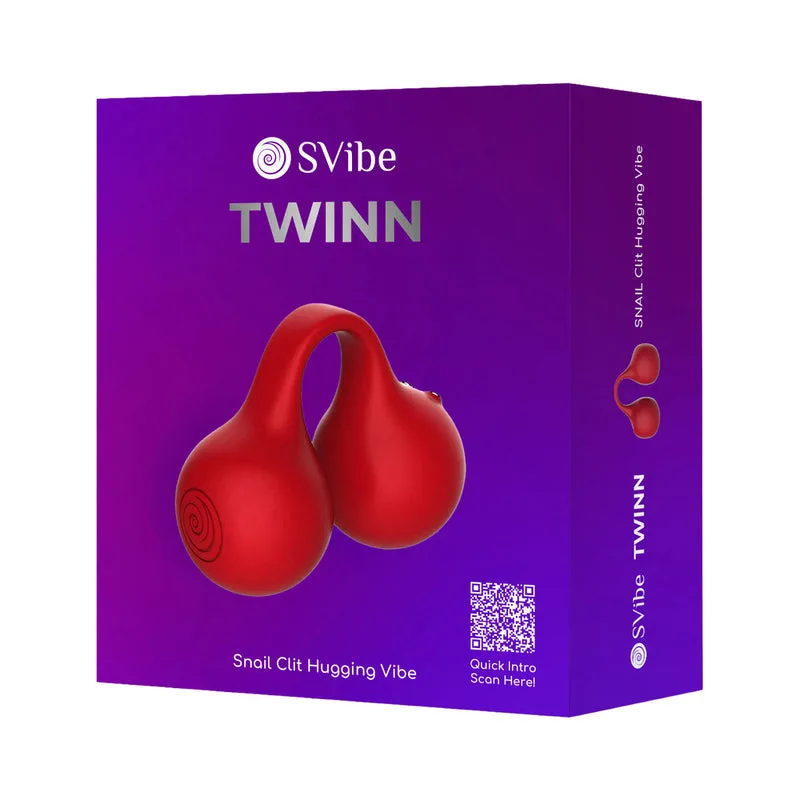
If you have re-paired, updated the app, cleared permissions, and still lose connection every session, the toy's Bluetooth module or the app's background handling may not match your phone. That is not a failure on your part. A toy with physical controls removes the variable entirely. The SVibe Snail Twinn Finger Vibrator Cherry (No App) uses Compression Technology to create a slow, immersive build that spreads sensation through the full clitoral structure rather than focusing on a single point, so you are not trading away sensation for reliability. For internal play, the iroha koharu BENI is a slim, compact G-spot vibrator with a body as slim as a single finger and a flower bud-shaped tip that conforms to your body, making it a comfortable fit for beginners who want to skip app pairing altogether.
Connection diagnosis: match the symptom to the fix
- Drops after pairing: Interference or competing Bluetooth devices are the most common cause. Move away from routers and hubs, turn off Bluetooth on other devices, and keep the toy within a few feet of the phone. If the link holds for a full session after these changes, you have solved it.
- Toy never appears in the app: Pairing order and permissions are usually at fault. Forget the toy in system Bluetooth, reopen the app first, then power on the toy. Check Nearby Devices (Android) or app-specific Bluetooth permission (iOS). If the toy still does not appear after two clean pairing attempts, the app and toy may not be compatible with your phone.
- Controls lag but do not disconnect: Background throttling is the likely cause. Disable battery optimization for the app, keep the screen on, and stay on stable Wi-Fi for long-distance sessions. Persistent lag after these steps suggests a firmware update or a phone that cannot keep up; consider a non-app toy.
- Disconnects every session despite fixes: Re-pair, update, and clear permissions one more time. If the problem continues, stop troubleshooting and switch to a toy with physical controls, such as the SVibe Snail Twinn or iroha koharu BENI. Reliability matters more than remote control; a non-app toy removes the failure point entirely.
Products that avoid app connection issues
- SVibe Snail Twinn Finger Vibrator Cherry (No App): SVibe Snail Twinn Finger Vibrator Cherry (No App) is powered by Compression Technology, creating a slow, immersive build that spreads sensation through the full clitoral structure instead of focusing on a single point. No app means no Bluetooth pairing, no permissions, and no mid-session drops; the tradeoff is that you control it by hand rather than from a phone.
- iroha koharu BENI: iroha koharu BENI is the slimmest insertable iroha item, with a body as slim as a single finger and a flower bud-shaped tip designed to conform to your body. A compact, non-app G-spot vibrator is a practical alternative when app-controlled toys keep disconnecting, especially for beginners who want a comfortable fit without setup steps.