Quick answer
To use an app controlled vibrator long distance, pair it via Bluetooth, connect to the app, then switch to long distance mode. Your partner can control the toy from anywhere using the app.
Why choose an app controlled vibrator for long distance play
App controlled vibrators let you or your partner control the toy remotely, even when you're not in the same room—or the same city. They add a playful, teasing element to long distance relationships or when you want to hand over control without handing over the remote.
The key feature is Bluetooth connectivity paired with a mobile app. Most models, like the Edenty Knicker Vibrator App Controlled, connect to your phone via Bluetooth and then use the app's long distance mode to work over the internet. This means you can start a session at home and continue it while your partner is at work or traveling.
What to look for in a long distance vibrator
Not all app controlled vibrators are created equal. For reliable long distance use, check that the toy has Bluetooth and a dedicated app that supports long distance mode. The Ohmibod - Krush Bluetooth Kegel Trainer, for example, syncs with its app for real-time feedback and custom vibes, but its primary focus is kegel training—so if you just want pure pleasure, a dedicated vibrator like the Edenty Knicker might be a better fit.
Battery life matters too. The Edenty Knicker runs at least one hour on a one-hour charge, which is enough for a typical session. If you plan longer play, look for toys with USB rechargeable batteries that you can top up quickly.
When a remote controlled toy works better
If you prefer simplicity and don't need internet connectivity, a standard remote controlled vibrator like the Loving Joy Remote Controlled Vibrating Egg is a solid alternative. It uses a wireless remote instead of an app, so there's no Bluetooth pairing or app setup. The trade-off is range: the remote works within a few dozen feet, while an app controlled toy can work from anywhere with an internet connection.
For spontaneous play at home or in public, a remote is quicker to use. For planned long distance sessions, an app controlled toy gives you more flexibility.
How to use an app controlled vibrator for long distance play
- Charge your toy fully: Plug in your vibrator using the USB cable and let it charge until the indicator shows full. Most toys take about 1–2 hours. A dead battery mid-session kills the mood, so charge it beforehand. Check the manual for exact charge time; some toys have a low-battery indicator in the app.
- Download and install the app: Go to the App Store (iPhone) or Google Play Store (Android) and search for the app that matches your toy. For the Edenty Knicker, it's the Edenty app. Install it and create an account if required. Make sure your phone's Bluetooth is on and the app has permission to access it.
- Pair the toy with your phone: Turn on the vibrator and open the app. Follow the on-screen instructions to pair it via Bluetooth. Usually, you tap a 'pair' button in the app and the toy vibrates briefly to confirm. Keep the toy close to your phone during pairing. If pairing fails, restart both the toy and the app, and try again. Some toys need to be in pairing mode (check the manual).
- Switch to long distance mode: Once paired, look for a 'long distance' or 'remote' mode in the app. Tap it. The app will ask you to invite a partner via a link or code. Share that link with your partner—they'll need to install the app too, but they don't need the toy. Your partner must have a stable internet connection. If they're on mobile data, make sure they have signal.
- Test the connection before play: Have your partner send a quick vibration pulse through the app. You should feel it within a second or two. If there's a delay, check both internet connections. A lag of more than a few seconds can ruin the spontaneity. If the connection drops, the toy usually stops vibrating. You can reconnect by tapping the link again.
- Enjoy and communicate: Now your partner can control the vibrator from anywhere—changing patterns, intensity, or using the music mode. Use a separate messaging app to talk or send signals. Agree on a safe word or gesture in case you need to stop immediately. Long distance play works best when you both know what to expect. Have a quick chat beforehand about limits and desires.
Products mentioned in this guide
-
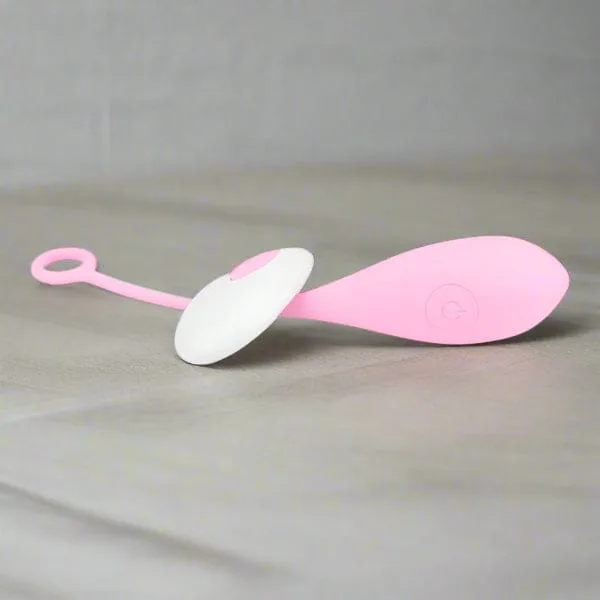
Edenty Knicker Vibrator App Controlled: APP-controlled, Bluetooth enabled. App available in App Store and Google Play Store. Long distance mode. USB rechargeable. Runs at least 1 hour on a 1-hour charge. The long distance mode lets you or your partner control the toy from anywhere, making it ideal for long distance relationships or teasing from another room.
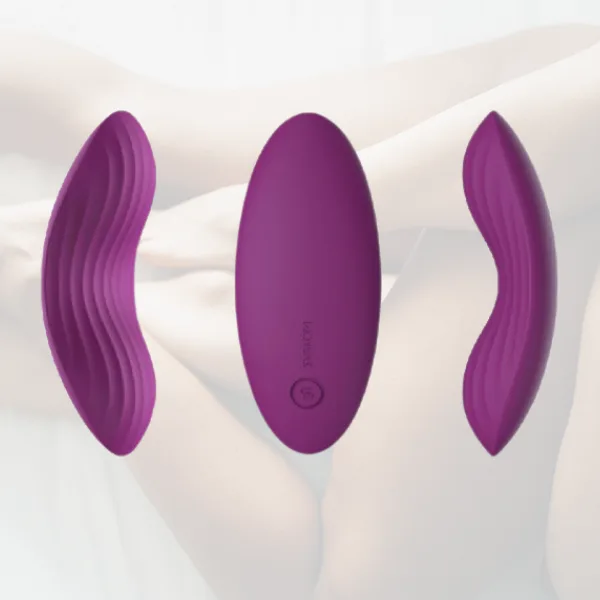
Edenty Knicker Vibrator App Controlled
-
Ohmibod - Krush Bluetooth Kegel: Syncs with the app for real-time feedback, custom vibes, and fun fitness goals. Bluetooth enabled. If you want to combine pelvic floor training with pleasure, this toy gives you app control and workout tracking in one device.
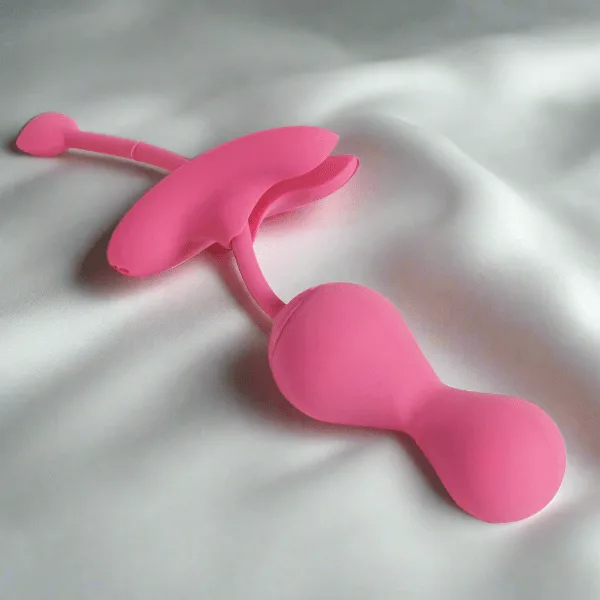
Ohmibod - Krush Bluetooth Kegel
-
Loving Joy Remote Controlled Vibrating Egg: Uses a wireless remote instead of an app. Made from smooth, body-safe material. Easy to clean. For quick, no-fuss play without app setup, the remote control egg is a simpler alternative—but its range is limited to a few dozen feet.