Quick answer
Attach the Cinema Slider to your iPhone by first securing the carbon fiber rods and aluminum legs, then mounting your phone with a compatible cage or clamp. Proper alignment and tension are key to avoiding shaky footage.
Why the Cinema Slider’s build matters for setup
The Cinema Slider uses carbon fiber rods and industrial aluminum legs to stay lightweight yet rigid. This means you can mount it on a tripod or hold it without adding much weight, but the precision parts require careful handling during assembly. If you rush the rod alignment, the slider may bind or produce uneven motion.
How to attach the Cinema Slider to your iPhone
- 1. Assemble the slider base: Slide the two carbon fiber rods into the main carriage until they click into the end stops. Tighten the locking knobs by hand — do not overtighten, or the rods may warp. Check that both rods are parallel before moving on; a crooked rod causes uneven glide.
- 2. Attach the aluminum legs: Screw each leg into the pre-threaded holes on the carriage. Use the included hex key to snug them, but leave a quarter turn of play so the legs can adjust to uneven surfaces. If you plan to use the slider on a tripod, skip the legs and mount the carriage directly onto a quick-release plate.
- 3. Mount your iPhone: Place your iPhone in a compatible cage or clamp, then slide the mount onto the slider’s dovetail plate. Tighten the locking screw until the phone is secure but not compressed. A common mistake is mounting the phone off-center. Center it over the carriage to avoid tipping during motion.
- 4. Level and test the glide: Set the slider on a flat surface or tripod. Push the carriage gently from end to end — it should move with light, even resistance. If it sticks, loosen the rod locks slightly and recheck alignment. Always do a dry run without recording to confirm smooth motion before your actual take.
- 5. Adjust tension for your shot: Turn the friction knob on the carriage to increase or decrease drag. Use lighter tension for fast pans and higher tension for slow, deliberate reveals. Too much tension can cause micro-jitters; too little makes the slider unstable. Test each setting with a short clip.
Product fact
-
Cinema Slider - iPhone: The Cinema Slider is a precision-engineered manual system with carbon fiber rods and industrial aluminum legs for lightweight portability and rigid stability. The carbon fiber rods keep the slider easy to carry, while the aluminum legs prevent flex that would ruin a smooth tracking shot.
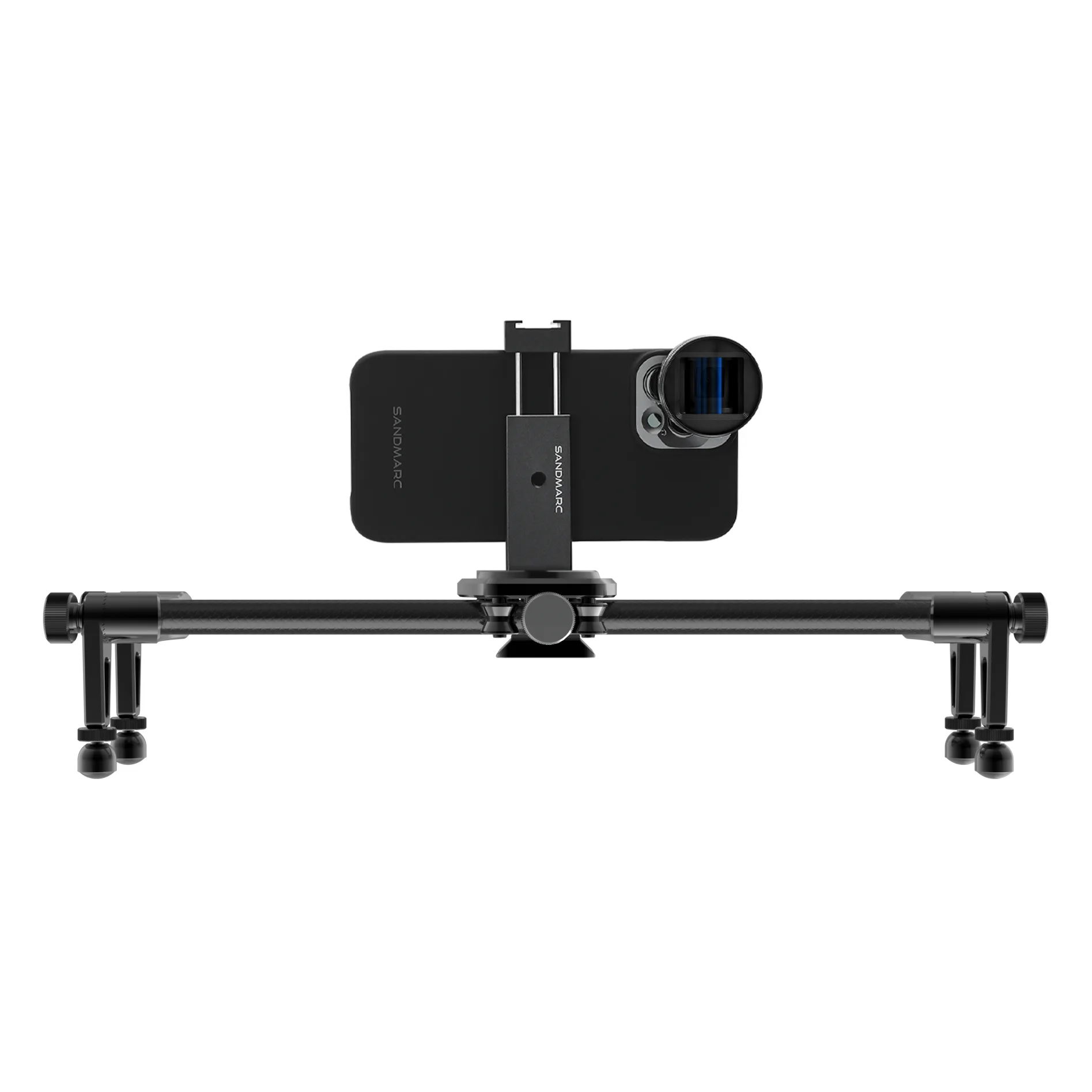
Cinema Slider - iPhone