Quick answer
Most slow car charging comes down to three things: an adapter that cannot deliver enough wattage, a cable that is not rated for the current, or a phone port that is blocked or worn. Test the cable first because it is the cheapest swap, then check your adapter's total output, and only after that consider a higher-wattage car charger.
Start with the cable, not the charger
A cable that came free with an older device often handles data but chokes on power. If your phone shows the charging bolt but the percentage barely moves, swap in a cable you know works with a wall charger at home and watch the same route again.
Look for physical damage at the connector neck. A cable that bends sharply at the plug, feels loose in the port, or has a frayed braid can drop voltage under load, which the phone reads as a slow charger rather than a broken one.
- Try a second cable before buying any new hardware.
- Wiggle the connector gently while watching the charge indicator for flicker.
- If a known-good cable fixes it, the cable was the car charger cable problem.
Check what your adapter can actually deliver
Car charger wattage explained simply: the number on the box is the total across all ports, not per port. A 30W dual-port adapter split between two devices may send only 15W to your phone, which is enough to hold the battery steady but not to add meaningful charge.
Also check whether the port you are using supports Power Delivery. A USB-A port on the same adapter usually tops out well below the USB-C port, so plugging into the wrong socket can look like a broken fast charger when nothing is wrong.
- Unplug the second device and retest with only your phone connected.
- Use the USB-C port rather than USB-A when fast charging matters.
- If the phone says it is charging but the percentage stalls, total wattage is the likely limit.
Rule out the phone port and the 12V socket
Pocket lint packed into the phone's charging port is a common and invisible cause. Power off the phone, shine a light into the port, and use a wooden toothpick to lift debris out — never a metal pin.
On the car side, a 12V socket that has lost contact or shares a circuit with a dash cam can behave inconsistently. Test your adapter in a different vehicle or a different socket if your car has more than one.
- Clean the phone port before assuming the charger failed.
- Test in another car to separate a vehicle fault from an accessory fault.
- If charging is slow in every car with every cable, the phone port needs service.
Diagnosis: match your symptom to the fix
- Phone says charging but percentage does not move: The adapter is delivering power below what the phone needs to gain charge while the screen is on. Unplug any second device and move to the USB-C port. If it still stalls with one device on USB-C, replace the adapter with one rated well above your phone's requirement.
- Charging starts and stops repeatedly: Usually a loose or dirty connection rather than a wattage issue. Clean the phone port, then try a different cable and a different 12V socket. If a known-good cable and socket hold steady, the original cable or socket was at fault.
- Fast charging works at home but never in the car: Your wall charger is meeting the phone's standard and the car adapter is not. Compare the wattage and port type of both. Choose a car adapter whose USB-C port alone covers your device, and stop testing once it matches your wall charger's behavior.
- Slow in every car, with every cable: The phone's charging port or battery is the remaining variable. Cleaning the port is the last thing you can safely do yourself. Stop buying accessories and have the phone inspected.
What to look for in a replacement
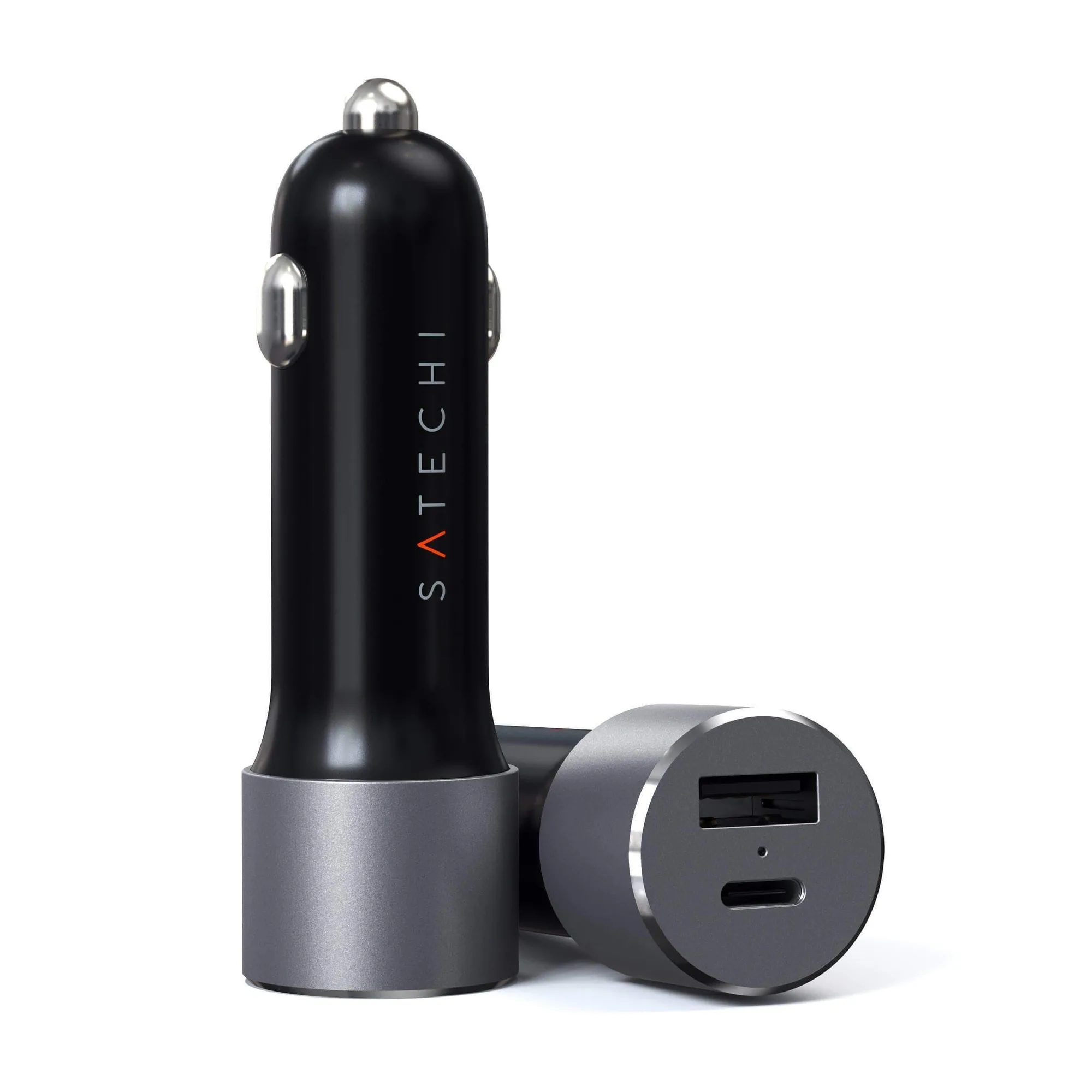
- 72W Type-C PD Car Charger Adapter: Delivers up to 60W from its USB-C port using Power Delivery, plus a USB-A port up to 12W for a second device. A single high-output USB-C port is what actually fast charges a laptop or phone; the second port is for a passenger device, not for splitting the fast charge.
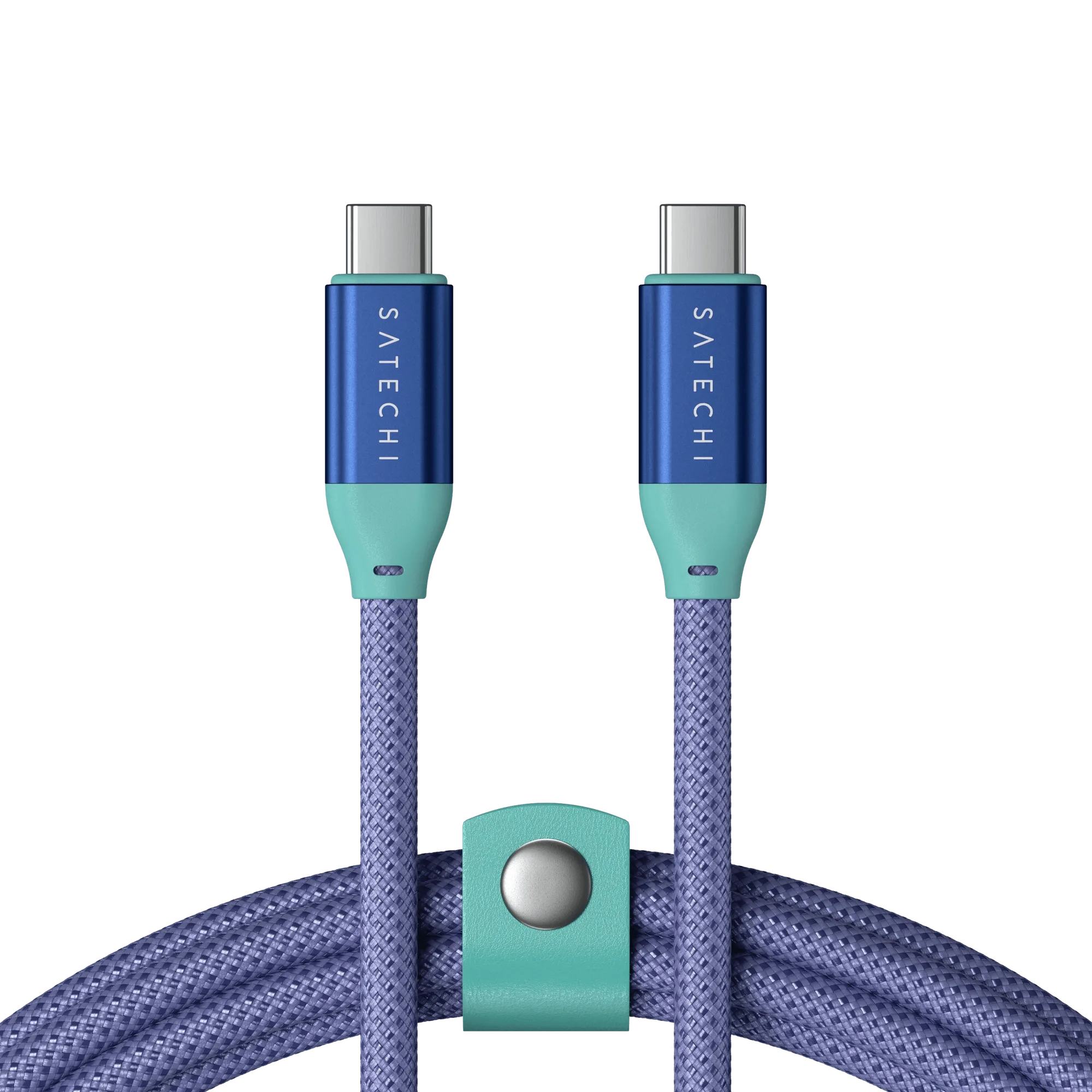
- USB-C to USB-C Data and Charge Cable: Rated for up to 240W charging and 20Gbps data transfer with a braided, reinforced design. A cable rated far above your device's needs will not throttle the charge, so it removes the cable as a variable when you are troubleshooting.
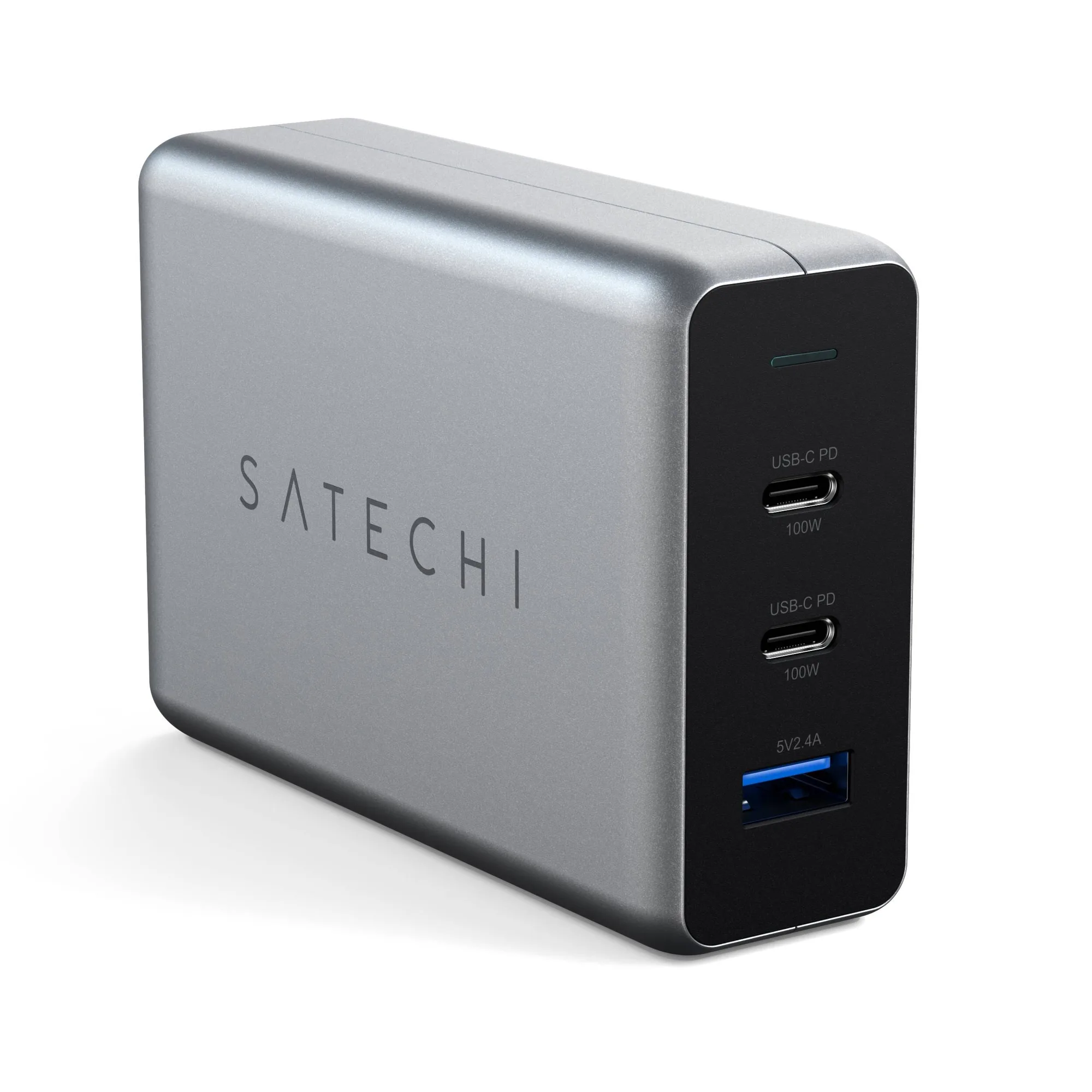
- 100W USB-C PD Compact GaN Charger: GaN design with dual USB-C PD ports and a USB-A port, adjusting output up to 100W across connected devices. Useful as a home baseline: if your phone fast charges here but not in the car, the car adapter or cable is the problem, not the phone.