Quick answer
A 4-in-1 USB-C hub typically gives you one HDMI port, one or two USB-A ports, and a pass-through USB-C port. Choose based on which ports your laptop lacks and how you plan to use them.
Why port selection matters more than port count
A 4-in-1 hub sounds simple, but not all port combos are created equal. Some hubs prioritize video output, others focus on data transfer or charging. Knowing what each port can actually handle helps you avoid buying a hub that leaves you short.
For example, the HDMI port on many compact hubs tops out at 4K 30Hz, which is fine for presentations or secondary monitors but not ideal for high-refresh-rate gaming or video editing. Similarly, USB-A ports may be limited to 5 Gbps, enough for a mouse or flash drive but slow for an external SSD.
Cable length and build: a practical trade-off
Most 4-in-1 hubs come with a short attached cable, often around 0.25 m (about 10 inches). This keeps the hub tidy on a desk but can be frustrating if your laptop’s USB-C ports are on the far side. The UGREEN 4’ü 1 Arada USB-C Hub (0.25 m) is a typical example: its fixed cable length means you’ll want the hub close to your laptop. If you need more reach, look for a hub with a detachable cable or a longer integrated one.
Decision rules for choosing a 4-in-1 USB-C hub
- Check the HDMI output: Look for 4K 60Hz if you connect a single external monitor; 4K 30Hz is acceptable for secondary displays or occasional use. Most compact hubs cap at 4K 30Hz.
- Count your USB-A needs: A typical 4-in-1 hub includes one or two USB-A ports. If you regularly connect a mouse, keyboard, and a flash drive, you need at least two USB-A ports.
- Verify USB-C pass-through capability: The fourth port is often a USB-C data or charging port. Confirm whether it supports Power Delivery (PD) for charging your laptop, or if it’s data-only. If you need to charge your laptop through the hub, look for one with PD support. Otherwise, you’ll need a separate charging cable.
- Consider cable length and design: A fixed 0.25 m cable is compact but limits where you can place the hub. For a laptop on a stand or with ports on the left side, a longer or detachable cable may be more convenient.
Product spotlight
-
UGREEN 4’ü 1 Arada USB-C Hub (0.25 m): The UGREEN 4’ü 1 Arada USB-C Hub (0.25 m) is a compact 4-in-1 hub with a fixed 0.25 m cable, listed under Hubs and Docks. Its short cable keeps your desk neat but limits placement flexibility, so it works best when your laptop’s USB-C port is within a few inches.
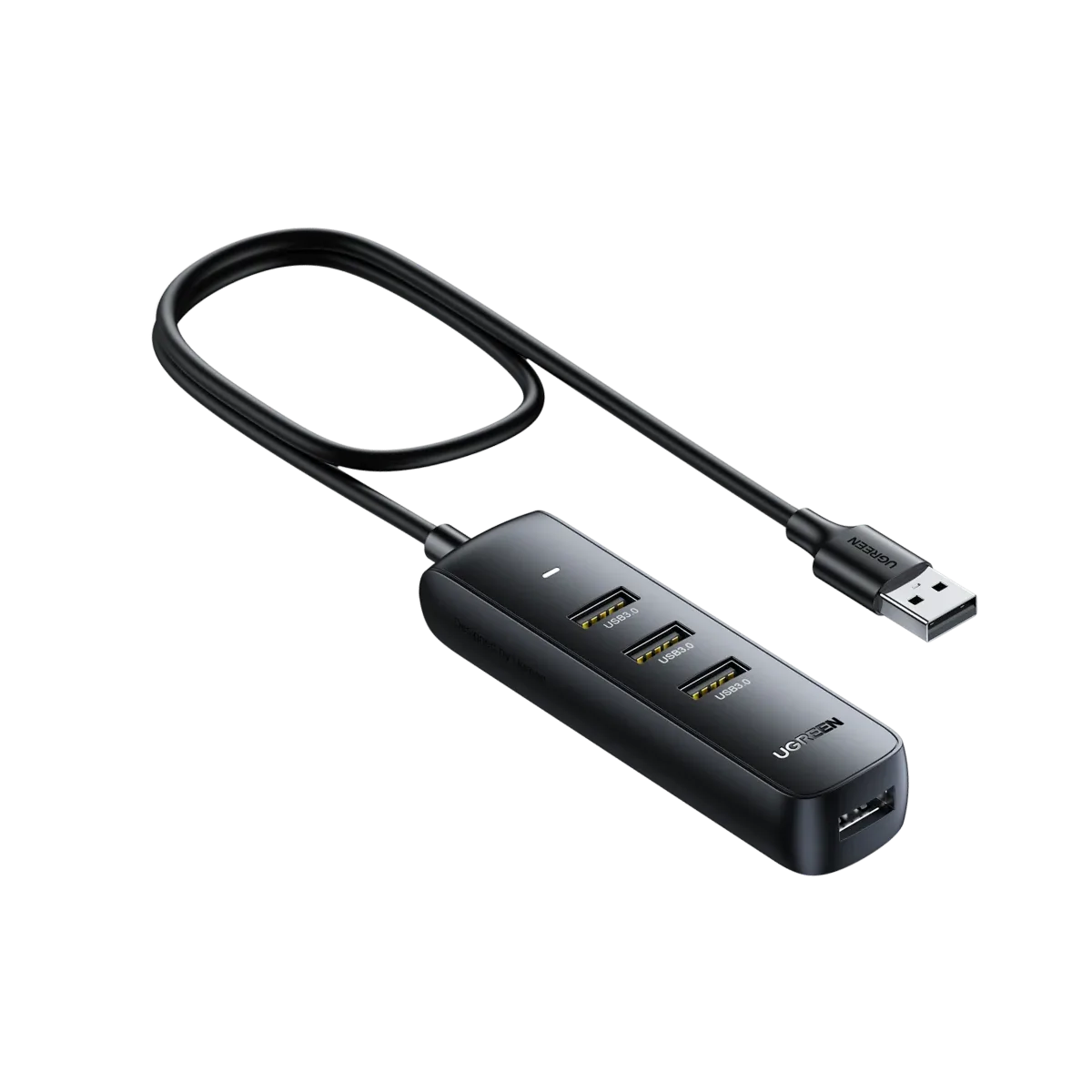
UGREEN 4’ü 1 Arada USB-C Hub (0.25 m)
Who should buy a compact 4-in-1 USB-C hub
Best for
- Users with a thin laptop that lacks HDMI or USB-A ports and needs a simple, portable expansion
- Desk setups where the hub sits close to the laptop and cable length is not a constraint
Not ideal for
- Gamers or video editors who need high-refresh-rate HDMI (60Hz or higher)
- Users who need to charge their laptop through the hub while also connecting multiple high-power peripherals