Quick answer
Use the 4-inch clip-to-clip wire when you need a short, direct connection between two Cubes in a compact build, keeping your layout tidy and reducing signal loss.
Why shorter wires matter in compact builds
In tight builds, excess wire length creates clutter and can accidentally bridge contacts. A 4-inch clip-to-clip wire gives you just enough reach to connect Cubes without the slack.
Shorter wires also reduce voltage drop over distance, which is helpful when powering multiple Cubes in a small circuit. The trade-off: you lose flexibility in routing, so plan your layout before clipping.
How to use the 4-inch clip-to-clip wire effectively
- Plan your Cube placement first: Arrange your Cubes side by side or stacked so the metal posts are within 4 inches of each other. Measure the gap before clipping. Common mistake: clipping wires before arranging Cubes leads to wires that are too short or too long.
- Attach clips to the metal posts: Press each clip firmly onto the metal post until it snaps into place. Ensure the clip jaws grip the post, not the plastic housing. Checkpoint: a loose clip can cause intermittent power loss. Give each clip a gentle tug to confirm it's secure.
- Route the wire along the build surface: Lay the wire flat against the build surface or between Cubes to avoid loops that snag or short against other components. Common mistake: letting the wire dangle or cross over other posts can create accidental connections.
- Test the circuit before finalizing: Power on your build and verify all Cubes light up or move as expected. If a Cube doesn't respond, check both clip connections. Checkpoint: a dead Cube often means a clip isn't fully seated. Reattach and test again.
Product facts
-
Clip-to-Clip Wire - 4 Inch / 10 cm: Purchase this wire to connect your Cubes to each other from the metal posts. This includes: 4-inch clip-to-clip wire [ x2 ]. You get two wires per pack, so you can make two short connections or keep a spare for future builds.
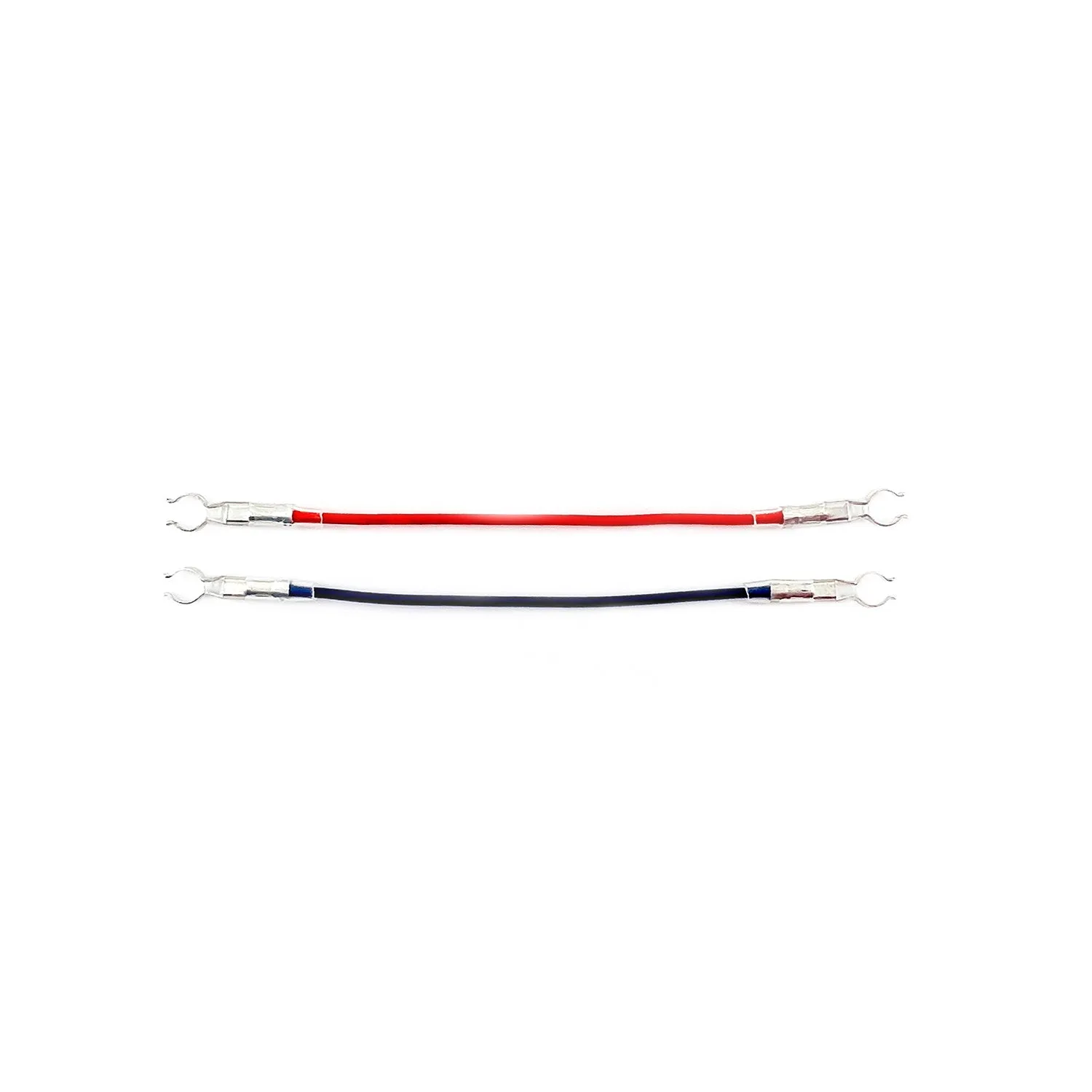
Clip-to-Clip Wire - 4 Inch / 10 cm