Quick answer
To set up your eufyCam S4 2-pack with Homebase 3 and Smart Display E10, first install the Homebase 3 and insert the 1 TB hard drive, then pair each camera via the eufy Security app, and finally mount the cameras and place the display where it can show live feeds.
Before you start: what’s in the box
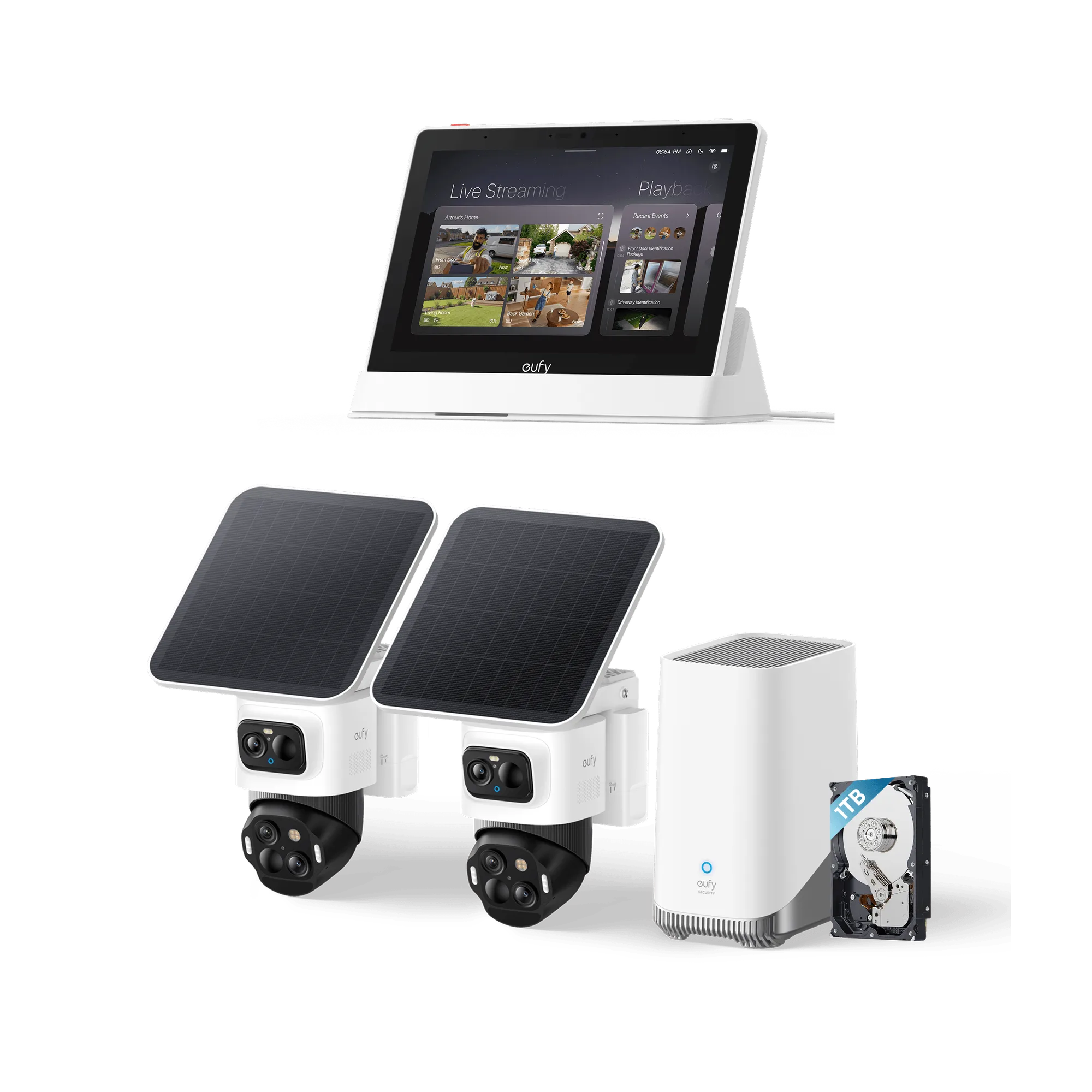
Your bundle includes the eufyCam S4 2-Cam Kit (two bullet/PTZ cameras), the eufy Smart Display E10, the Homebase 3 hub, and a 1 TB hard drive. The cameras are wireless and powered by SolarPlus 2.0, so you won’t need to run power cables — but they do need good sunlight exposure for the solar panels to work year-round. The Homebase 3 acts as the central brain, storing footage locally on the hard drive and handling alerts. The Smart Display E10 gives you a touchscreen dashboard for live views and door alerts.
Make sure you have a stable Wi‑Fi network (2.4 GHz recommended) and the eufy Security app installed on your phone before you begin.
Where to place the Homebase 3
The Homebase 3 should be placed indoors, near your router, so it can connect via Ethernet for the most reliable performance. It also needs a power outlet. Avoid placing it in a basement or behind thick walls that could weaken the Wi‑Fi signal to the cameras. The 1 TB hard drive is pre‑installed — just slide it into the drive bay until it clicks.
Setup steps
- 1. Set up the Homebase 3: Connect the Homebase 3 to your router using the supplied Ethernet cable, then plug it into power. Wait for the LED to turn solid blue. Open the eufy Security app, tap “Add Device,” and scan the QR code on the bottom of the Homebase 3. Follow the app prompts to complete the pairing and format the 1 TB hard drive. If the LED blinks red, check your Ethernet cable connection and try a different router port.
- 2. Pair the eufyCam S4 cameras: In the app, tap “Add Device” > “Camera” > “eufyCam S4.” Press and hold the sync button on the back of the camera until you hear a beep. The app will search for the camera; once found, assign it to a location (e.g., Front Yard). Repeat for the second camera. The cameras will now connect to the Homebase 3 via its proprietary wireless protocol. Keep the cameras within 10 feet of the Homebase 3 during pairing. After pairing, you can move them to their final positions.
- 3. Mount the cameras: Choose mounting locations with a clear view of the area you want to monitor and at least 6 hours of direct sunlight per day for the solar panels. Use the included mounting bracket and screws to attach the camera to a wall or eave. Adjust the camera angle manually, then tighten the bracket. For the PTZ mode, make sure the camera has a clear 360° rotation path. Do not mount the camera under a deep overhang — SolarPlus 2.0 needs direct sunlight to keep the battery charged year-round.
- 4. Set up the Smart Display E10: Plug the Smart Display E10 into a power outlet near a central location in your home (e.g., kitchen counter). Follow the on-screen prompts to connect it to your Wi‑Fi network and log into your eufy account. The display will automatically detect the Homebase 3 and show live feeds from your cameras. You can customize the layout to show up to four camera views on one screen. If the display doesn’t find the Homebase 3, make sure both devices are on the same Wi‑Fi network and restart the display.
- 5. Configure detection and alerts: In the eufy Security app, go to each camera’s settings and enable “Human Detection” to reduce false alerts from animals or moving leaves. Adjust the detection zone by drawing a custom area on the camera’s live view. Set the alert schedule (e.g., only at night) and choose whether you want push notifications, email alerts, or both. Start with a small detection zone and expand it after a few days — this helps you avoid being overwhelmed by notifications while you fine-tune the sensitivity.
Product facts
-
eufyCam S4 (2 pack) + Homebase 3 + Display + 1 TB Hard Drive: eufyCam S4 features 2-in-1 Triple-Lens Bullet and Pan-Tilt-Zoom camera with Bullet-to-PTZ Tracking and Auto-Framing, plus Year-Round Power with SolarPlus 2.0. This means you can monitor a wide area with the fixed bullet lens and then zoom in on a specific subject without losing detail — and you never have to recharge the camera if it gets enough sunlight.
eufyCam S4 (2 pack) + Homebase 3 + Display + 1 TB Hard Drive