Quick answer
The G5 Handlebar Extender installs in minutes without tools, and it's worth adding if you want a more comfortable push and better control when your G5 is set up as a double.
Why the extender changes your push
When the G5 is configured as a double, the added weight shifts the balance point. The handlebar extender creates extra space between your hands and the stroller frame, which improves leverage. That extra reach makes a noticeable difference on tight turns and longer walks because you're not fighting the stroller's momentum.
The extender is designed specifically for the Helix+ attachment, so it aligns with the G5's geometry. If you're using the stroller as a single, you might not feel the same benefit—the extra length can actually make the stroller feel less responsive in tight spaces.
Installation steps
- Check your configuration: Confirm your stroller is set up as a double with the Helix+ attachment. The extender is designed for that setup, so installing it on a single stroller may not deliver the intended benefit. If you're not using the Helix+, consider whether the extender is right for your stroller.
- Position the extender: Align the handlebar extender with the existing handlebar connection point. Slide it into place until it clicks or locks securely—do not force it if it doesn't align. If it doesn't click easily, check that the stroller is fully folded or unfolded correctly.
- Test the fit: Grip the extended handlebar and test the push. Make sure your hands have a comfortable reach and that the stroller turns without extra effort. If the handlebar feels loose, re-seat the connection. A secure fit is key—if it wiggles, the extender isn't installed correctly.
Product spotlight
-
G5 Helix+ Handlebar Extender: Designed for use with the Helix+ attachment, this handlebar extender enhances your G5 stroller when configured as a double. It adds space and leverage, which improves maneuverability and gives you a more comfortable push on longer outings.
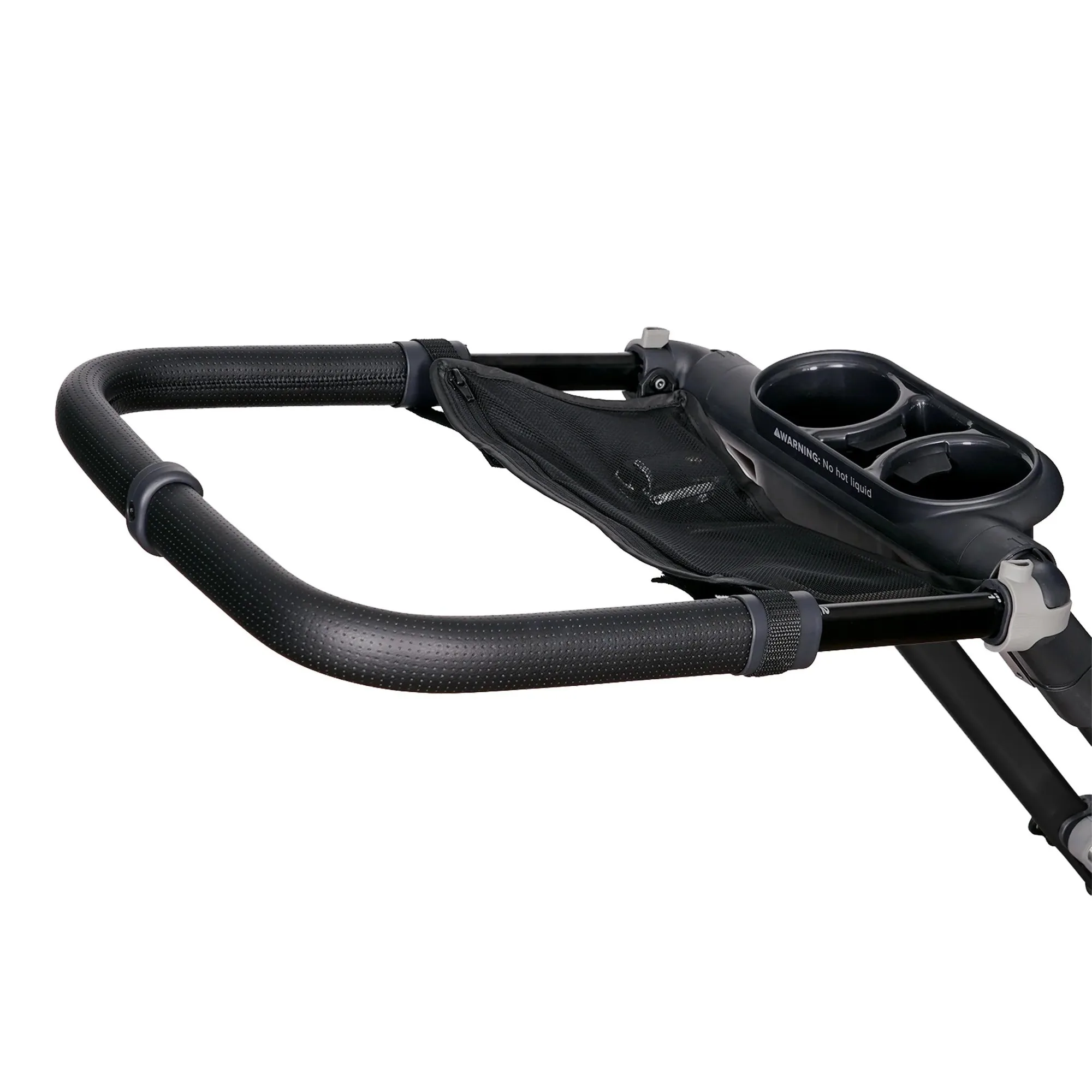
G5 Helix+ Handlebar Extender