Quick Answer
Plug the Headset NS-2600 into your Nintendo Switch's 3.5mm jack, then adjust the console's audio settings to ensure game and chat sound come through clearly.
Wired vs. Wireless: What to Expect
The Headset NS-2600 is a wired model, so there's no Bluetooth pairing involved. It connects directly to the Switch's headphone jack, which means zero battery worries and a stable connection.
Wired headsets can sometimes pick up cable noise if the cord rubs against clothing. Keep the cable tidy and avoid sharp bends to preserve audio quality.
Audio Settings That Matter
The Switch's system settings let you control headphone volume and enable chat audio. For games that support voice chat, make sure the headset is selected as the audio output device.
If you hear game audio but no chat, check the game's own voice chat settings—some titles require you to enable voice chat separately.
Step-by-Step Setup
- Connect the headset: Insert the 3.5mm audio plug into the headphone jack on your Nintendo Switch (or on the controller if using a Switch Lite). Make sure the plug is fully inserted until you feel a click. A loose connection is the most common cause of audio cutting out—always push the plug in firmly.
- Adjust system audio settings: Go to System Settings > Controllers and Sensors > Pro Controller Wired Communication (if using a pro controller) and ensure it's enabled. Then go to System Settings > Audio and set Headphone Volume to a comfortable level. If you don't hear anything, check that the headphone volume isn't muted and that the console isn't set to TV output.
- Test voice chat (if supported): For games with built-in voice chat, open the game's settings and confirm the headset is selected as the audio input/output device. Some games require enabling chat audio in their own menu. If teammates can't hear you, check the game's voice chat settings and make sure the headset's mic isn't muted.
About the Headset NS-2600
-
Headset NS-2600 for Nintendo Switch™: The Headset NS-2600 features powerful 40mm audio drivers for high-fidelity stereo sound. This ensures you hear clear game audio and teammate callouts, which is essential for multiplayer coordination.
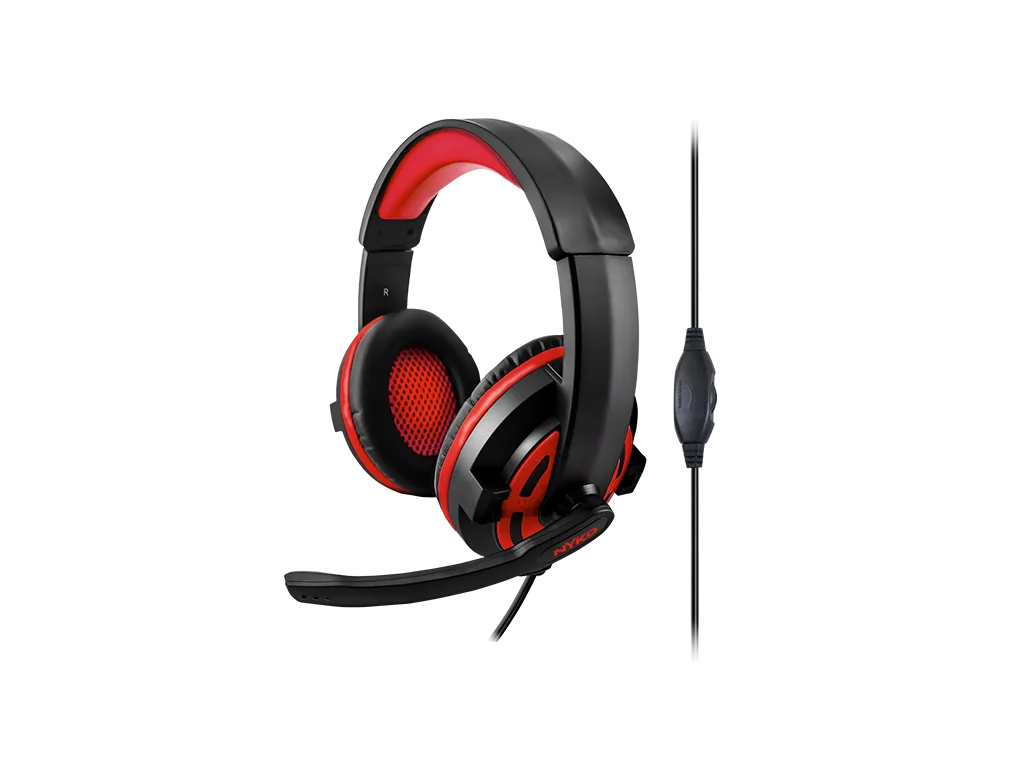
Headset NS-2600 for Nintendo Switch™