Quick answer
To apply Cloud Paint without streaks or patchiness, start with a small amount and blend immediately using gentle tapping motions with your fingertips. Build coverage in thin layers rather than applying a large dot at once. This method works because the gel-cream formula melts into skin when warmed by your fingers.
Why Cloud Paint Can Look Streaky or Patchy
Cloud Paint is a gel-cream blush that delivers a natural, flushed look. Its lightweight, buildable formula blends seamlessly into skin for a soft, dewy finish. However, if you apply too much product at once or use a sweeping motion instead of tapping, the gel-cream texture can sit unevenly on the skin. Patchiness often happens when the product is applied over dry or unprimed skin, or when it is not blended quickly enough before it sets.
Prep Your Skin for Smooth Blending
Start with clean, moisturized skin. If your skin is dry or flaky, apply a lightweight moisturizer and let it absorb fully before adding Cloud Paint. This creates a smooth base that helps the gel-cream formula glide instead of catching on dry patches. Avoid heavy occlusive products directly on the cheeks, as they can cause the blush to slide or separate.
Use the Right Amount and Tools
A little goes a long way with Cloud Paint. Start with a dot the size of a pinhead for each cheek. You can always add more, but it is harder to blend out excess product. Your fingertips are the best tool because the warmth helps the gel-cream melt into the skin. If you prefer a brush, use a dense, synthetic brush and tap rather than sweep.
Blend Immediately with Tapping Motions
After placing the dot on your cheek, blend immediately using gentle tapping motions. Do not rub or sweep, as this can push the product around and create streaks. Tap in a circular motion, working from the center of the cheek outward. If you see patchiness, tap over the area with your fingertip to warm and smooth the product. Work one cheek at a time so the product does not set before you blend it.
Fix Patchiness on the Go
If Cloud Paint dries down patchy, do not add more product on top. Instead, take a small amount of moisturizer or a drop of face oil on your fingertip and gently tap over the patchy area to re-wet and blend the blush. This helps redistribute the color without disturbing your base makeup. For a quick fix, use a clean, damp makeup sponge to tap over the area.
Step-by-step application
- Start with a small dot: Squeeze a pinhead-sized amount of Cloud Paint onto your fingertip. Dot it onto the apples of your cheeks. Checkpoint: If you think you need more, wait until after blending. You can always add more.
- Tap, don't sweep: Using your fingertip, gently tap the product into your skin in a circular motion. Work quickly before the gel-cream sets. Common mistake: Sweeping or rubbing creates streaks. Tapping blends seamlessly.
- Build in thin layers: If you want more color, wait a few seconds, then tap another small dot over the first layer. Blend the edges each time. Checkpoint: Stop when you reach your desired intensity. Over-layering can lead to patchiness.
Product facts
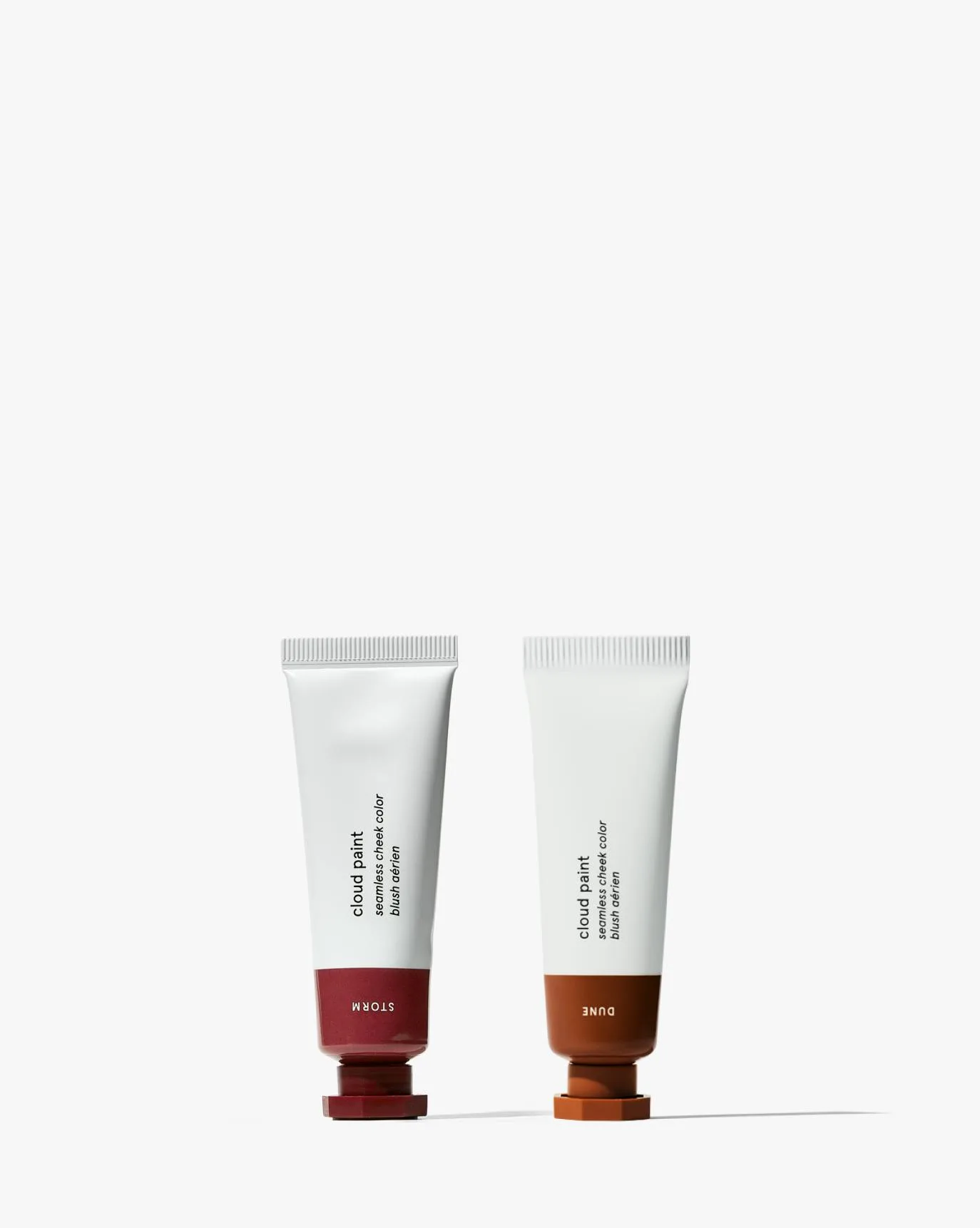
- Cloud Paint: Glossier Cloud Paint is a gel-cream blush that delivers a natural, flushed look. Its lightweight, buildable formula blends seamlessly into skin for a soft, dewy finish. This means you can layer it for a subtle or more intense effect without it feeling heavy or sticky.
- Cloud Paint Duo: Glossier's Cloud Paint Duo brings two of their popular gel-cream blushes together in one convenient set. Designed for a natural, buildable flush, this duo lets you mix and match shades to create your perfect look. Having two shades allows you to customize your blush color and practice blending without committing to a full-size tube.