Quick answer
To clean a surface cleaner, first unplug it and let it cool. Empty and rinse the tank, wipe the exterior with a damp cloth, and clear the nozzle or brush of debris. Dry all parts completely before reassembling. Doing this after every few uses prevents buildup and extends the tool's life.
Why regular surface cleaner maintenance pays off
A surface cleaner works harder when residue, dust, or mineral deposits build up. Dirt in the tank or nozzle can reduce suction, clog sprayers, or cause overheating. A simple upkeep routine after each project keeps performance steady and avoids costly repairs. It also protects surfaces you clean next, since a dirty machine can redeposit grime.
Gather the right supplies before you start
You do not need specialty products. A soft microfiber cloth, mild dish soap, warm water, a small soft-bristle brush, and a dry towel cover most tasks. Avoid abrasive pads, bleach, or solvents unless the manufacturer explicitly allows them, as they can scratch plastic or damage seals. If your model has a removable filter, check the manual for specific cleaning instructions.
How to clean a surface cleaner step by step
Follow this sequence to clean safely and thoroughly. Each step includes a checkpoint to prevent common mistakes.
Surface cleaner cleaning routine: 6 steps
- Unplug and cool down: Disconnect the power cord and let the unit cool completely. Never clean a warm appliance. Checkpoint: the plug is out and the housing feels room temperature.
- Empty and rinse the tank: Remove the tank, dump dirty water, and rinse with warm water. Use mild soap if needed, then rinse again. Mistake to avoid: leaving standing water, which can breed odors or mold.
- Clear the nozzle or brush: Remove any hair, lint, or debris from the nozzle, brush, or squeegee. A soft brush or toothpick helps. Checkpoint: water or air flows freely through the opening.
- Wipe the exterior and crevices: Dampen a microfiber cloth with water or mild soap. Wipe the body, buttons, and cord. Avoid soaking. Mistake to avoid: spraying water directly onto the unit, which can damage electronics.
- Dry all parts completely: Air-dry or towel-dry every removable part and the main body. Moisture left inside can cause mildew or electrical issues. Checkpoint: no visible water droplets remain before reassembly.
- Reassemble and test: Put the cleaner back together and run it briefly to confirm normal operation. Listen for unusual sounds. Next step: if performance seems weak, repeat the nozzle cleaning or check the filter.
Gear that benefits from the same care habits
- Galaxy S25 Ultra UB Grip MagSafe Phone Case- Gold: Galaxy S25 Ultra UB Grip MagSafe Phone Case in Gold combines a sleek gold finish with practical grip and MagSafe compatibility. Like a surface cleaner, this case needs periodic cleaning to maintain grip and appearance; a quick wipe keeps MagSafe attachments working properly.
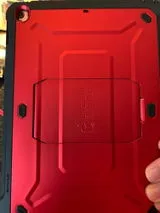
- Galaxy S25 Plus Unicorn Beetle PRO Rugged Case(open box)-Metallic Red: Galaxy S25 Plus Unicorn Beetle PRO Rugged Case (open box) in Metallic Red offers rugged construction for enhanced drop protection. Rugged cases collect dust in crevices; cleaning them regularly preserves drop protection and keeps buttons responsive.
- MacBook Air 13.6 inch (2026-2022) Unicorn Beetle Case Cover-Black: MacBook Air 13.6 inch (2026-2022) Unicorn Beetle Case Cover in Black provides durable everyday protection with precise cutouts. Dust and debris trapped between the cover and laptop can cause scratches; a gentle cleaning routine protects both.