Quick answer
Mount your button box using VESA 75x75mm inserts or a custom bracket, position it for easy reach without blocking your wheel or monitor, and secure cables to prevent snagging.
Why mounting matters for ergonomics and safety
A poorly placed button box can force you to stretch or shift your seating position mid-race, breaking focus and potentially straining your back or shoulders. Proper mounting keeps controls within natural hand reach while maintaining your driving posture.
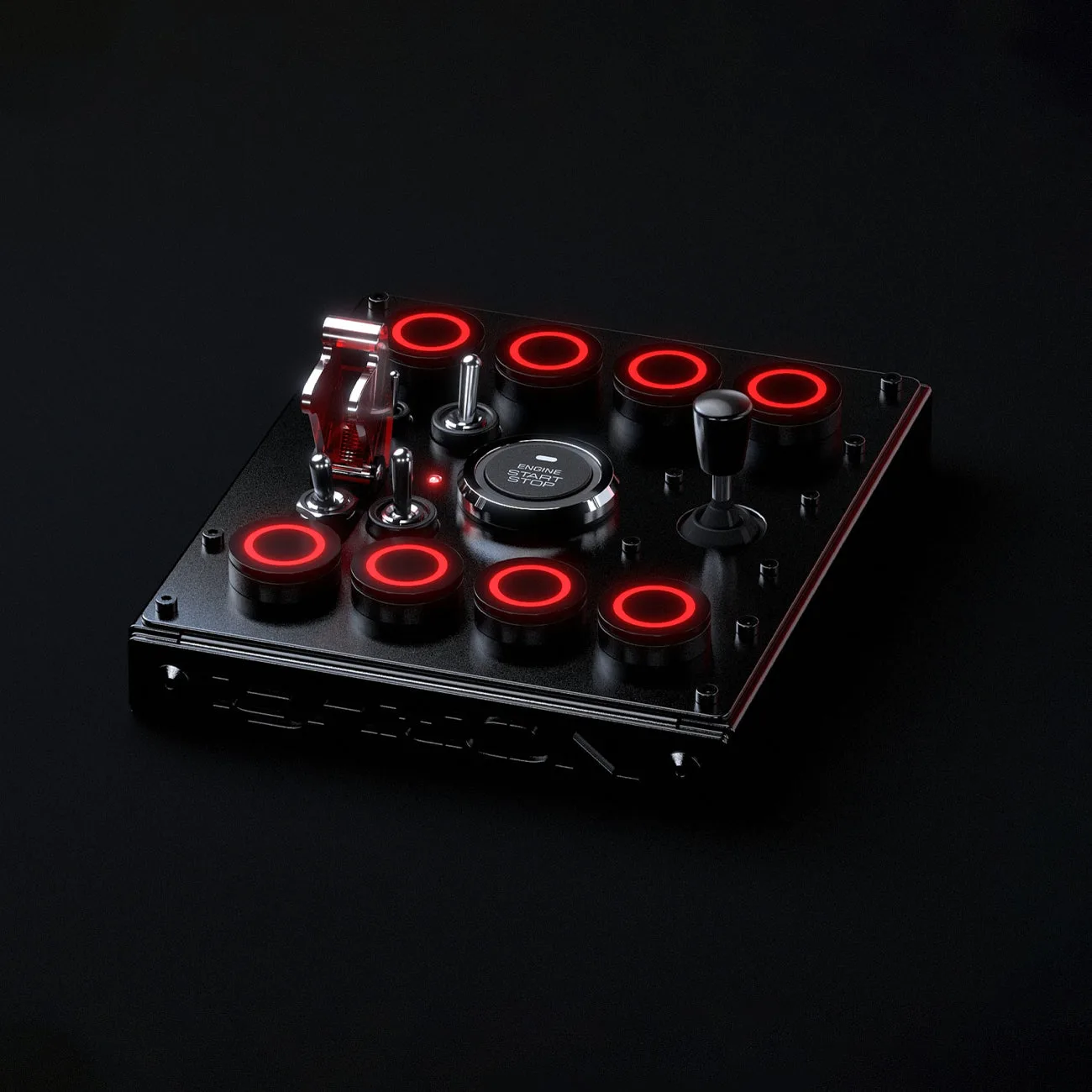
The ignitiON Controls MINI RR J is smaller and lower profile than many button boxes, with built-in VESA 75 x 75 mm M4 threaded inserts. This makes it easier to attach directly to monitor arms, wheel decks, or rig frames without needing a separate mounting plate.
Common mounting locations and their trade-offs
Wheel deck mount: Ideal if you use a fixed wheel base. The button box sits beside your wheel, but may interfere with quick-release wheel adjustments. Use a low-profile bracket to keep clearance.
Monitor arm mount: Saves desk space and keeps controls at eye level. However, it adds weight to the arm and may limit monitor tilt. Ensure your arm supports the combined load.
Rig frame mount: Most stable option, but requires drilling or clamps. The MINI RR J's 21 inputs and 4 rotary encoders need a flat surface, so avoid mounting on curved tubing without an adapter.
Step-by-step mounting guide
- Choose your mounting location: Sit in your rig with your wheel and monitor adjusted. Reach your hand to where it naturally rests without moving your shoulders. Mark that area for your button box. Common spots: beside the wheel base, under the monitor, or on a side rail. Check that the location does not block your wheel's full rotation or your view of the monitor. A common mistake is mounting too far forward, forcing you to lean.
- Prepare the mounting surface: If using a wheel deck or monitor arm with VESA holes, confirm they are 75x75mm spaced. For rig frames, attach a flat aluminum plate or VESA adapter using M4 bolts (not included). Clean the surface to avoid wobble. Do not overtighten bolts into plastic enclosures. Use thread locker if mounting on a vibrating rig, but only hand-tighten to avoid cracking the housing.
- Attach the button box: Align the MINI RR J's VESA inserts with your bracket or plate. Insert M4 bolts through the bracket into the box. Tighten evenly in a cross pattern. Verify the box sits flat and does not rock. If the box rocks, add thin rubber washers between the bracket and box. Never force bolts—cross-threading can strip the inserts.
- Route and secure cables: Connect your USB or encoder cables to the button box. Use zip ties or Velcro straps to attach cables to the rig frame, keeping them away from pedal and wheel movement. Leave enough slack for the box to be tilted or adjusted later. A common mistake is routing cables too tight, which pulls on connectors and can cause intermittent disconnects. Always leave a 2-3 inch service loop near the box.
- Test and adjust reach: With everything connected, sit in your driving position. Press each button and turn each encoder without looking. If you need to stretch or shift, loosen the mount and reposition the box slightly closer or angled toward you. Test with your driving gloves on if you wear them. The deep press of the MINI RR J's mechanical buttons requires deliberate force, so ensure your finger lands squarely on each button.
Product facts
-
ignitiON Controls MINI RR J: The ignitiON Controls MINI RR J has built-in VESA 75 x 75 mm M4 threaded inserts and a smaller, lower profile enclosure. You can mount it directly to most monitor arms or wheel decks without a separate bracket, saving space and reducing installation complexity.
ignitiON Controls MINI RR J