Quick answer
For most action cameras shooting 4K, buy a microSD card rated V30 or faster with a sustained write speed of at least 30 MB/s. If you shoot 4K at 120fps or higher bitrates, step up to V60 or V90. Capacity matters less than sustained write speed, but 128GB is a practical starting point for a full day of recording.
Why the card matters more than the camera
An action camera can only record as fast as its card allows. When the card can't keep up, the camera drops frames, stops recording, or overheats trying to buffer. The speed class printed on the card is a minimum rating, not a guarantee of real-world performance. Two V30 cards from different brands can behave very differently under sustained load. That's why checking the card's sustained write speed—not just the class logo—is the single most important step.
Match the card to your camera's bitrate
Action cameras record at specific bitrates, usually measured in Mbps. A 4K/60fps clip might run at 100 Mbps, which equals about 12.5 MB/s. That seems low, but cameras write in bursts and need headroom for stabilization data, audio, and buffer management. A safe rule: choose a card with a sustained write speed at least double your camera's maximum bitrate. For 4K/60fps, V30 is usually enough. For 4K/120fps or 5.3K, look for V60 or V90. If your camera supports ProRes or high-bitrate H.265, check the manufacturer's recommended card list—some cameras are picky about specific models.
Capacity: how much do you actually need?
Capacity is a trade-off between recording time and card management. A 64GB card might hold about 1.5 hours of 4K/60fps footage, while 128GB doubles that. But larger cards mean more footage at risk if the card fails or gets lost. Many action camera users prefer two 128GB cards over one 256GB card—you can swap when full and keep a backup. For a full day of skiing or diving, 128GB is a practical minimum. For multi-day trips without a laptop, 256GB or 512GB reduces offload frequency. Just avoid cards larger than your camera officially supports; some older models cap at 128GB or 256GB.
Speed class vs. real-world write speed
The V rating (V30, V60, V90) guarantees a minimum sustained write speed of 30, 60, or 90 MB/s. The U rating (U1, U3) is older and less useful for video. A card labeled V30 must sustain 30 MB/s, but many cards exceed that. However, cheap cards sometimes fall just below the threshold under heat or when nearly full. That's why checking independent reviews or the camera maker's approved list is wise. Also look for the A2 rating if you plan to run apps or access files from the card directly—A2 improves random read/write for small files.
Don't overlook heat and reliability
Action cameras run hot, especially in waterproof housings or direct sun. Heat degrades card performance and lifespan. Cards with higher endurance ratings (often labeled 'High Endurance' or 'Pro Endurance') are built for continuous rewriting and higher temperatures. They cost more but last longer in dashcams and action cams. If you're recording long clips in hot conditions, a standard card may throttle or fail. Check the operating temperature range if you shoot in extreme cold or heat.
Step-by-step card selection
- Check your camera's maximum bitrate: Look in the manual or camera menu for the highest recording mode you plan to use. Note the Mbps. Divide by 8 to get MB/s. For example, 100 Mbps equals 12.5 MB/s. Common mistake: assuming any V30 card works. Some cameras need V60 for 4K/120fps.
- Pick a speed class with headroom: Choose a card rated at least double your camera's max MB/s. For 4K/60fps (about 12.5 MB/s), V30 is fine. For 4K/120fps (about 25 MB/s), V60 is safer. For 5.3K or ProRes, go V90. Checkpoint: if the card's sustained write speed isn't listed, look for independent tests or the camera maker's approved list.
- Choose capacity based on your shooting day: Estimate recording time: 128GB holds roughly 3 hours of 4K/60fps. If you shoot more, buy two 128GB cards instead of one 256GB. Always format the card in the camera before first use. Common mistake: buying a 512GB card for a camera that only supports 256GB. Check the camera's max capacity first.
- Verify the card is genuine and high endurance: Buy from reputable sellers. Counterfeit cards often fail under sustained write. Look for 'High Endurance' or 'Pro Endurance' labels if you record long clips in hot or cold conditions. Checkpoint: test the card with a free tool like H2testw to confirm actual capacity and write speed before relying on it.
- Format in-camera and test before you travel: Always format the card in the camera, not your computer. Record a 10-minute continuous clip at your highest setting. If it stops early or drops frames, the card is too slow or faulty. Next step: carry a spare card and a small card reader so you can offload footage without a laptop.
Product facts to know
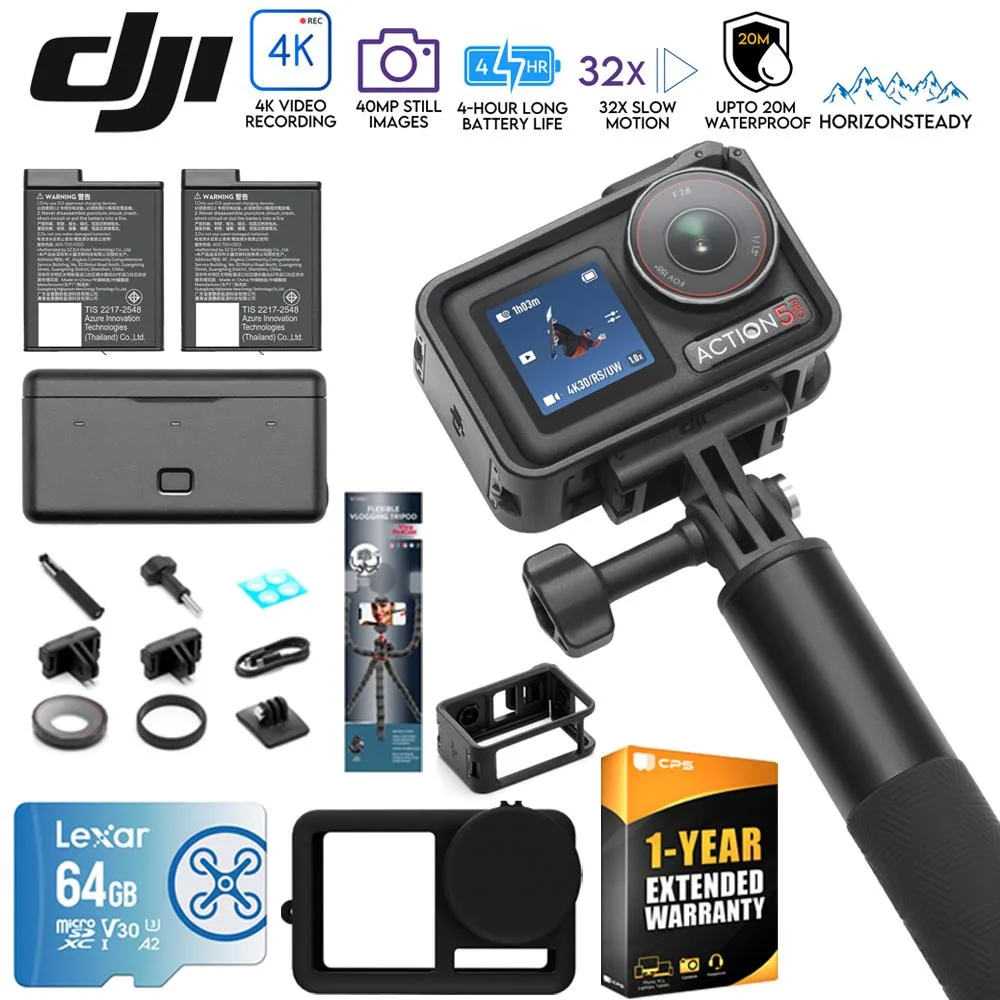
- DJI CP.OS.00000378.01 Osmo Action 5 Pro Adventure Combo w/ Action Accessories Bundle: Osmo Action 5 Pro supports 4K/60fps recording and has dual OLED touchscreens, 4hrs extended battery life, and 360° HorizonSteady stabilization. 4K/60fps needs a V30 card at minimum, but the camera's stabilization and dual screens add processing overhead. A card with sustained write speed above 30 MB/s avoids dropped frames during long clips.
- Sony 1000X THE COLLEXION Wireless Noise Cancelling Headphones - Platinum: Sony 1000X THE COLLEXION is a premium over-ear noise cancelling headphone, not a replacement for the WH-1000XM6. Not directly related to microSD cards, but if you're editing action cam footage, noise cancelling headphones help you focus on audio tracks without background distractions.