Quick answer
To program ATmega chips with a USBTinyISP AVR programmer, connect the 6-pin or 10-pin SPI cable, install the necessary drivers and software (like avrdude or Arduino IDE), then use the programmer to flash a bootloader or upload your firmware directly.
Why use a USBTinyISP programmer?
The USBTinyISP is a low-cost, open-source in-circuit programmer that works with most AVR microcontrollers, including the ATmega328P found in many Arduino boards. It's especially useful when you need to burn a bootloader onto a fresh chip, recover a bricked Arduino, or program a custom PCB with an AVR chip. The trade-off is that it's slower than a dedicated debugger like the Atmel-ICE, but for hobby projects and bootloader flashing, it's more than adequate.
What you need before starting
You'll need the USBTinyISP programmer, a 6-pin or 10-pin SPI cable (both included with the unit), a target AVR chip or Arduino board, and a computer with the appropriate software installed. For Windows, you may need to install the libusb driver; on Linux and macOS, the programmer works out of the box with avrdude. The Arduino IDE can also be configured to use the USBTinyISP as a programmer.
Step-by-step programming guide
- Connect the programmer to your target: Attach the 6-pin or 10-pin SPI cable from the USBTinyISP to the ISP header on your ATmega board or custom PCB. Ensure pin 1 (usually marked with a triangle or dot) aligns with pin 1 on the target. Common mistake: reversing the cable can damage the programmer or chip—double-check orientation before powering on. Always verify pin 1 alignment before connecting power.
- Install drivers and software: On Windows, download and install the libusb driver using Zadig. On Linux/macOS, no driver is needed—just install avrdude via your package manager. For Arduino IDE users, select 'USBTinyISP' from Tools > Programmer. Common mistake: forgetting to install the driver on Windows results in a 'device not recognized' error. Test the connection by running 'avrdude -c usbtiny -p m328p' to see if the programmer is detected.
- Configure the fuses (if needed): For a new ATmega chip, you may need to set the fuses to match your clock source (e.g., internal 8 MHz or external 16 MHz crystal). Use avrdude with the -U lfuse:w:0x62:m option. Common mistake: incorrect fuses can lock you out of the chip—always double-check values against the datasheet. Keep a backup of the original fuse values before making changes.
- Flash the bootloader or firmware: To flash a bootloader (e.g., Optiboot for Arduino), use the Arduino IDE: Tools > Burn Bootloader. To upload your own firmware, use avrdude: 'avrdude -c usbtiny -p m328p -U flash:w:your_firmware.hex'. Common mistake: not specifying the correct microcontroller type (-p flag) causes a signature mismatch error. Always verify the target chip signature with 'avrdude -c usbtiny -p m328p' before flashing.
- Disconnect and test: Once programming completes, power off the target, disconnect the programmer, and power it back on. Your chip should now run the new firmware or bootloader. Common mistake: leaving the programmer connected while the target runs can cause communication conflicts on the SPI lines. Remove the ISP cable before testing the standalone operation of your chip.
Product facts
-
USBTinyISP in circuit AVR Atmel programmer: The USBTinyISP programmer includes a 6 and 10 pin SPI interface and cables, and is suited for in-circuit programming of AVR devices or reflashing bootloaders onto Arduino-based products. You don't need to remove the chip from your circuit—just connect the cable to the ISP header on your board and program it directly.
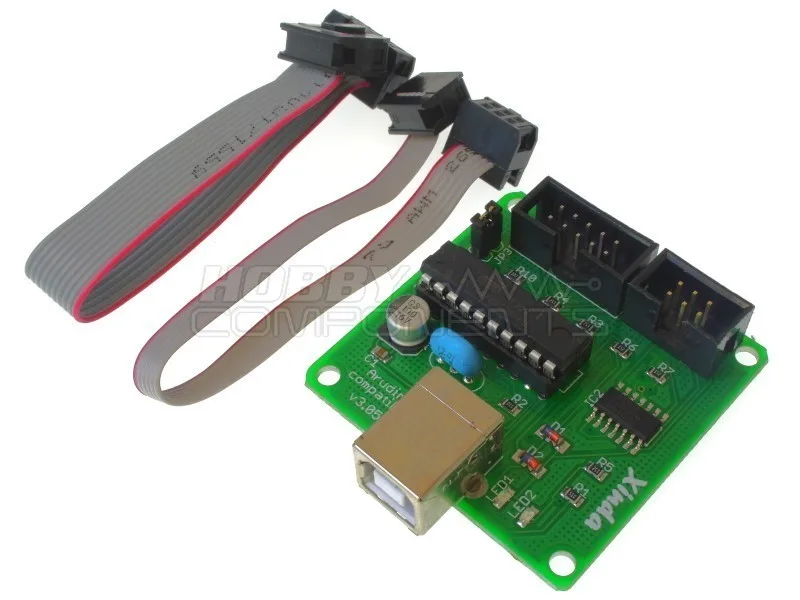
USBTinyISP in circuit AVR Atmel programmer


