Quick Answer
To replace a quick release plate, remove the old plate, align the new one with your camera's 1/4-inch tripod socket, and tighten it securely. For Hama Star 61, 62, or 63 tripods, a compatible replacement plate like the Hama 4154 includes a video pin and spirit level to help you level your shots.
Why Swapping the Plate is Worth Doing
A quick release plate is the small adapter that stays attached to your camera, letting you mount and unmount it from the tripod in seconds. If your current plate is worn, stripped, or missing, you risk your camera slipping or falling. Replacing it restores a secure fit and can add useful features like a spirit level or video pin.
Not all plates are universal. Some tripods use proprietary shapes, so check the manual or measure the plate before buying. For Hama Star 61, 62, and 63 tripods, the Hama 4154 plate is designed to fit, and it includes a video pin to prevent rotation and a spirit level for horizon accuracy.
Step-by-Step Replacement Process
- Remove the Old Plate: Turn the tripod head upside down or access the plate from below. Loosen the locking knob or lever and slide the old plate out. If stuck, gently rock it side to side—never force it with tools that could damage the head. Check the old plate for wear or damage—if it's cracked, replace it immediately.
- Align the New Plate with Your Camera: Place the new plate (e.g., Hama 4154) on the camera's bottom so the 1/4-inch screw aligns with the tripod socket. Orient the plate so the video pin (if present) faces the front of the camera to prevent rotation. Make sure the plate sits flat—a tilted plate can cause the camera to loosen over time.
- Tighten the Screw Securely: Use a coin or screwdriver to tighten the screw, but avoid over-tightening. The plate should be snug enough that it doesn't move, but not so tight that it strips the threads. If your plate has a rubber ring, ensure it's not pinched. After tightening, give the camera a gentle twist to confirm it's secure before mounting.
- Attach the Plate to the Tripod Head: Slide the plate into the tripod head's quick-release slot until it clicks or locks. Tighten the locking knob or lever fully. Test the lock by pulling the camera upward—it should not release. Always double-check the lock before letting go of the camera.
- Test the Setup: Mount your camera and check for any play or wobble. If the camera shifts, remove the plate and re-check alignment. Use the spirit level (if available) to ensure the camera is level. If the plate loosens during a shoot, carry a small screwdriver or coin for quick adjustments.
Product Facts
-
Hama 4154 Quick Release Plate for Star 61 62 or 63 Tripod: The Hama 4154 Quick Release Plate fits Hama Star 61, 62, and 63 tripods and includes a video pin and spirit level. It has a 1/4-inch thread, weighs 26 g, and is made of plastic. The included video pin stops the camera from twisting on the plate, while the spirit level helps you level the camera quickly for landscapes and architecture.
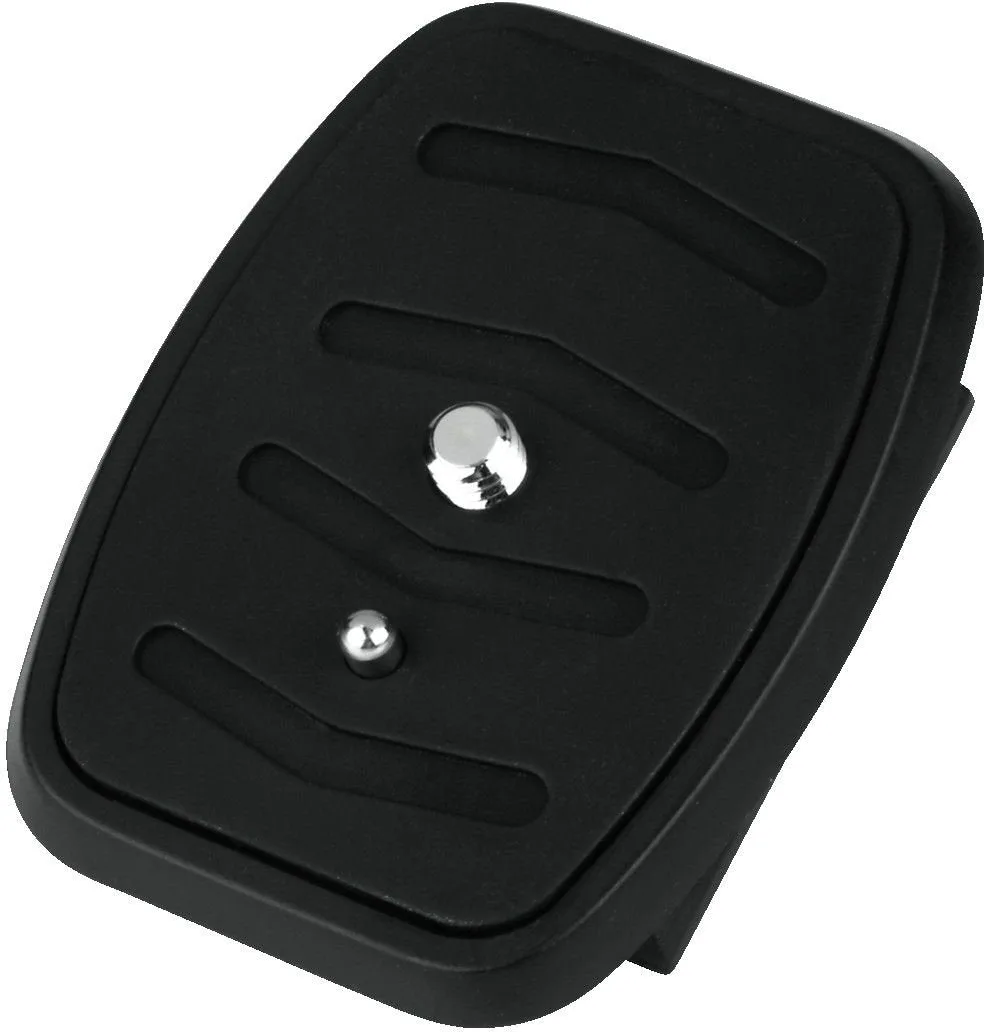
Hama 4154 Quick Release Plate for Star 61 62 or 63 Tripod