Quick answer
Set up your banana stand by placing the silicone skin under your phone or device, then positioning it on a flat surface. Adjust the angle by bending the banana shape for the best viewing position.
Why use a banana stand for display?
A banana stand is a playful yet practical desk accessory that turns your phone into a hands-free display. Whether you're following a recipe in the kitchen or watching videos at your desk, it keeps your device propped up and your workspace fun.
The silicone material grips most surfaces, so your phone stays put even during typing or tapping. It's also lightweight and portable, making it easy to move between rooms.
Trade-offs to consider
While the banana stand works well for most phones, it may not support very large tablets or heavy devices. The silicone grip can attract dust over time, but a quick rinse restores its tackiness.
If you need a multi-angle stand with adjustable height, this simple prop may feel limited. But for casual hands-free viewing, it's a charming and affordable solution.
Steps to set up your banana stand
- Choose a clean, flat surface: Place the banana stand on a desk, counter, or table. Avoid uneven or slippery surfaces like soft cushions or wet counters. A stable surface prevents the stand from tipping over during use.
- Slide your phone under the banana skin: Gently insert the bottom edge of your phone under the curved silicone skin. The banana shape should cradle the device securely. Make sure the phone is centered so it doesn't wobble. If it feels loose, adjust the insertion depth.
- Adjust the viewing angle: Bend the banana stand slightly forward or backward to change the tilt of your phone. This helps reduce glare or improve the viewing angle for recipes or videos. Don't over-bend the silicone—it's flexible but can lose shape if stretched too far.
- Test stability before leaving it unattended: Gently tap the screen or type a few characters to ensure the phone doesn't slide off. The silicone grip should hold it in place. If your phone case is very slick, try removing it for better grip.
- Use it for more than just phones: The banana stand can also hold a small tablet, a recipe card, or even a real banana for a fun desk display. Experiment with different items, but avoid anything too heavy that could cause the stand to tip.
Product spotlight
-
BANANA STAND: Slip this skin under your phone and you’ll have your very own Banana Stand. It’s handy, it’s hilarious, and it’s a bunch of help when you need a hands-free view. The silicone skin acts as both a stand and a protective layer, so you don't need extra accessories to prop up your phone.
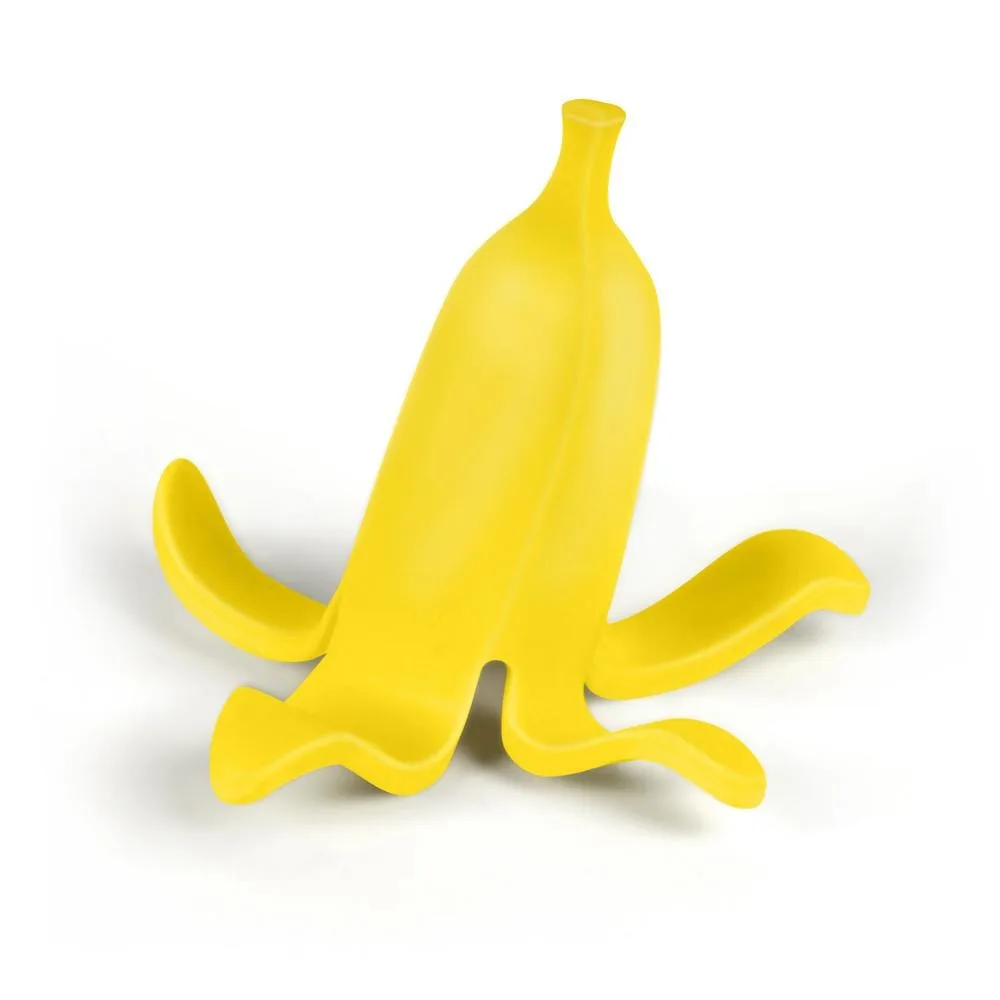
BANANA STAND