Quick Answer
Set up your crate-shipped simulator by preparing the room, unpacking and inventorying parts, assembling the rig in the right order, wiring and calibrating, then running a test session before your first real drive.
Why Crate-Shipped Simulators Are Different
Unlike DIY builds that arrive in dozens of boxes, a crate-shipped simulator is designed to get you racing quickly. The tradeoff is that you're handling a large, heavy crate and a pre-configured system that still needs careful assembly and calibration. Plan the delivery route and have a second person available for lifting.
Because the system is pre-tested at the factory, your job is mostly assembly and connection, not troubleshooting. That means the most common mistakes are skipped steps—like forgetting to secure the wheel base or not leveling the rig—so follow the order below exactly.
What to Know Before You Start
Clear a space at least 8 feet by 8 feet, with access to a grounded power outlet. If you opted for the motion add-on, you'll need extra clearance for movement and a reinforced floor. Also, have a socket set, hex keys, and a torque wrench ready—most crate-shipped rigs use metric fasteners.
Keep the crate's packing list until the build is complete. It's your checklist for confirming every component is present and for noting any damage before the carrier leaves.
Step-by-Step Setup Process
- Prepare the room and delivery path: Measure doorways and hallways to ensure the crate can pass through. Clear the assembly area and lay down a protective mat. Have a second person ready to help move the crate. Check for any stairs or tight corners that could require special handling before delivery day.
- Unpack and inventory all components: Open the crate and remove components carefully. Cross-check every item against the packing list, including screws, brackets, and cables. Do not discard packaging until you're sure everything is present. Take photos of any damaged or missing parts immediately and contact support before proceeding.
- Assemble the rig frame: Start with the base frame and attach the uprights and seat mounts. Tighten all bolts to the specified torque—do not overtighten. Use a level to ensure the frame sits flat on the floor. A common mistake is skipping the leveling step, which can cause wobble and misalignment later.
- Mount the seat and pedals: Attach the seat to its slider and mount it to the frame. Adjust the pedal plate to a comfortable angle and position. Ensure all hardware is secure before moving on. Test seat adjustment and pedal reach now—it's much harder to change after wiring.
- Install the wheel base and wheel: Mount the wheel base to the front plate using the provided bolts. Attach the wheel to the base's quick-release, making sure it clicks fully. Connect the wheel base's power and USB cables to the PC or console. Double-check that the wheel is locked before powering on—this prevents damage during force feedback initialization.
- Connect all electronics and manage cables: Plug in the pedals, shifter, and any button boxes. Route cables neatly along the frame using zip ties or Velcro, keeping them away from moving parts. Connect the display and ensure all devices are recognized by the system. Use cable management to avoid tangles that could interfere with pedals or motion systems.
- Calibrate and run a test session: Power on the system and run the calibration software for the wheel, pedals, and any motion add-on. Set your in-game settings for steering linearity and pedal sensitivity. Do a slow lap to verify everything responds correctly. If the wheel feels off-center or pedals are inconsistent, recalibrate before your first race—don't try to compensate in-game.
Product Facts
-
CS1 SUMMIT - Professional-Grade Crate-Shipped Simulator: The CS1 SUMMIT is Advanced SimRacing's first lineup of click-to-drive crate-shipped simulators, designed to get you behind the wheel quickly with handpicked components. This means you can expect a streamlined setup process compared to a full DIY build, but you still need to follow the assembly steps carefully to enjoy the professional-grade feel.
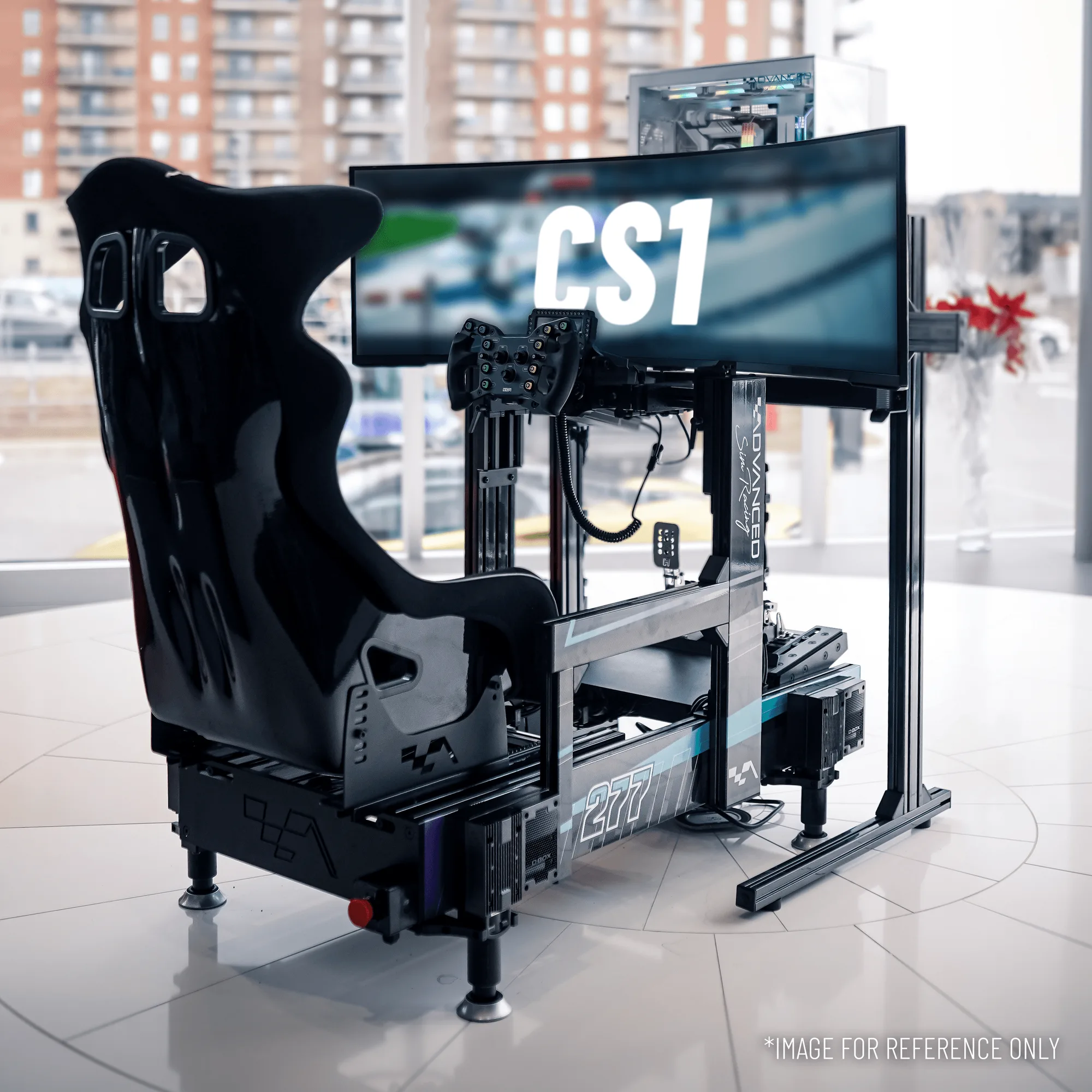
CS1 SUMMIT - Professional-Grade Crate-Shipped Simulator
Once your simulator is assembled and calibrated, you're ready for your first track session. If you encounter any issues during setup, consult the manual or contact Advanced SimRacing support—they can help you get back to racing quickly.