Quick Answer
Configure your Keydous NJ87 Pro for gaming by pairing it via Bluetooth, customizing RGB lighting, and adjusting the movable weight block to match your preferred typing feel.
Why the NJ87 Pro Works for Gaming
The Keydous NJ87 Pro combines a compact 75% layout with a soft gasket structure that reduces harsh bottom-out impact during fast keystrokes. This makes it a solid choice for both typing and gaming sessions where you need consistent feedback without fatigue.
Its CNC aluminum case adds durability and stability, so the keyboard stays put during intense gameplay. The Bluetooth connectivity also lets you switch between devices quickly, which is useful if you game on multiple platforms.
Trade-Off: Wired vs. Wireless for Competitive Play
While the NJ87 Pro's Bluetooth is convenient for casual gaming, competitive players may prefer a wired connection for the lowest possible latency. The keyboard supports USB-C, so you can plug it in directly if you notice any input lag during fast-paced titles.
Gaming Setup Steps
- Pair via Bluetooth or Connect USB-C: Turn on the keyboard and press the Bluetooth button to enter pairing mode. Select 'Keydous NJ87 Pro' on your PC or console. For lowest latency, use the included USB-C cable instead. Common mistake: Forgetting to switch the keyboard into pairing mode before searching on your device. Always check the indicator light.
- Customize RGB Lighting for Visibility: Use the function keys (FN + arrow keys) to cycle through preset lighting effects. For gaming, choose a static or breathing effect that keeps key legends readable in low light. Checkpoint: Avoid overly bright or strobing effects that can distract during gameplay. A steady color per key zone works best.
- Adjust the Movable Weight Block for Feel: Open the bottom panel and slide the weight block to your preferred position. A forward position gives a stiffer, more responsive feel; a rearward position adds flex for a softer bottom-out. Common mistake: Not securing the weight block fully after adjustment. Double-check that it clicks into place to avoid rattling during use.
- Test Key Rollover and Latency: Open a key rollover test website (e.g., keyboardtester.com) and press multiple keys simultaneously to confirm full N-key rollover over USB. Over Bluetooth, check for any missed inputs. Checkpoint: If you experience missed inputs over Bluetooth, switch to USB-C for a more reliable connection during competitive matches.
Product Highlight
-
Keydous NJ87 Pro Mechanical Keyboard: Soft gasket structure with innovative movable weight block for offering more unique typing feel. You can adjust the weight block to change the board's flex and sound, letting you tune the keyboard to your gaming style—softer for RPGs or firmer for shooters.
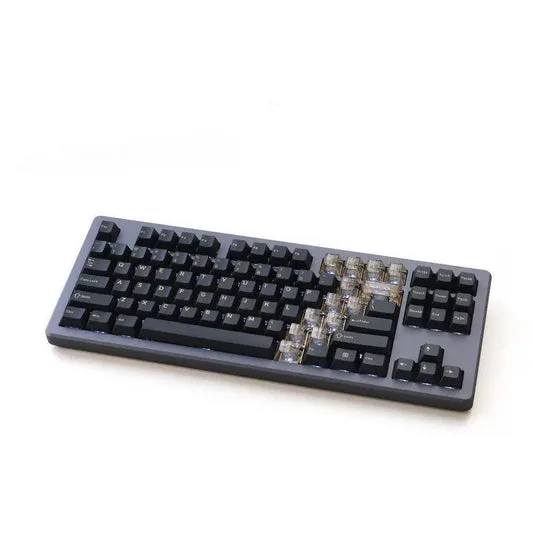
Keydous NJ87 Pro Mechanical Keyboard