Quick answer
Mount the 3D printed Skadis stand organizer onto your IKEA Skadis pegboard, then simply slide your TrimUI Smart Pro into the cradle. The custom-fit design keeps your handheld upright, charged, and instantly accessible.
Why a dedicated stand beats a shelf or drawer
Storing your TrimUI Smart Pro flat in a drawer or on a shelf means you have to clear space, pick it up, and often untangle a cable before you can play. A Skadis-mounted stand puts the handheld at eye level, frees up desk real estate, and keeps the USB-C port accessible for charging without removing the device.
The 3D printed holder is precision-molded for the TrimUI Smart Pro's dimensions, so it won't wobble or scratch the shell. Because it attaches to the pegboard, you can reposition it anytime without drilling or adhesive.
What to check before you mount
The stand requires an IKEA Skadis pegboard (sold separately). Confirm your pegboard is securely anchored to a wall or desk riser before attaching the holder. The 3D printed clip uses the standard Skadis hole pattern and snaps on firmly, but it's designed for a single handheld — avoid stacking or overloading it.
Delivery for this 3D-printed accessory takes 7–10 days, so plan ahead if you're setting up a new desk. The stand is available in multiple color options to match your setup.
Step-by-step setup guide
- Attach the holder to the pegboard: Line up the back clips of the 3D printed stand with two adjacent holes on your Skadis pegboard. Press firmly until you hear a click — the clips should sit flush against the board. If the stand feels loose, remove it and check that the clips are fully seated; partial insertion is the most common mistake. Test the grip by gently pulling the stand outward — it should not budge.
- Position the stand at a comfortable height: Choose a spot on the pegboard where the handheld sits at or slightly below eye level when you're seated. Leave at least 6 inches of clearance above the stand so you can easily grab the device. A common mistake is mounting it too high, which makes it awkward to slide the handheld in and out. If you use a charging cable, mount the stand near a power source so the cable reaches the USB-C port without tension.
- Place your TrimUI Smart Pro into the cradle: Hold the handheld with the screen facing you and the USB-C port on the bottom. Gently slide it straight down into the stand until the bottom edge rests fully inside the cradle. Do not force it — if it doesn't slide in easily, double-check that you're using the correct orientation. The stand is designed for a snug fit, but excessive force could stress the clips. Once seated, the handheld should stand upright without wobbling. If it tilts, remove it and check that the stand is level on the pegboard.
- Connect charging (optional): With the handheld in the stand, plug a USB-C cable into the bottom port. Route the cable behind the pegboard using cable clips or ties to keep your desk tidy. A common mistake is using a right-angle cable that doesn't fit the recess — a straight USB-C cable works best with this stand. Leave the cable plugged in whenever you're not playing so the battery stays topped up.
Product details
-
3D Printed Skadis Stand Organizer Holder for TrimUI Smart Pro/TRIMUI SMART PRO S: Precisely crafted with premium quality PLA for durability and a perfect fit, designed to seamlessly integrate with the Skadis pegboard system. The PLA material is rigid enough to hold your TrimUI Smart Pro securely without flexing, and the custom Skadis clip means you can mount it in seconds with no tools.
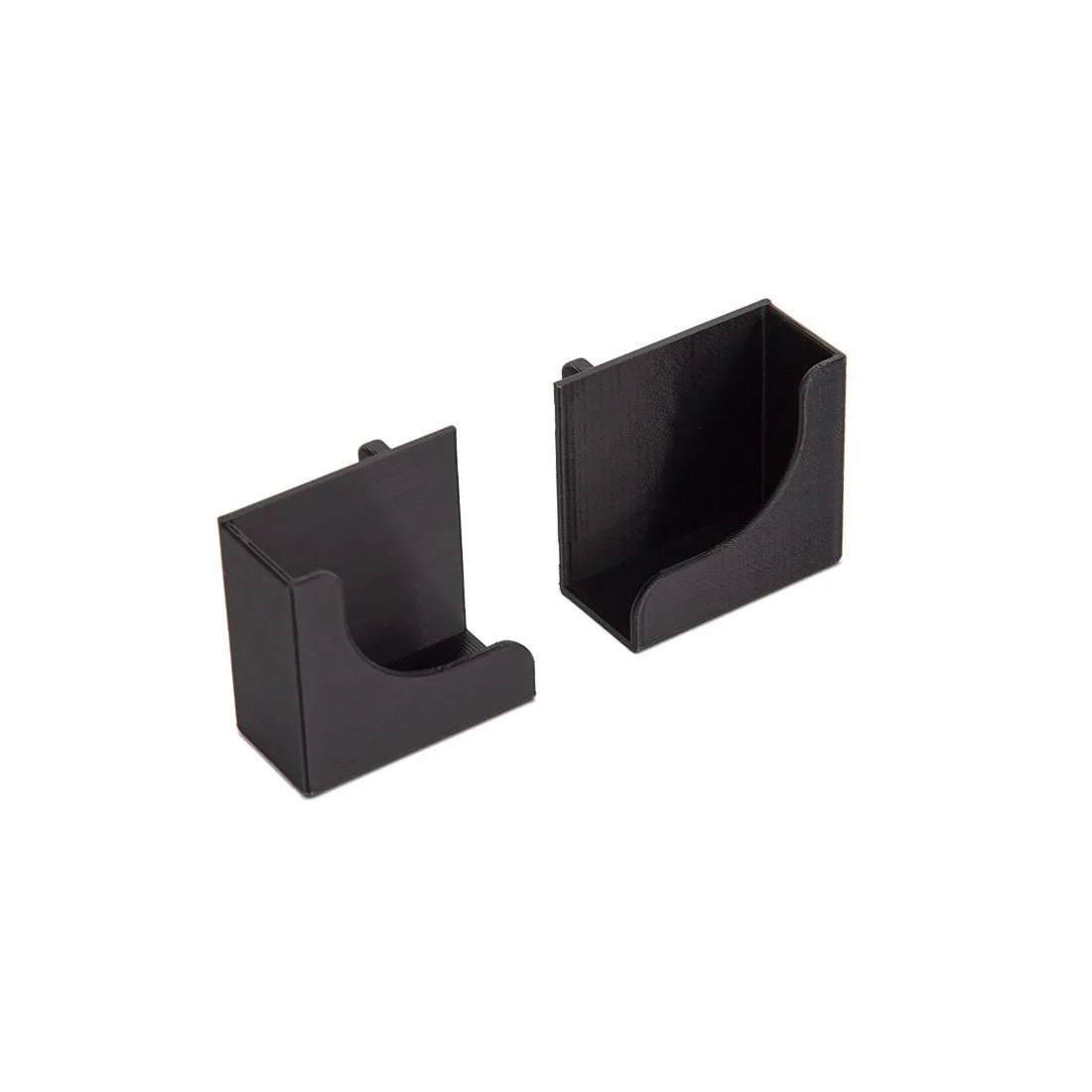
3D Printed Skadis Stand Organizer Holder for TrimUI Smart Pro/TRIMUI SMART PRO S