Quick answer
Attach the smartphone adapter to the eyepiece, align the phone camera lens with the scope’s exit pupil, and use a remote shutter or timer to avoid shake.
Why alignment is the most common struggle
Getting the smartphone camera lens centered over the eyepiece is the step that trips up most beginners. If the two are even slightly misaligned, you will see a dark crescent, soft focus, or no image at all. Take the time to slide the phone left-right and up-down in the adapter while looking at the live preview. A centered, full-circle view means you are ready to shoot.
Zoom vs. digital zoom — use the scope, not the phone
Once you have a clear image in the adapter, resist the urge to pinch-zoom on your phone screen. Digital zoom magnifies the sensor crop and magnifies camera shake, often producing a grainy result. Instead, adjust the spotting scope’s zoom ring to frame the subject optically. The phone should stay at 1x (or the optical lens your model uses).
Light and stability matter more than megapixels
Even with a perfect adapter setup, smartphone cameras need plenty of light to deliver crisp results through a spotting scope. Try shooting in the early morning or late afternoon when the light is softer but still bright. Use a tripod or at least a solid surface — a wobbly scope turns a 60 mm objective into a giant blur generator.
How to set up digiscoping in 4 steps
- Mount the adapter on the eyepiece: Open the adapter’s clamp wide enough to fit over the spotting scope’s eyepiece. Tighten the clamp screw just enough to hold it securely without cracking the plastic or rubber. Make sure the adapter sits flat and does not tilt. Check that the adapter is centered on the eyepiece — a crooked mount guarantees blurry images.
- Position your smartphone in the holder: Slide the phone into the adapter’s arms with the rear cameras facing the eyepiece. Align the camera lens so it sits directly over the eyepiece’s exit pupil. Adjust the arms so the phone cannot slip, but do not press so hard that buttons get stuck. Your phone may vibrate as the adapter tightens; re-check the alignment after tightening.
- Launch the camera and check the image: Open your preferred camera app. You should see a round, bright circle with no dark edges. If you see a shadow, slide the phone microscopically left-right or up-down until the circle fills the frame. Tap the screen to lock focus and exposure on the target. If the circle is dim or flickering, the scope may not be focused properly — first adjust the scope’s focus ring, then re-center.
- Shoot without touching the phone: Use a Bluetooth remote shutter, the phone’s voice command, or the built-in timer (2 or 5 seconds) to trigger the shot. Tapping the screen directly moves the phone and creates blur. Brace the scope or tripod if it is breezy. Even a scope as light as a 60 mm can shake in wind; a short timer costs nothing and saves the shot.
Products that make it easier
-
Celestron Landscout 12-36x60 Spotting Scope with Smartphone Adapter - 52422: Includes Celestron’s Smartphone Adapter in the box, so you do not need to buy separately. One less piece to figure out — clamp your phone in place, align the lens, and start shooting right away.
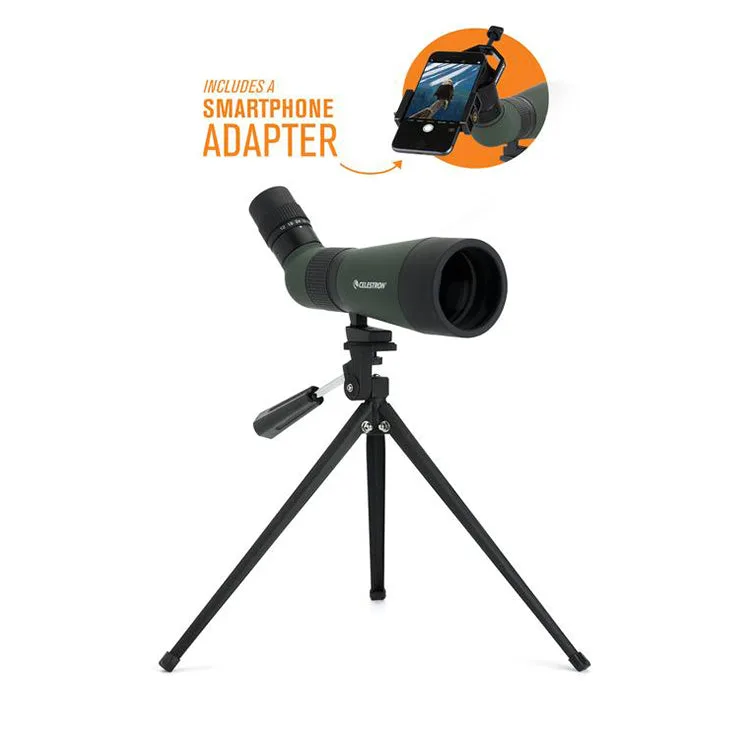
Celestron Landscout 12-36x60 Spotting Scope with Smartphone Adapter - 52422


