Quick answer
Use the Zendure AC to Solar Connector Adapter to charge your batteries to at least 20% every three months when sunlight is limited. Connect it to the PV Hub, then to your battery packs, and monitor the charge level to prevent over-discharging.
Why safe usage matters for battery longevity
During periods of rain, clouds, or other conditions that limit available sunlight, your solar batteries can slowly discharge. If they drop below 20% and stay there for months, their capacity and lifespan can degrade permanently. The AC to Solar Connector Adapter lets you top them up from the grid, but only if you follow the correct procedure to avoid electrical faults or overcharging.
The adapter is designed to work with the PV Hub, allowing you to charge several battery packs simultaneously. It delivers about 1 kWh of charge to reach 20% in roughly 1.2 hours, so you don't need to leave it connected overnight. However, the adapter itself does not include overcharge protection—that is handled by your battery management system. Always ensure your system is properly configured before starting.
Step-by-step safe usage guide
- 1. Check your battery level and schedule: Before connecting anything, check your battery's state of charge. If it has been more than three months since the last full charge, or if the battery is below 20%, proceed. Schedule this for a dry day when you can monitor the process. Never skip the three-month check—even if you think the battery is fine.
- 2. Connect the adapter to the PV Hub: Plug the AC to Solar Connector Adapter into a standard wall outlet. Then connect the adapter's output cable to the PV Hub's input port. Ensure the connection is firm and the cable is not bent sharply. A loose connection can cause arcing or intermittent charging. Double-check the fit.
- 3. Connect the PV Hub to your battery packs: Using the appropriate battery cables, connect the PV Hub to each battery pack you want to charge. The hub can handle multiple packs simultaneously. Make sure all connectors are clean and dry before mating. Do not connect batteries in series or parallel yourself—the hub manages that automatically.
- 4. Start charging and monitor the process: Turn on the PV Hub (if it has a power switch) and confirm that the adapter is supplying power. The hub's indicator lights should show charging activity. Let the system run until the batteries reach at least 20%. This typically takes about 1.2 hours per kWh. Do not leave the system unattended for the first 15 minutes in case of abnormal behavior.
- 5. Disconnect in the correct order: Once the target charge is reached, first turn off the PV Hub (if applicable), then unplug the adapter from the wall outlet. Finally, disconnect the battery cables from the hub. Store the adapter and cables in a dry place away from direct sunlight. Always disconnect the AC source before handling battery connections to avoid electric shock.
Product facts
-
Zendure AC to Solar Connector Adapter: Protection Against Over-Discharging: During periods of rain, clouds, or other conditions that limit sunlight, use the adapter to charge batteries to at least 20% every three months. This prevents permanent capacity loss and keeps your batteries delivering maximum performance over their lifespan.
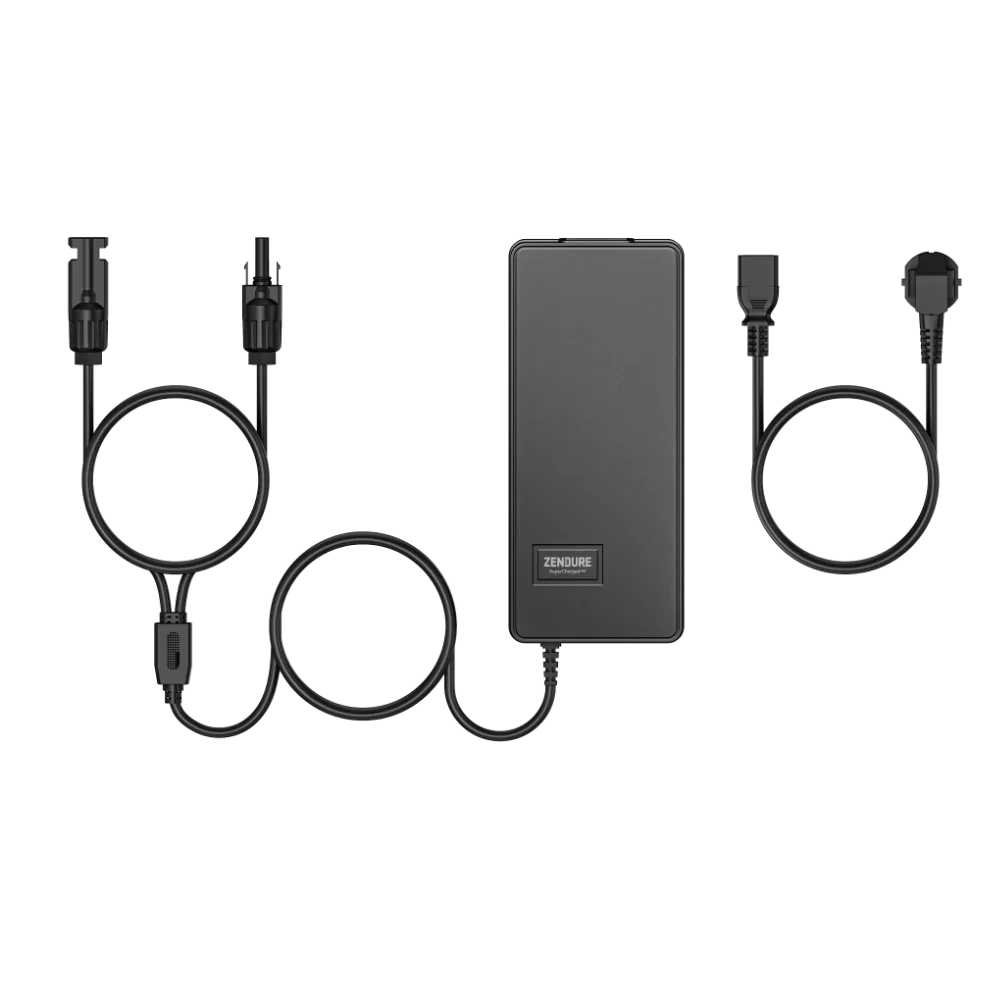
Zendure AC to Solar Connector Adapter
-
Zendure AC to Solar Connector Adapter: Connected with the PV Hub, charging several battery packs simultaneously. Charge 1 kWh to 20% within about 1.2 hours. You can top up multiple batteries at once, and the short charging time means you don't have to tie up your system for long periods.