Quick answer
For pure web browsing, email, and cloud-based schoolwork, the HP Chromebook 11A G6 EE is the simpler, lighter pick. Choose the Gateway 11.6 if you need Windows 10 S, Microsoft 365 Personal, and more local storage for offline files.
Operating system decides your app library
The HP runs Chrome OS, so you install apps from the web and Google Play rather than running full Windows desktop programs. The Gateway runs Windows 10 in S Mode, which limits you to Microsoft Store apps until you switch out of S Mode. That switch is a one-way change, so confirm your required software is available before you commit.
If your school or workplace hands you a browser-based portal, either machine works. If you need a specific Windows installer, the Gateway is the only one of the two that can eventually run it.
Storage changes how much you can keep offline
The Gateway lists 64GB of storage and a microSD slot that accepts cards up to 512GB, so you can carry documents, photos, and downloads locally. The HP lists 16GB of eMMC storage, which fills quickly once you save files and offline media.
Neither listing specifies a higher storage tier, so treat these capacities as fixed. If you plan to work offline often, the Gateway's larger drive and card slot reduce the need to shuffle files to the cloud.
Battery and ports for a school day
The Gateway lists up to 8.5 hours of battery life, stereo speakers, Bluetooth, a 1.0MP webcam, USB 3.0, microSD, and mini HDMI. The HP lists USB-C, a microSD slot, and long battery life, but does not state an hour rating, so you cannot compare runtime directly from the listings.
USB-C on the HP is convenient for charging and connecting newer accessories. Mini HDMI on the Gateway lets you connect a monitor or projector without an adapter, which helps for presentations.
Processor expectations at this price
The Gateway uses an Intel Celeron dual-core processor with 4GB RAM. The HP uses an AMD A4-9120C with 4GB RAM. Both are entry-level chips, and the listings do not include benchmark results, so avoid assuming one is dramatically faster.
With 4GB RAM on either machine, keep browser tabs modest and close unused apps. Neither is suited to video editing or heavy multitasking, regardless of brand.
Trade-offs to weigh before buying
- App compatibility vs simplicity: Pick the Gateway if you need Windows 10 S and Microsoft 365 Personal. Pick the HP if you only need a browser and Android-style apps and want to avoid Windows updates and S Mode restrictions. List the exact programs you must run before choosing.
- Local storage vs cloud reliance: The Gateway's 64GB drive and 512GB microSD support offline files. The HP's 16GB eMMC is tight, so plan to use cloud storage or an external card for anything beyond basic documents. Estimate your offline file size before you decide.
- Ports and battery certainty: The HP offers USB-C for modern accessories. The Gateway offers mini HDMI and a stated 8.5-hour battery. Because the HP does not state an hour rating, treat its battery life as unconfirmed until you check the full product page. Confirm battery ratings and port needs against your daily carry.
Product facts
-
Gateway 11.6" Ultra Slim Notebook, HD, Intel Celeron, Dual Core, 64GB Storage, 4GB RAM, Mini HDMI, 1.0MP Webcam, Windows 10 S: Runs Windows 10 in S Mode and includes Microsoft 365 Personal, with 64GB storage and a microSD slot up to 512GB. This suits buyers who need Microsoft Office files and local storage without paying for a separate subscription.
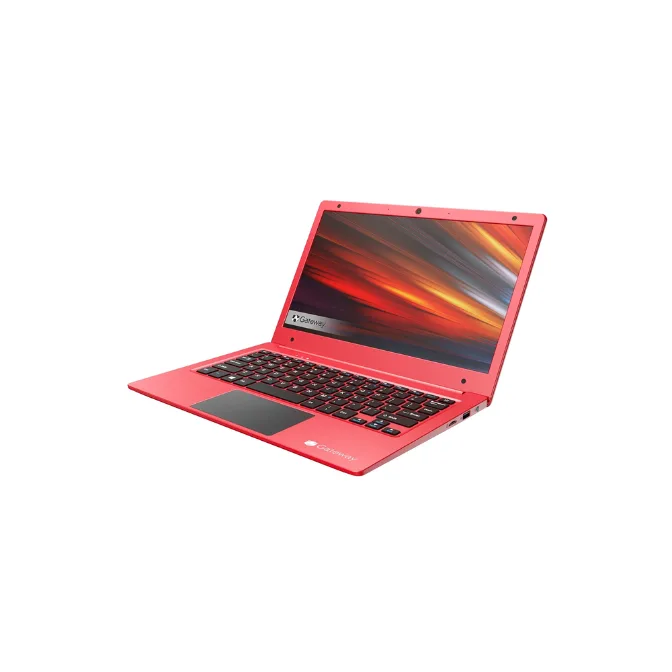
Gateway 11.6" Ultra Slim Notebook, HD, Intel Celeron, Dual Core, 64GB Storage, 4GB RAM, Mini HDMI, 1.0MP Webcam, Windows 10 S
-
HP Chromebook 11A G6 EE Laptop, AMD A4-9120C GPU, Chrome OS, 4GB RAM, 16GB eMMC SSD: Runs Chrome OS with 16GB eMMC storage, USB-C, and a microSD slot. Chrome OS keeps maintenance low, but the small drive means you should rely on cloud storage for most files.
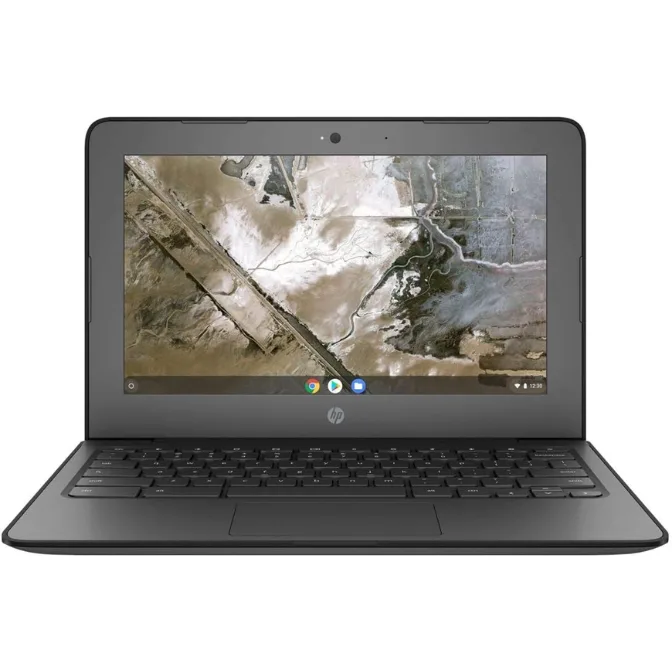
HP Chromebook 11A G6 EE Laptop, AMD A4-9120C GPU, Chrome OS, 4GB RAM, 16GB eMMC SSD
Who should buy which
Best for
- Students who mostly use browser-based school portals and cloud documents
- Shoppers who want a low-maintenance laptop for email and web browsing
- Buyers who need Windows 10 S, Microsoft 365 Personal, and more local storage
Not for
- Anyone who needs to run full Windows desktop programs immediately on the HP
- Buyers who store large offline media libraries on the HP's 16GB drive
- Shoppers who expect fast performance for video editing or heavy multitasking from either model