Quick answer
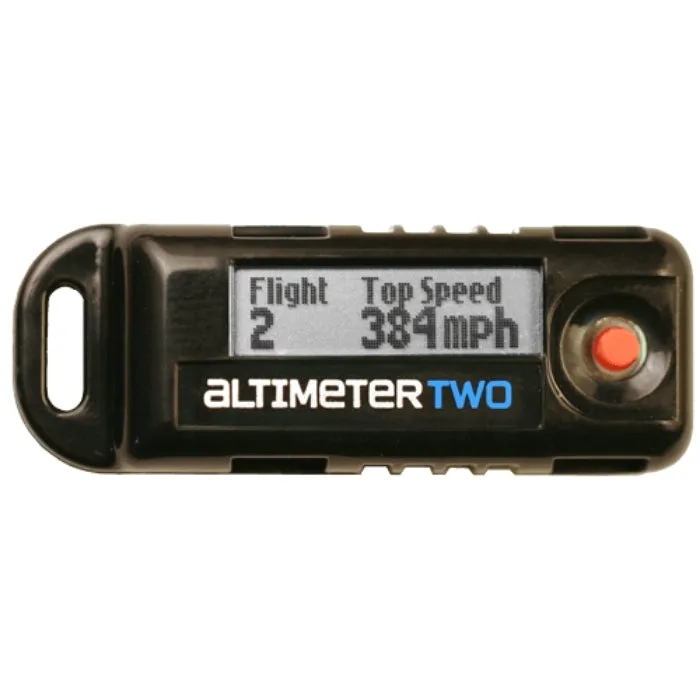
Mount the AltimeterTwo in a ventilated payload section or dedicated electronics bay, secure it with foam or a sled so it cannot shift, and power it on before closing the rocket. After flight, read the screen for max altitude, top speed, and ejection timing. No computer is required, and the rechargeable battery means you never need to swap cells between flights.
Why the AltimeterTwo earns a spot in your range box
The Jolly Logic AltimeterTwo is an instant flight analysis tool that fits in most rockets and displays 10 key performance measures on a sunlight-readable screen. It reports max altitude, top speed, engine thrust duration, peak acceleration, ejection timing, and total flight time without needing a computer or smartphone. Because it is rechargeable and requires no batteries, you can fly multiple times in one session and review data on the spot.
Choosing the right rocket and mounting location
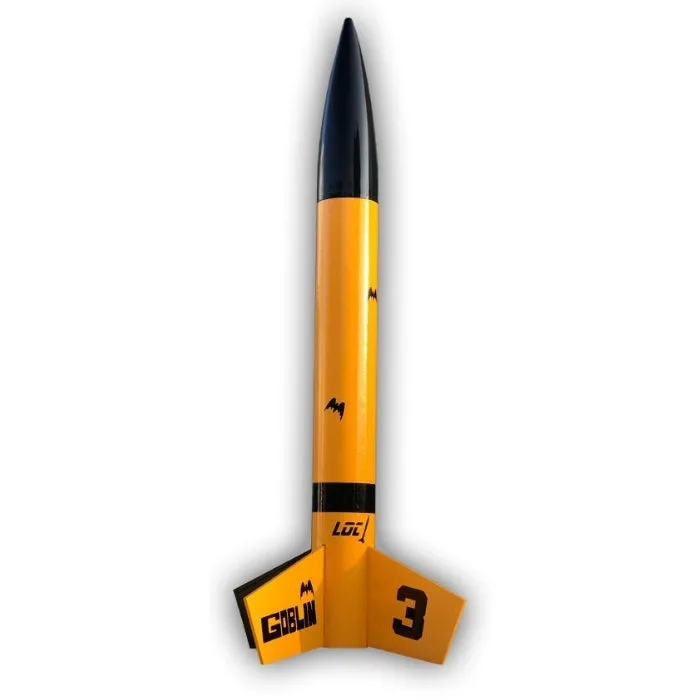
The AltimeterTwo fits in most model rockets, but the mounting method depends on your airframe. For small rockets, place it in the payload section wrapped in protective foam. For larger high-power builds like the LOC 4" Goblin (product ID 883987), you can mount it in an electronics bay or use a dedicated altimeter sled. The Goblin's 4-inch diameter and 42-ounce weight make it a stable platform for altimeter flights, and its Loc-n-Mount system accepts 29mm, 38mm, and 54mm motors, so you can start with lower power and step up as you gain confidence.
Ventilation and pressure equalization
The altimeter senses altitude by measuring air pressure, so the compartment must be vented to the outside air. Drill three or four small holes (about 1/8 inch) evenly spaced around the body tube or payload section. Avoid placing holes where they will be blocked by internal components or recovery gear. Without proper venting, the altimeter will produce inaccurate altitude readings or fail to detect apogee.
Securing the altimeter for flight
Vibration and shock can damage the altimeter or cause it to shift during boost and ejection. Wrap the AltimeterTwo in thin foam and secure it with a snug friction fit inside the payload section. If you use an electronics bay, mount it to a sled with zip ties or a small bracket. The goal is to prevent any movement while still allowing you to remove it easily after flight.
Powering up and pre-flight checks
Turn on the AltimeterTwo before you close up the rocket. The screen will display a startup sequence and then show a ready status. Verify the battery has enough charge for the flight. Because it is rechargeable, top it off the night before a launch. Once powered on, do not press any buttons unless you need to change settings; the altimeter will begin recording automatically when it detects launch acceleration.
Reading your flight data after landing
After recovery, press the button to cycle through the 10 flight performance measures. Max altitude tells you how high the rocket went. Top speed and peak acceleration show how hard the motor pushed. Engine thrust duration and ejection timing help you verify that the delay was correct. Total flight time gives you a sense of the entire event. Write these numbers in your flight log so you can compare motors and rockets over time.
Step-by-step AltimeterTwo setup and flight
- Prepare the mounting compartment: Choose a payload section or electronics bay that fits the AltimeterTwo. Drill three or four 1/8-inch ventilation holes evenly around the airframe. Common mistake: skipping vent holes or placing them where recovery gear blocks airflow, which causes inaccurate altitude readings. Checkpoint: Hold the compartment up to a light source to confirm you can see through each vent hole.
- Secure the altimeter: Wrap the AltimeterTwo in thin protective foam and slide it into the compartment with a snug friction fit. If using an electronics bay, attach it to a sled with zip ties. Common mistake: leaving the altimeter loose so it shifts during boost or ejection, which can damage it or cause false data. Checkpoint: Gently shake the rocket; if you hear the altimeter moving, add more foam or tighten the mount.
- Power on and verify readiness: Turn on the AltimeterTwo and wait for the startup sequence to complete. Confirm the battery is charged. Do not press buttons after this point unless you need to change settings. Common mistake: powering on after the rocket is already on the pad, which wastes time and risks a false trigger. Checkpoint: The screen should show a ready status before you close the rocket.
- Fly and recover: Launch as normal. After recovery, wait for the altimeter to stop recording (it typically stops a few seconds after landing). Common mistake: handling the rocket roughly before the altimeter finishes writing data, which can corrupt the flight record. Checkpoint: Listen for the altimeter's confirmation beep or check the screen for a flight number.
- Review and log flight data: Press the button to cycle through max altitude, top speed, engine thrust duration, peak acceleration, ejection timing, and total flight time. Record these numbers in your logbook. Common mistake: not writing down the data immediately and forgetting the exact values later. Next step: Compare data across different motors or rockets to fine-tune your setup.
Product facts
- Jolly Logic AltimeterTwo: AltimeterTwo is an instant flight analysis tool for model rocketry, no computer required. It is small enough to fit in most rockets, and it provides 10 key flight performance measures on its sunlight-readable screen for each flight, including max altitude, top speed, engine thrust duration, peak acceleration, ejection timing, and total flight time. No batteries required. AltimeterTwo is rechargeable and includes a... You get immediate, on-field data without extra gear, and the rechargeable design saves money and hassle compared to disposable batteries.
- LOC 4" Goblin: The LOC Goblin model rocket is a 4” diameter rocket kit. With permission to upscale a classic rocket, the LOC Goblin is here and full of new features. The most notable is a Loc-n-Mount system allowing 54, 38, and 29mm motors. At 42 ounces it’s light enough to be a Class 1 flyer, and with the main 54mm it can easily attain high power flights. Decals are included as well as all necessary hardware and rail guides.... The Goblin's versatile motor mount and stable size make it a great testbed for altimeter flights across a wide range of power levels.