Quick answer
A keyboard protector case is worth it if your keyboard sits unused for long stretches, travels in a bag, or shares a desk with drinks and snacks. It is not worth it if you need uninterrupted key feel or your keyboard already lives under a dust cover between sessions. Buy one only when the protection matches a real risk in your setup.
What a keyboard protector case actually does
A protector case is a physical barrier, not a cleaning tool. It keeps dust, crumbs, and minor bumps off the keys and chassis during storage or transport. It does not remove dirt that is already inside the switches, and it will not rescue a keyboard from a full drink spill. If your goal is to keep a keyboard clean, the case buys you time between cleanings; it does not replace them.
When a cover helps and when it gets in the way
The case earns its place when the keyboard is stored, carried, or left idle. It gets in the way when you are actually typing or gaming. A cover that stays on during use can change key feel, trap heat, and make quick key identification harder. Treat it as a storage and transport accessory, not a permanent skin.
- Use it: keyboards that sit on a shelf, travel to LAN events, or live in a dusty room.
- Skip it: keyboards in daily use where key feel and airflow matter more than dust protection.
- Check fit: a case designed for one model may not fit another, even within the same brand.
How to choose a protector that fits your keyboard
Fit is the whole purchase. A loose cover slides off and lets dust in at the edges; a tight one can press keys during storage. Match the case to your exact model, and confirm the manufacturer lists your keyboard as compatible. If your keyboard is not listed, do not assume a universal cover will work. Measure the keybed and check the case dimensions before buying.
Keyboard case care tips that keep the cover useful
A dirty cover just moves dust around. Wipe the inside and outside with a dry or slightly damp cloth weekly, and let it dry fully before putting it back on. Avoid harsh cleaners that can degrade the material. When you clean your keyboard, clean the case at the same time so you are not sealing grime against the keys.
Diagnose your keyboard protection needs
- Symptom: dust settles on the keys between sessions: The keyboard sits exposed for days without use, and dust has somewhere to land. A protector case used during storage solves this. Put it on when you finish, take it off when you play.
- Symptom: keys feel different or stick after adding a cover: The cover is likely too tight or not designed for your model, so it presses on the keycaps. Stop using that cover during typing. Switch to a model-specific case or use it only for transport.
- Symptom: a spill already happened: A protector case cannot undo liquid damage that has already reached the switches. Unplug the keyboard, let it dry, and follow the manufacturer's spill guidance. A case is prevention, not repair.
- Symptom: you want a cover to avoid cleaning altogether: Covers reduce dust but do not eliminate it, and they do not clean the keybed. Keep a regular cleaning routine. If you will not clean, a cover adds little value.
Product facts
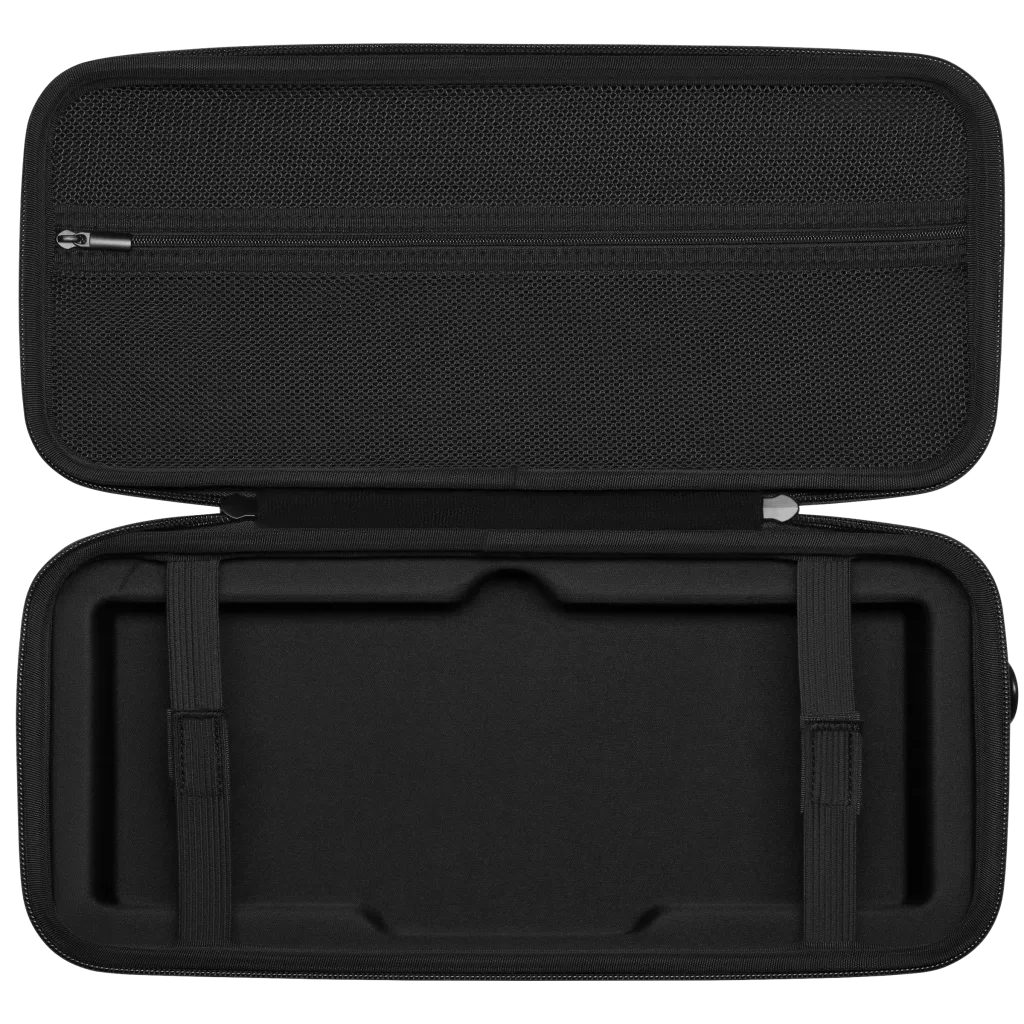
- Keyboard Protector Case: Designed to fit CORSAIR K65 and K70 Mini keyboards, with a compact and lightweight design. If you own either model, you get a cover made for that keybed rather than a universal fit that may slide or press keys.