Quick Answer
To set up Heusinkveld Sprint pedals, mount them securely to your rig, connect via USB, adjust pedal faces and elastomers to your preference, then calibrate using the Heusinkveld SmartControl software for consistent braking and throttle response.
Why Proper Setup Matters for Consistency
The Heusinkveld Sprint pedals are known for their precision and adjustability, but you won't get the full benefit without taking the time to set them up correctly. A poorly calibrated brake pedal can lead to inconsistent trail braking and slower lap times, while an improperly positioned throttle can cause unintended inputs. The good news is that the Sprints offer a wide range of mechanical and software adjustments to tailor the feel exactly to your driving style.
Step-by-Step Setup Guide
- Mount the Pedals to Your Rig: Use the included mounting hardware to attach the pedal base to your sim rig's pedal plate. Ensure the plate is level and the pedals are positioned so your legs are at a comfortable 90-110 degree angle when pressing the pedals. Tighten bolts securely but avoid over-torquing. Check that the pedal base does not flex under hard braking; if it does, add reinforcement plates.
- Connect USB and Install Software: Plug the USB cable from the pedal controller into your PC. Download and install the latest Heusinkveld SmartControl software from their official website. Launch the software and confirm that both pedals are detected. If the pedals are not recognized, try a different USB port or cable, and ensure Windows has installed the driver.
- Adjust Pedal Face Position and Angle: Loosen the bolts on the pedal faces and slide them forward or backward to match your foot size. Adjust the angle by rotating the face plate. For the brake, position the face so your heel can stay planted while your ankle pivots naturally. A common mistake is setting the pedal too far away, causing you to stretch your leg and lose fine control.
- Set Brake Elastomer Stack: The Sprint brake uses elastomer stacks for progressive resistance. Remove the rubber cover and swap elastomers to achieve your desired stiffness. Softer stacks provide more travel; harder stacks give a stiffer feel. Start with the medium stack and adjust based on feel. Do not mix elastomers of drastically different hardness—it can create a non-linear brake feel that is hard to modulate.
- Calibrate in SmartControl: In the SmartControl software, click 'Calibrate' for each pedal. Press the pedal fully to set the maximum point, then release to set the minimum. For the brake, apply your typical maximum braking force, not just a light press. Save the calibration profile. If you change elastomers or pedal position later, recalibrate to maintain accuracy.
- Fine-Tune Dead Zones and Curve: In SmartControl, adjust the dead zone at the top of the throttle to prevent accidental inputs when resting your foot. For the brake, set a small dead zone at the bottom to avoid unintended braking. Optionally, apply a non-linear curve to the throttle for smoother power delivery. Setting too large a dead zone can delay response; aim for 1-3% only.
Product Facts
-
Heusinkveld Sprint Pedals [Throttle & Brake Set]: A strong, accurate, and customizable pedal set designed to elevate your race pace. This means you can fine-tune the pedal travel and resistance to match your preferences, making it easier to brake consistently lap after lap.
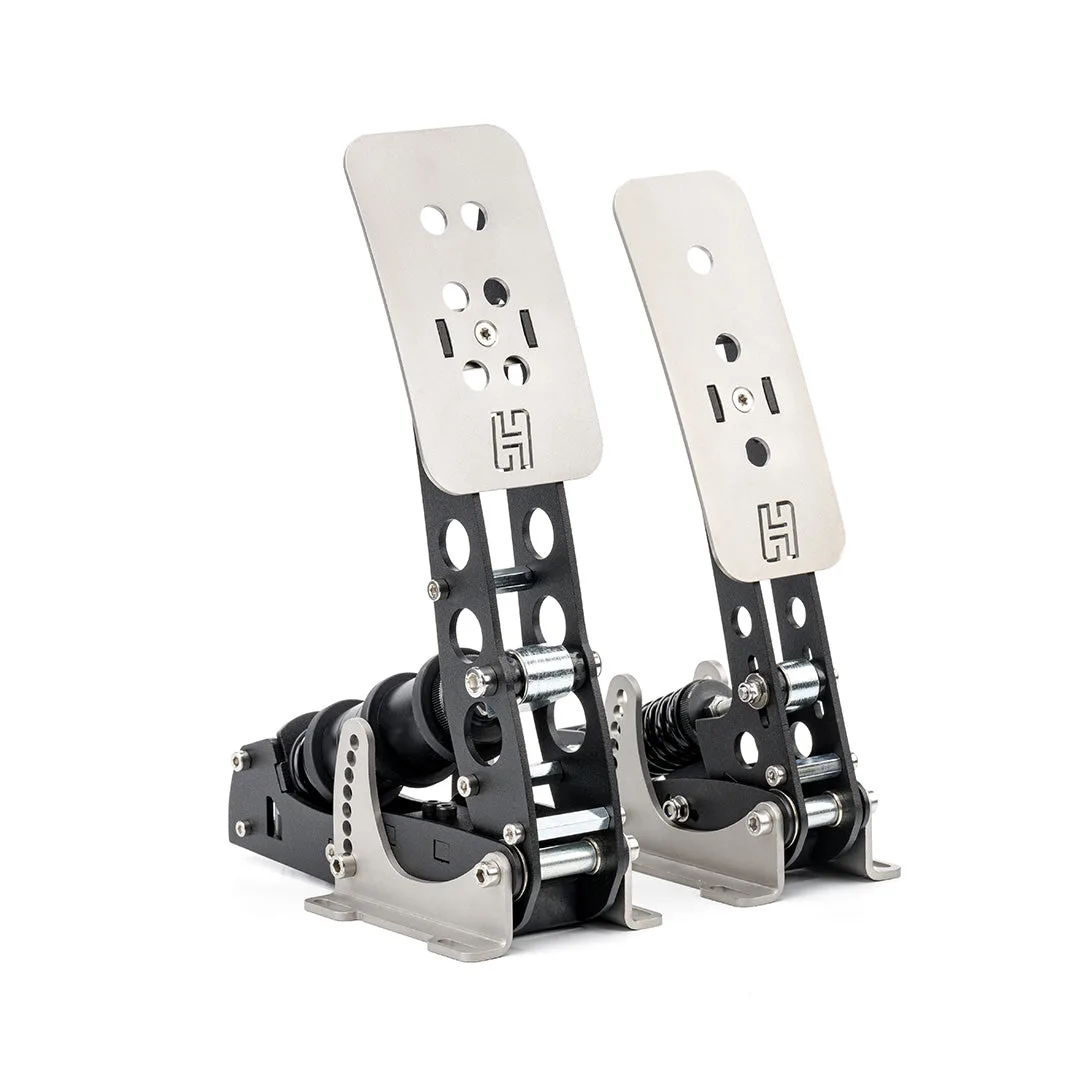
Heusinkveld Sprint Pedals [Throttle & Brake Set]