Quick answer
Mount the feeder securely, install the TECKNET app, pair via Wi-Fi, and activate the AI bird identification trial to start identifying species within minutes.
Before you start: what you need
The TECKNET Smart Bird Feeder with Camera requires a stable 2.4 GHz Wi-Fi connection—it does not support 5 GHz networks. Make sure your router broadcasts a 2.4 GHz band or that your phone can switch to it during setup.
You will also need a Phillips-head screwdriver for mounting and a fully charged phone or tablet with the TECKNET app installed from your device's app store.
Choosing the right mounting spot
Position the feeder within 10–15 feet of a window for clear 2K Ultra HD views, but avoid direct afternoon sunlight that can wash out the image. A shaded north- or east-facing spot works best for consistent lighting.
Ensure the mounting pole or bracket is level and anchored in soil or concrete. A wobbly feeder triggers false motion alerts and may scare birds away.
Setup steps
- Mount the feeder securely: Attach the feeder to a pole or bracket using the included hardware. Tighten all screws so the feeder does not sway in wind. A stable mount prevents false motion alerts and blurry video. Common mistake: mounting on a branch that moves—use a rigid post instead.
- Power on and download the app: Insert batteries or connect the USB power cable (check your package for the supplied method). Wait for the LED to blink. Then download the TECKNET app from the App Store or Google Play and create an account. Make sure your phone is connected to the 2.4 GHz Wi-Fi network before pairing.
- Pair the feeder with the app: Open the app, tap 'Add Device', and scan the QR code on the feeder. Follow the in-app prompts to connect to your Wi-Fi. The LED will turn solid when paired successfully. If pairing fails, reset the feeder by holding the reset button for 5 seconds and retry.
- Activate the AI bird identification trial: In the app settings, find 'AI Bird ID' and start the 30-day free trial. The camera will begin identifying species and logging them in your bird journal. After 30 days, choose a monthly or annual subscription to continue. You can still view live 2K video without the subscription—only species tagging requires it.
- Adjust motion detection and notifications: Go to the app's alert settings and set the motion sensitivity to medium. Position the feeder so the camera covers the feeding tray, not empty sky or moving tree branches, to reduce false alerts. Test the detection zone by walking past the feeder—adjust the angle if you get unwanted clips.
Product feature to know
-
TECKNET Smart Bird Feeder with Camera: AI-Powered Bird Identification: 10,000+ Species. Start with a 30-day free trial, then choose a monthly or annual subscription. You can instantly learn which birds visit your yard without needing a field guide, but the identification feature requires an active subscription after the trial ends.
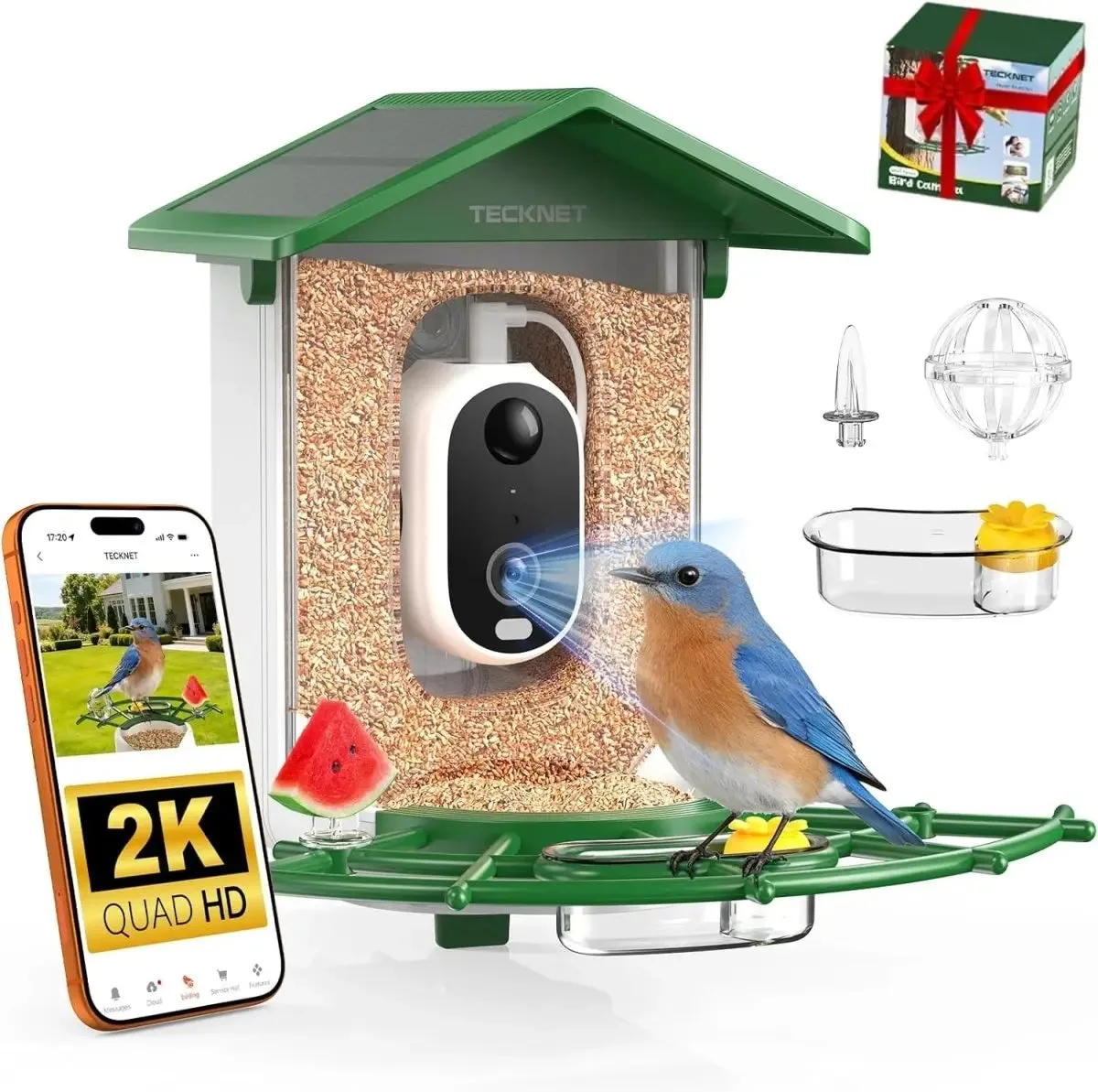
TECKNET Smart Bird Feeder with Camera