Quick Answer
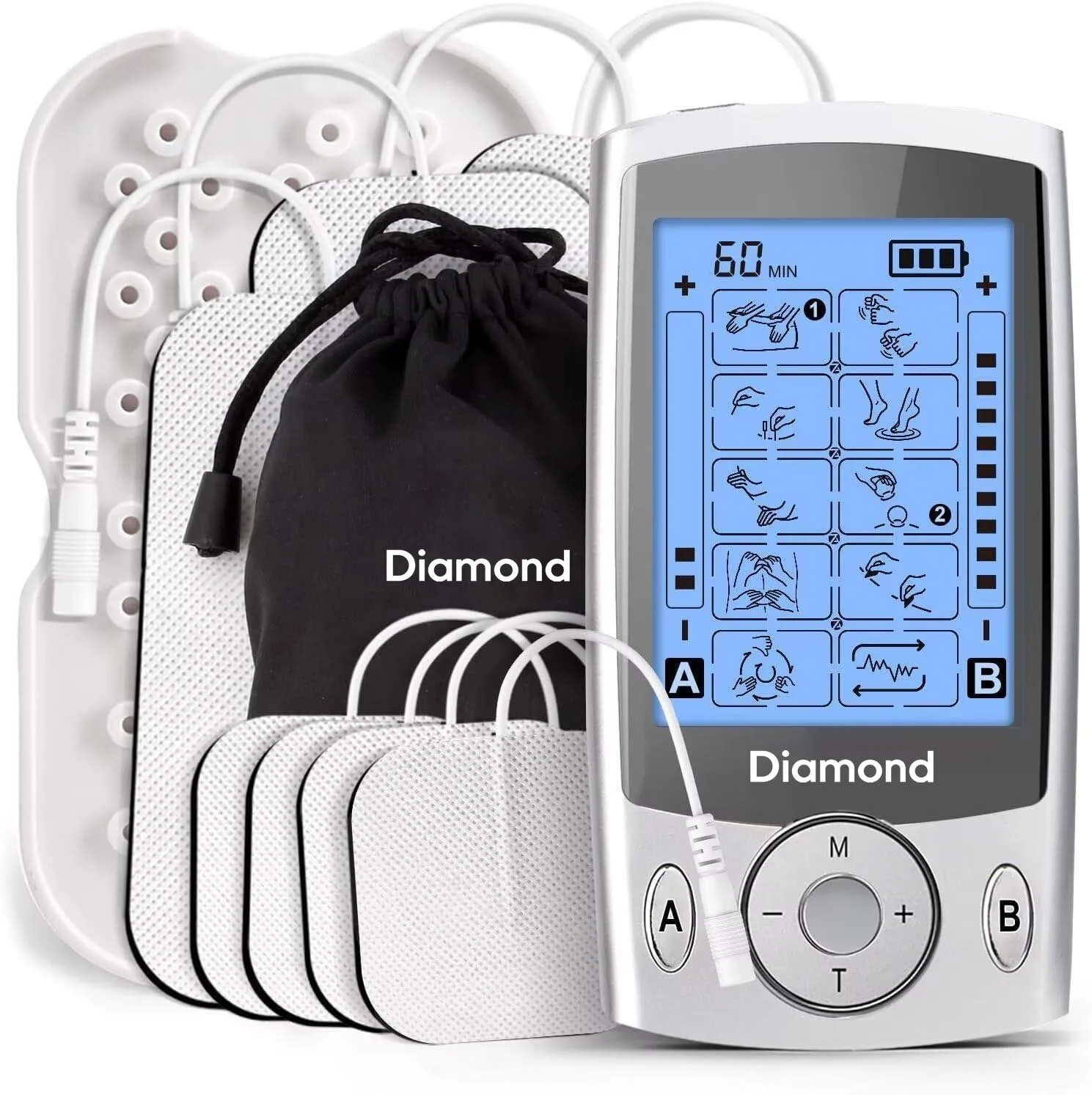
A TENS EMS device uses electrical pulses to block pain signals and contract muscles, speeding recovery. The Regain+ TENS EMS Device offers dual-channel therapy for back, neck, shoulders, arms, and legs with adjustable programs and intensity levels.
Understanding TENS and EMS Modes
TENS (Transcutaneous Electrical Nerve Stimulation) works by sending mild electrical pulses through the skin to interfere with pain signals traveling to the brain. This can provide temporary relief from sore or aching muscles. EMS (Electrical Muscle Stimulation) uses similar pulses but at a frequency that causes muscle fibers to contract, which can help strengthen and relax tired muscles after exercise. Many devices, including the Regain+ TENS EMS Device, combine both modes in one unit so you can switch between pain relief and active recovery without needing separate machines.
When to Use Each Mode
Use TENS mode during or immediately after activity if you feel sharp or lingering pain. It is best for acute discomfort in areas like the lower back, shoulders, or knees. Use EMS mode during rest days or after a workout to promote blood flow and reduce muscle stiffness. Because the Regain+ device offers dual-channel technology, you can treat two different body areas at the same time—for example, one channel on a sore shoulder and the other on tight calves. Just be sure to follow the recommended session length (usually 15–30 minutes) and avoid using the device on broken skin or over the heart.
How to Use a TENS EMS Device for Muscle Recovery
- Step 1: Prepare the Skin and Pads: Clean the target area with mild soap and water, then dry thoroughly. Attach the self-adhesive electrode pads to the skin, spacing them about 1–2 inches apart over the muscle you want to treat. Avoid placing pads directly on bones, joints, or the spine. Checkpoint: If the pads do not stick firmly, replace them with new ones—poor adhesion reduces effectiveness and can cause uneven stimulation.
- Step 2: Choose Your Mode and Program: Turn on the Regain+ device and select either TENS (for pain relief) or EMS (for muscle stimulation). Scroll through the preset programs to match the body area you are treating—back, neck, shoulders, arms, or legs. Start at the lowest intensity level to test your comfort. Common mistake: Jumping to high intensity too quickly can cause discomfort or muscle twitching. Always begin low and increase gradually.
- Step 3: Adjust Intensity and Duration: Press the intensity buttons to raise the level until you feel a strong but comfortable tingling (TENS) or visible muscle contraction (EMS). Set the timer for 15–30 minutes. The device will automatically stop when the session ends. Checkpoint: If you feel sharp pain or burning, reduce the intensity immediately or reposition the pads. Never use the device while sleeping or driving.
- Step 4: Post-Session Care: After the session, turn off the device and gently remove the pads. Clean the pads with a damp cloth and let them air dry before storing them on the plastic liner. Wipe the skin area to remove any residue. Common mistake: Leaving pads on the skin after use can cause irritation. Always remove them promptly and store the device in a cool, dry place.
Product Facts
- Regain+ TENS EMS Device: The Diamond NeuroTherapy TENS & EMS Device combines modern TENS and EMS technology to provide targeted muscle stimulation and relaxation from the comfort of your home or while on the move. You get both pain relief and muscle conditioning in one portable device, making it easy to recover after workouts or long days without visiting a clinic.
- Regain+ TENS EMS Device: Dual-channel technology allows different programmes and intensity levels for areas including the back, neck, shoulders, arms and legs. You can treat two separate muscle groups simultaneously with customized settings, saving time and addressing multiple sore spots in one session.