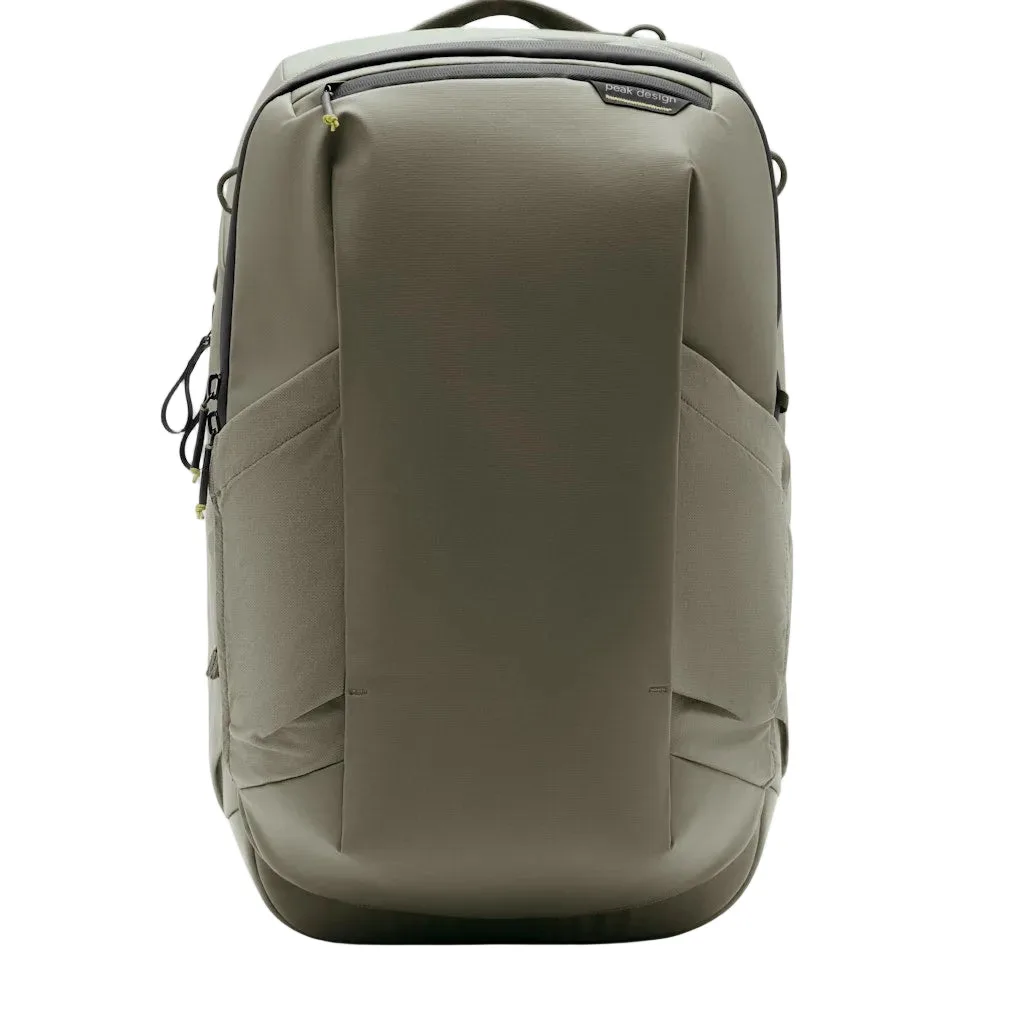
Quick answer
The Travel Backpack 2-in-1 works as a one-bag travel solution by letting you switch between backpack and duffel-style carry. Pack the main compartment first, then choose your carry mode based on the day: backpack straps for hands-free walking, or duffel-style carry for quick moves. The key is to set up and test the conversion before you leave, not at the airport.
Understand the two carry modes before you pack
The Travel Backpack 2-in-1 is designed to give you the nimbleness of one-bagging without sacrificing function. That means you can wear it as a backpack or carry it like a duffel, depending on what the moment calls for. Before packing, decide which mode you'll use most: backpack mode for long walks and transit, duffel mode for short hauls and overhead bins. This choice affects how you organize the interior.
Pack the main compartment for access in both modes
When you pack a travel backpack, think about which items you need to reach while the bag is in duffel mode versus backpack mode. Put heavier items near the back panel (the side against your back in backpack mode) to keep the load stable. Use packing cubes to group items by category, and place frequently used items near the top or on the side that opens most easily in your primary carry mode. Remember that in duffel mode, the bag may lie flat, so items can shift; pack tightly to minimize movement.
Adjust the travel backpack straps for comfort
Before converting to backpack mode, loosen the shoulder straps and sternum strap. Put the bag on, then tighten the shoulder straps first, followed by the sternum strap and any load lifters. The bag should sit close to your back without sagging. For duffel mode, stow the backpack straps according to the bag's design so they don't drag or catch. Always test the strap configuration with a full load before your trip.
Step-by-step: Convert and pack your Travel Backpack 2-in-1
- Choose your primary carry mode: Decide whether you'll mostly wear the bag as a backpack or carry it as a duffel. This determines how you organize the interior and which straps you'll need to access. Checkpoint: If you're unsure, plan for backpack mode for long transit days and duffel mode for short trips.
- Pack heavier items toward the back panel: In backpack mode, the back panel is the side against your body. Place heavy items like shoes or a laptop near that side to keep the load stable and reduce strain. Mistake to avoid: Packing heavy items at the bottom or front can make the bag sag and feel heavier.
- Use packing cubes and keep essentials accessible: Group items in cubes and place frequently used items near the top or on the side that opens most easily in your primary mode. This reduces digging and helps you repack quickly. Checkpoint: After packing, open the bag in both modes to ensure you can reach key items without unloading everything.
- Adjust the backpack straps for a snug fit: Loosen the shoulder straps, put the bag on, then tighten shoulder straps, sternum strap, and load lifters in that order. The bag should sit close to your back without sagging. Mistake to avoid: Over-tightening the sternum strap can restrict breathing; adjust until comfortable.
- Stow straps for duffel mode: When switching to duffel carry, secure the backpack straps according to the bag's design so they don't drag or catch on anything. Checkpoint: Walk a few steps in duffel mode to ensure straps are fully stowed and won't trip you.
- Test the conversion with a full load: Before your trip, practice switching between modes with the bag fully packed. This helps you identify any issues with strap adjustment or packing organization. Next step: Make any final adjustments to packing or straps at home, not at the airport.
Product facts
- Travel Backpack 2-in-1: The Travel Backpack 2-in-1 is described as a one-bag-travel solution that offers the nimbleness of one-bagging without the aesthetic and functional compromises of typical convertible bags. This means you can switch between backpack and duffel carry without feeling like you're using a bag that's compromised in either mode.