Quick answer
The Viltrox EF-E II Speedbooster lets you mount Canon EF lenses on Sony E-Mount cameras while boosting the lens's effective aperture and maintaining autofocus. Follow the steps below to set it up correctly and avoid common issues.
Why use a Speedbooster instead of a plain adapter?
A standard adapter simply spaces the lens to the correct flange distance, but a Speedbooster like the Viltrox EF-E II uses optics to reduce the image circle by 0.71x. This concentrates more light onto the sensor, effectively brightening the aperture by about one stop and giving you a wider field of view on APS-C cameras. The trade-off is that you lose some corner sharpness and may need to update the adapter's firmware for full compatibility with newer lenses.
Compatibility check before you start
The Viltrox EF-E II works with Canon EF and EF-S lenses on Sony E-Mount cameras with APS-C sensors. It supports contrast-detect (CDAF) and phase-detect (PDAF) autofocus, but not all lenses focus equally fast. Heavy telephoto lenses may put stress on the mount, so use a tripod collar when possible. The adapter does not have a built-in tripod foot, so you need to support the lens separately for long glass.
How to mount and use the Viltrox EF-E II Speedbooster
- 1. Prepare the camera and adapter: Turn off your Sony camera to avoid electrical shorts. Remove the body cap from the camera and the rear cap from the Speedbooster. Align the red dot on the adapter with the red dot on the camera's E-Mount ring, then rotate the adapter clockwise until it clicks into place. A common mistake is forcing the adapter onto the mount without aligning the dots – this can damage the electronic contacts.
- 2. Attach the Canon lens: Remove the lens cap from your Canon EF lens and the front cap from the Speedbooster. Align the red dot on the lens with the red dot on the adapter's front ring, then rotate the lens clockwise until it locks. You should hear a distinct click. If the lens does not click into place, check that you are using a Canon EF/EF-S lens – the adapter does not support Canon FD or Nikon lenses.
- 3. Power on and test autofocus: Turn on your Sony camera and set it to Aperture Priority (A) or Manual (M) mode. Half-press the shutter button to activate autofocus. The adapter should communicate aperture and focus data automatically. If the lens does not autofocus, try cleaning the electronic contacts on both the adapter and lens with a dry cloth. Some third-party lenses (e.g., older Sigma or Tamron) may not support PDAF – switch to contrast-detect AF in the camera menu if focus hunts.
- 4. Adjust exposure for the speedboost effect: Because the Speedbooster concentrates light, your camera's metering may underexpose by about one stop. Use exposure compensation (+0.7 to +1.0 EV) or switch to manual exposure and set the aperture and shutter speed based on the lens's effective f-stop (e.g., an f/2.8 lens becomes roughly f/2.0). Do not rely solely on the lens's printed aperture ring – the adapter changes the effective aperture, so always check the camera's histogram.
- 5. Firmware updates (if needed): Visit the Viltrox support page and download the latest firmware for the EF-E II. Connect the adapter to your computer via a micro-USB cable (not included) and follow the update tool instructions. Newer Sony camera models may require a firmware update for full compatibility. Skipping firmware updates is a common reason for erratic autofocus or aperture errors – update before your first serious shoot.
Product facts
-
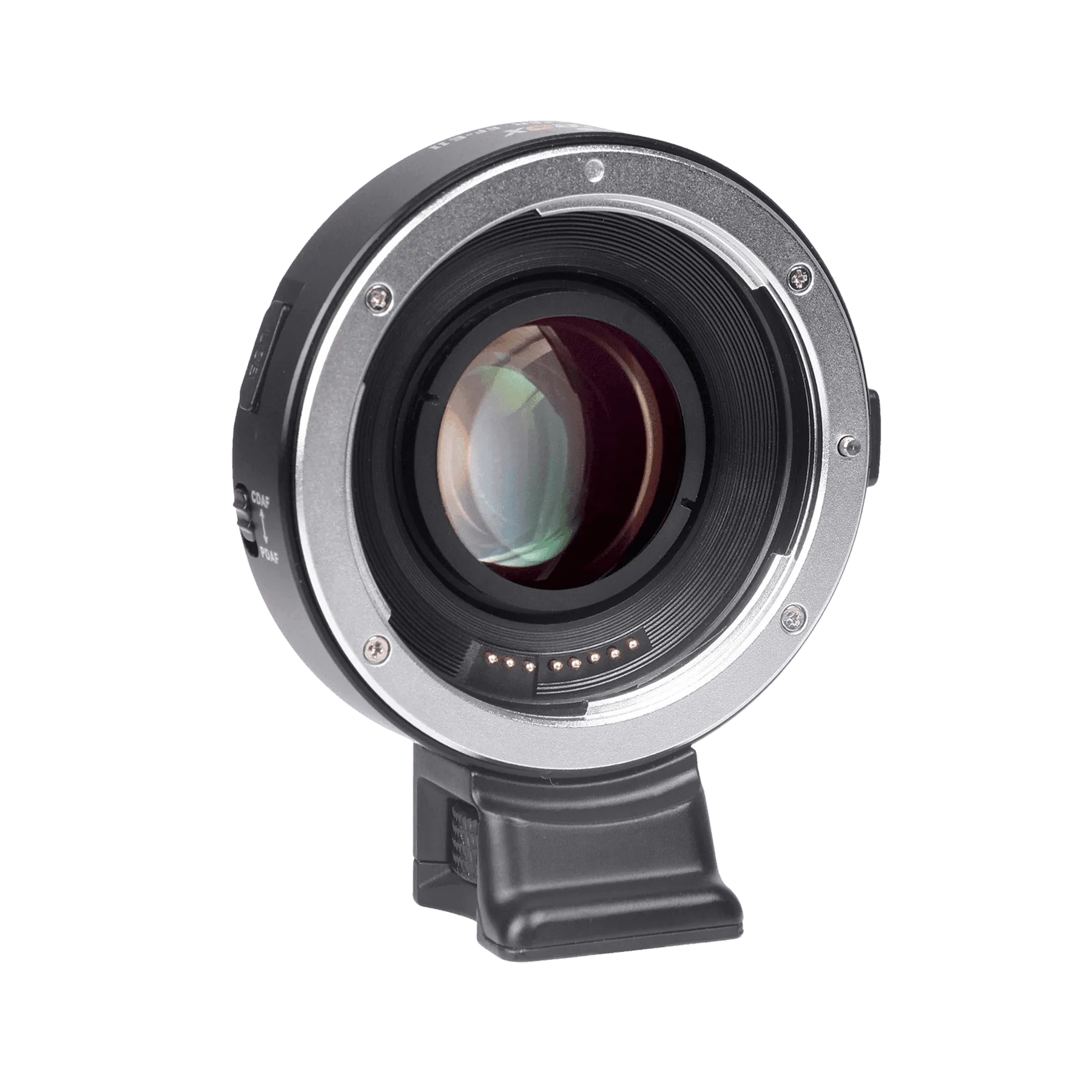
Viltrox EF-E II Speedbooster für Canon EF Objektive an Sony E-Mount: The Viltrox EF-E II Speedbooster reduces the image by 0.71x, supports autofocus, CDAF and PDAF, and connects Canon EF lenses to Sony E-Mount APS-C cameras. This means you keep autofocus and gain roughly one stop of light, making it a practical choice for low-light shooting without replacing your lens collection.
Viltrox EF-E II Speedbooster für Canon EF Objektive an Sony E-Mount